
Affiliate Disclosure: At aifreetool.site, we independently review AI tools and software. Some links in this article may be affiliate links. If you make a purchase through these links, we may earn a commission at no extra cost to you. This does not influence our editorial content or ratings.
Last Updated: March 2026
TL;DR
Speechify is a leading AI-powered text-to-speech platform that transforms written content into natural-sounding audio. With celebrity voices like Snoop Dogg and Gwyneth Paltrow, support for 40+ languages, OCR capabilities for images, and cross-platform availability (Chrome extension, iOS, Android, Mac), it helps millions of users consume content faster. Free tier available with Premium plans starting at $11.58/month.
Speechify Overview
Speechify is an AI-powered text-to-speech platform that has transformed how people consume written content. Founded by Cliff Weitzman, who created the tool to help with his own dyslexia, Speechify has grown into one of the most popular reading assistance tools available, serving millions of users worldwide across educational, professional, and personal use cases.
The platform leverages advanced AI voice synthesis technology to convert text into incredibly natural-sounding speech. Unlike traditional robotic text-to-speech engines, Speechify's voices capture human intonation, rhythm, and emphasis, making the listening experience engaging and easy to follow. The technology continues to improve with regular updates to voice quality and new voice additions.
Speechify supports a wide range of content sources including PDFs, documents, web articles, emails, and even images through its OCR (Optical Character Recognition) capabilities. Users can listen to content at speeds up to 4.5x normal reading pace, enabling significant productivity gains for those who process large volumes of written material regularly.
Available across multiple platforms including Chrome browser extension, iOS app, Android app, and Mac desktop application, Speechify provides a seamless experience regardless of device. The platform is particularly popular among students, professionals, and individuals with learning differences like dyslexia or ADHD, helping them absorb information more efficiently through auditory learning.
Key Features
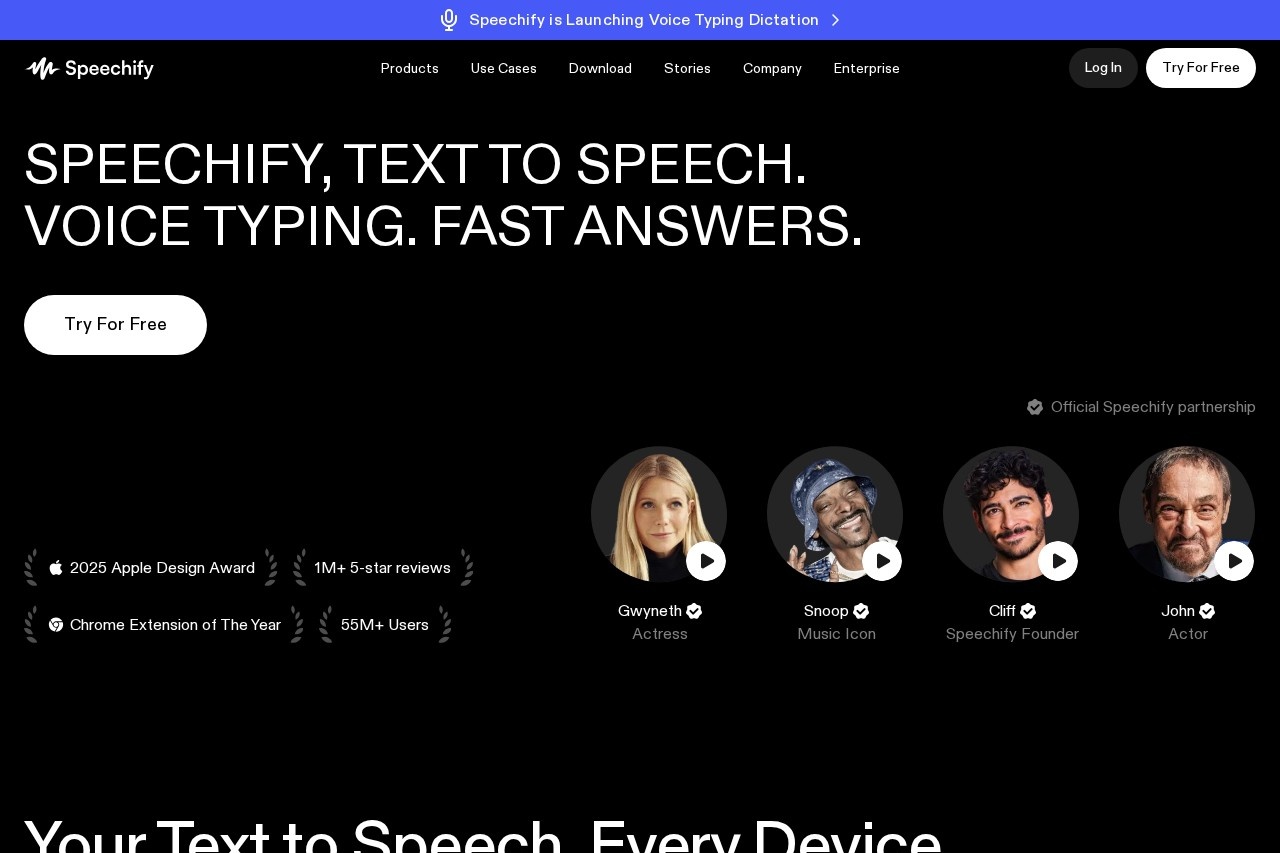
🎙️ Celebrity Voices
Listen to content read by famous voices including Snoop Dogg, Gwyneth Paltrow, and other celebrities. These premium voices add an engaging, entertaining element to content consumption.
🌍 40+ Languages Supported
Extensive language support including English, Spanish, French, German, Italian, Portuguese, Chinese, Japanese, and many more. Perfect for multilingual users and language learners.
📄 Multi-Format Support
Read content from PDFs, Word documents, Google Docs, web pages, emails, and more. Simply upload files or paste text to start listening immediately.
📸 OCR Image Reading
Snap photos of physical text or upload images containing text, and Speechify's OCR technology extracts and reads the content aloud. Great for textbooks and printed materials.
⚡ Speed Control (Up to 4.5x)
Adjust playback speed from 0.5x to 4.5x normal pace. Listen faster to save time or slow down for complex content. Average users read 2x faster with audio.
📱 Cross-Platform Sync
Seamlessly switch between Chrome extension, iOS, Android, and Mac apps. Your library, progress, and settings sync across all devices automatically.
Performance & User Experience
Speechify delivers outstanding voice quality that sets it apart from traditional text-to-speech solutions. The AI-generated voices sound remarkably natural, with appropriate pauses, emphasis on key words, and smooth transitions between sentences. Premium voices, including celebrity options, provide an even more engaging listening experience that feels like being read to by a real person rather than a computer.
The platform handles various content types with impressive accuracy. PDF documents with complex formatting, web articles with embedded media, and even scanned documents are processed reliably. The OCR feature works well for clear text, accurately extracting content from photos of books, documents, and screenshots. However, handwritten text or heavily stylized fonts may present challenges.
Speed control is one of Speechify's most valuable features for productivity-focused users. At 2x speed, comprehension remains high while effectively doubling reading throughput. Advanced users regularly listen at 3x or higher speeds, though this requires practice. The ability to fine-tune speed in small increments allows users to find their optimal listening pace.
The user interface across platforms is clean and intuitive. The Chrome extension integrates seamlessly with web browsing, adding a floating player to any page with readable content. Mobile apps offer a similar experience with added features like camera scanning for physical documents. Cross-platform sync ensures you can start listening on one device and continue on another without losing your place.
Who Should Use Speechify?
🎓 Students & Educators
Essential for students with dyslexia, ADHD, or visual impairments who benefit from auditory learning. Listen to textbooks, research papers, and course materials while taking notes. Educators can create audio versions of reading materials for accessibility compliance.
💼 Professionals
Perfect for busy professionals who need to process reports, emails, and industry articles efficiently. Listen during commutes, workouts, or while multitasking. Researchers and analysts can review large volumes of documents faster through audio consumption.
📚 Audiobook Enthusiasts
Convert any written content into audiobook format instantly. Listen to articles, blogs, PDFs, and documents that aren't available as audiobooks. Perfect for voracious readers who prefer audio format for convenience and multitasking.
🌐 Language Learners
Excellent for language learners who want to hear proper pronunciation and natural speech patterns. Follow along with text while listening to improve comprehension. Support for 40+ languages makes it valuable for multilingual content consumption.
Pricing Plans
Speechify offers a free tier for basic use and premium plans for users who need advanced features. The premium plans unlock the full potential of the platform with unlimited listening, celebrity voices, and advanced capabilities.
⭐ Free Plan
$0/month
- 10 standard voices
- Basic text-to-speech
- Chrome extension access
- Limited listening hours
- Speed up to 2x
⭐ Premium Plan
$11.58/month
Billed annually ($139/year)
- 30+ premium voices
- Celebrity voices included
- Unlimited listening
- Speed up to 4.5x
- OCR & image scanning
⭐ Enterprise Plan
Custom Pricing
- Everything in Premium
- Team administration
- SSO & advanced security
- Dedicated support
- Custom integrations
Pricing as of March 2026. Monthly billing available at higher rates. Enterprise pricing varies based on team size and requirements. API access available for developers.
Pros & Cons
✅ Pros
- Highly natural-sounding AI voices with human intonation
- Celebrity voices add engaging entertainment value
- Excellent OCR for scanning and reading physical text
- Cross-platform support with seamless sync
- Speed control up to 4.5x for efficient content consumption
- Valuable accessibility tool for learning differences
- 40+ language support for global users
❌ Cons
- Free plan has limited features and voice options
- Premium pricing may be steep for casual users
- OCR accuracy varies with image quality
- Some voices sound better than others
- Requires internet connection for most features
- Annual billing offers best value but requires commitment
Final Verdict
Excellent AI Text-to-Speech Platform
Speechify stands as one of the most polished and effective text-to-speech platforms available today. Its combination of natural-sounding AI voices, celebrity voice options, and comprehensive feature set makes it a standout choice for anyone looking to consume written content through audio. The platform's accessibility focus, born from the founder's personal experience with dyslexia, ensures it genuinely serves those who need it most.
The platform excels in multiple scenarios: students with learning differences can absorb educational materials more effectively, busy professionals can process documents during commutes or workouts, and audiobook lovers can convert any text into listenable content. The OCR feature adds significant value, enabling users to digitize and listen to physical books, documents, and screenshots with reasonable accuracy.
For users who process significant amounts of text daily, the Premium plan at $11.58/month delivers excellent value with unlimited listening, celebrity voices, and advanced features like OCR. The free tier provides a meaningful opportunity to test the platform's capabilities before committing. While casual users might find the premium price steep, those who integrate audio content consumption into their daily routines will find Speechify to be a worthwhile investment in productivity and accessibility.
Frequently Asked Questions
Is Speechify free to use?
Speechify offers a free tier with basic text-to-speech functionality, 10 standard voices, and limited listening hours. The free plan includes the Chrome extension and basic features. Premium plans starting at $11.58/month unlock 30+ premium voices, celebrity voices, unlimited listening, OCR scanning, and speed control up to 4.5x.
Which celebrity voices are available on Speechify?
Speechify offers premium celebrity voices including Snoop Dogg, Gwyneth Paltrow, and other well-known personalities. These voices are available exclusively on Premium plans and provide an engaging, entertaining listening experience. The platform regularly adds new voices, so the celebrity roster continues to expand.
Can Speechify read PDFs and documents?
Yes, Speechify can read PDFs, Word documents, Google Docs, emails, web articles, and many other document formats. Simply upload files directly to the app or use the Chrome extension to read web content. The platform handles various formatting and preserves document structure during playback.
How does the OCR feature work?
Speechify's OCR (Optical Character Recognition) feature allows you to snap photos of physical text or upload images containing text. The AI extracts the text from the image and reads it aloud. This works well for textbooks, printed documents, screenshots, and other text images. Accuracy depends on image quality and text clarity.
Is Speechify good for people with dyslexia?
Speechify is an excellent tool for individuals with dyslexia. In fact, the founder created it specifically to help with his own dyslexia. The platform enables users to listen to text while following along visually, which can improve comprehension and reduce reading fatigue. Many educators and parents use it as an assistive technology tool for students with learning differences.
Can I cancel my Speechify subscription anytime?
Yes, you can cancel your subscription at any time through your account settings. For annual subscriptions, your access continues until the end of the billing period. Speechify typically offers a satisfaction guarantee period for new subscribers. Check the current terms on their website for specific cancellation and refund policies.



![AI-Powered Audio & Video Transcription[Unlimited] | Devoice](https://aifreetool.site/wp-content/uploads/tool-img/favicon_ca03088b1d7911a86f1c062672e23212.ico)