Last Updated: February 3, 2026 | Review Stance: Tested as a founder building my next side project
Quick Jumps
Founder TL;DR
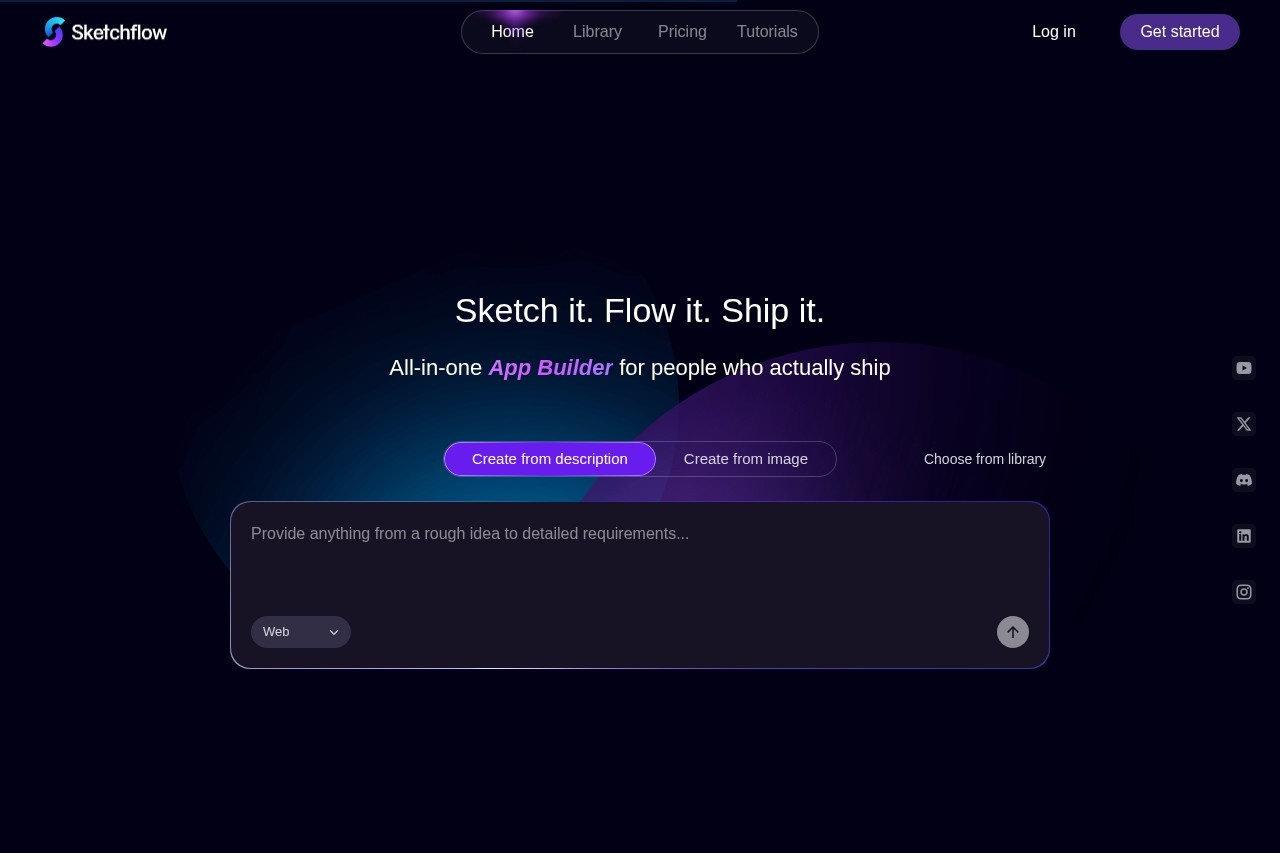
Sketchflow.ai turned my vague "SaaS dashboard for creators" ramble into a clickable multi-page prototype + React code in under 10 minutes. Flows first, then designs, editable, simulatable—feels like cheating. Free to start, templates speed things up. If you're tired of Figma hell or endless designer ping-pong, this is your shortcut to shipping ideas faster.
The Night I Ditched My Sketchbook for Sketchflow
As a solo founder juggling code, design, and PM hats, I used to spend days wireframing in Figma before even validating if the idea sucked. Then I tried Sketchflow.ai one late night. Typed a messy prompt about my app idea—AI spat out user flows, pages, and a full UI structure. I was hooked. This review comes from building 3 real prototypes (SaaS dashboard, mobile creator tool, landing page suite) in 2026—no sponsored fluff, just genuine "why didn't this exist sooner" vibes.
Workflow: Prompt or upload image → AI generates flows + designs → tweak in visual editor with AI help → simulate clicks → export code or share. It's not magic, but it cuts 80% of the boring parts.
Idea Validation
Quick prototypes to test with users before coding.
Founder Solo Mode
From napkin sketch to clickable MVP in hours.
Team Brainstorm
Collaborate on flows/designs without design bottlenecks.
Handover to Devs
Export clean React/Kotlin/Swift code—less miscommunication.
The Parts That Made Me Go "Wait, Really?"
Standouts from My Builds
- Workflow-First Generation: AI builds user journeys before screens—smart, follows real UX logic.
- Two Start Modes: Text prompt or upload screenshot/image → AI reconstructs editable designs (SnapDesign-like magic).
- Visual Editor + AI Assist: Drag, refine, instant styles, precise tweaks—no pixel fighting.
- Cloud Simulator: Click through like a real app—test flows without deploying.
- Code Export: One-click React (web), Kotlin (Android), Swift (iOS)—own your frontend code.
- Templates Library: Jumpstart with pre-built sites/apps, customize fast.
How Fast & Reliable It Feels in 2026
Generation takes 1-5 minutes for complex multi-page stuff—insanely quick compared to manual. Designs look modern/high-fid, responsive across devices. Simulation catches flow issues early. Edits are smooth, AI suggestions helpful without overriding. Code exports clean (React especially solid). Minor: very niche prompts can need rephrasing, but way better than early 2025 versions.
What Excites Me Most
Multi-Page Focus
Clean Code Export
Simulation Power
Free Entry
Pricing (No Surprises)
Free / Starter
$0
Dip Your Toes
- Core generation & editing
- Limited projects/credits
- Basic exports
- Good for testing ideas
Plus / Pro
~ $19–$49/mo
Serious Shipping
- Unlimited projects
- Full code exports (React/Kotlin/Swift)
- Advanced AI edits & sims
- Collaboration + priority gen
As of Feb 2026: Free tier lets you play meaningfully. Paid unlocks unlimited + pro features. Check /price page for current exacts—annual often saves 20%.
Honest Hits & Misses
What I Love
- Flows before designs—UX thinking baked in
- Image upload → editable prototype magic
- Simulation feels like real app testing
- Code exports save dev handoff pain
- Templates for fast starts
- Free tier actually useful
Room for Improvement
- Complex prompts sometimes need 2-3 tries
- Free limits hit quick on big projects
- Backend logic still manual (frontend focus)
- No deep native mobile previews yet
My Take: 9.2/10
Sketchflow.ai is the prototyping accelerator every founder dreams of in 2026. From fuzzy idea to shareable, clickable, code-ready prototype fast—it's reduced my "design debt" massively. Free to try, scales with you. If you're building products and hate slow iteration loops, this will feel like unfair advantage.
Usability: 9.0/10
Output Quality: 9.1/10
Value: 9.3/10
Turn Your Next Idea Into Reality Tonight
Start free, prompt your wildest app concept, and watch it come alive—don't let another idea die in notes.
Free to start as of February 2026.