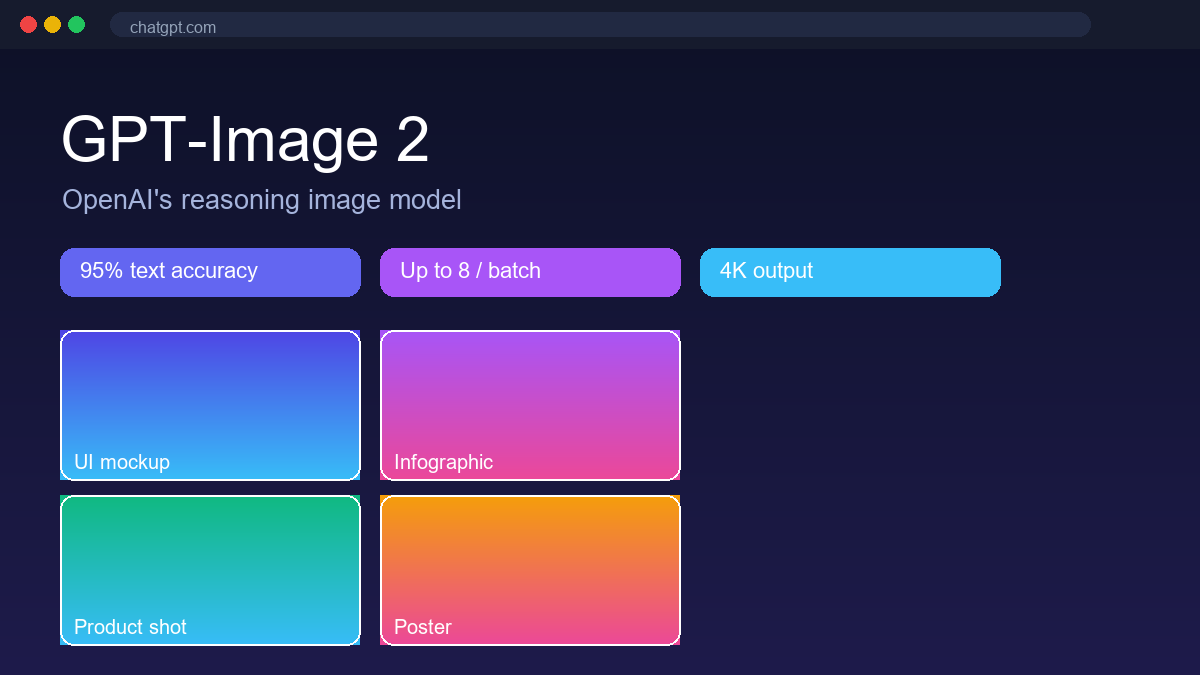
GPT-Image 2 is OpenAI's native image generation and editing model, shipped in April 2026 inside ChatGPT Images 2.0. It replaces GPT Image 1.5 and the older DALL·E 3 pipeline. The model adds a reasoning step — "Thinking mode" — that plans a prompt, pulls visual references, and verifies the result before returning pixels. That is why it handles dense text, page layouts, and non-Latin typography far better than earlier diffusion systems. It targets designers, marketers, and developers who need production-ready visuals with accurate in-image text, not only decorative art.
Core Features
- Instant and Thinking modes. Instant returns images in a few seconds for every ChatGPT user. Thinking reasons about the prompt, can run a web search for references, and self-verifies the output — slower, but more coherent on complex layouts.
- Accurate in-image text. Roughly 95% character accuracy across Latin, Chinese, Japanese, Korean, Hindi, and Bengali scripts, so posters, packaging, and infographics keep legible copy without manual retouching.
- Multi-image batches with continuity. One prompt can return up to eight images that preserve the same character, product, or style across the set — useful for storyboards, product variants, and ad series.
- Resolution and aspect control. Outputs reach 4K on the API, with aspect ratios from 3:1 landscape to 1:3 portrait set directly in the prompt or the UI.
- Native ChatGPT workflow. Generate, edit, and regenerate in the same chat; attach references, use web browsing and Canvas, and keep image work next to other ChatGPT tasks.
- Provenance metadata. C2PA content credentials are embedded in outputs by default for downstream verification.
Use Cases
The model is built for structured, text-heavy visuals rather than abstract art alone. Common jobs include:
- UI and interface mockups — app screens, dashboards, and component renders from a written brief.
- Charts and infographics — data visuals where the labels and numbers must read correctly.
- Posters and typographic layouts — event posters, social cards, and editorial spreads with real headline text.
- Product and e-commerce shots — variant sets and on-brand packshots with consistent lighting.
- Brand and logo exploration — fast identity directions and mock applications.
- Photography and realism — realistic scenes, portraits, and lifestyle imagery.
- Illustration and recurring characters — stylized art with a consistent look across frames.
- Documents and publishing — book covers, report heroes, and slide visuals with accurate body copy.
Pricing
ChatGPT Images 2.0 is included in OpenAI's existing subscription tiers — the model upgrade did not add a new consumer SKU:
- Free — $0. Instant mode only, about 2–3 images per day, watermarked outputs.
- Plus — $20/month. Thinking mode, roughly 50 images per 3 hours, 8-image batches, web reference search.
- Pro — $200/month. Highest priority and largest generation limits.
- Business — $25 per user/month (or $20 billed annually). Team admin controls and business data protections.
- Enterprise — custom pricing with SSO, audit logs, and DPAs.
- API (gpt-image-2) — token pricing: image input $8 / 1M tokens, image output $30 / 1M tokens, text input $5 / 1M tokens. Batch API halves all rates. At 1024×1024 that works out to about $0.006 (low), $0.053 (medium), and $0.211 (high) per image.
Pros and Cons
Pros
- Class-leading image quality and prompt adherence; topped the Image Arena leaderboard at launch.
- Strong, multilingual text rendering — the main reason to pick it for design work.
- Multi-image batches keep character and style continuity.
- Free-tier Instant mode lets casual users try it without a subscription.
- Deep ChatGPT integration with web search and Canvas.
Cons
- Free tier is tightly capped at a few images per day.
- Thinking mode is slower than one-shot diffusion tools.
- No transparent-background output; PNG with alpha needs a post-processing pass.
- Strict content policy around real people and certain styles.
- API pricing is premium versus some open-weight alternatives.
FAQ
Is GPT-Image 2 free?
Inside ChatGPT, Free users get Instant mode at a few images per day. Direct API access is pay-per-token with no free tier; Microsoft Foundry promo credits are the closest free testing path.
What is the difference between Instant and Thinking mode?
Instant generates in seconds for everyone. Thinking reasons about the prompt, can search the web for references, and self-verifies — better for complex layouts, at the cost of speed. Thinking is limited to paid plans.
Does it support transparent backgrounds?
No. Outputs are opaque; design overlays that need alpha require a separate background-removal step.
How does it compare to Midjourney or Nano Banana Pro?
GPT-Image 2 wins on in-image text and layout precision. Midjourney leads on artistic mood and cinematic lighting; Nano Banana Pro adds more reference images and native 4K. They are complements more than replacements.
For more image-generation tools, browse our AI Image Generation category.