How to Make Money Setting Up AI Workspaces With Taskade
Category: Monetization Guide
Quick answer: You can make money setting up AI workspaces with Taskade by building custom client portals, CRMs, dashboards, and automations for small businesses, coaches, and agencies using Taskade Genesis. A single build runs $300 to $1,200, and a monthly care retainer $100 to $400. Operators earn $1,000 to $3,500 a month part-time. This guide is written by the aifreetool.site editorial team. We have no affiliate relationship with Taskade, and links point to the official site or our own pages.
Key Takeaways
- Taskade Genesis turns one prompt into a full-stack app with a database, AI agents, and automations, hosted free for unlimited visitors.
- You charge for setup, data modeling, agent configuration, and training, not for the software.
- Tool cost is about $10 to $16 a month on Pro, so margins stay high.
- Published apps cost the client nothing to run, which makes the offer easy to say yes to.
- Internal link: compare features on the Taskade tool page (https://aifreetool.site/tool/taskade/) before you pitch.
What Taskade Does (and the Plan You'd Use)
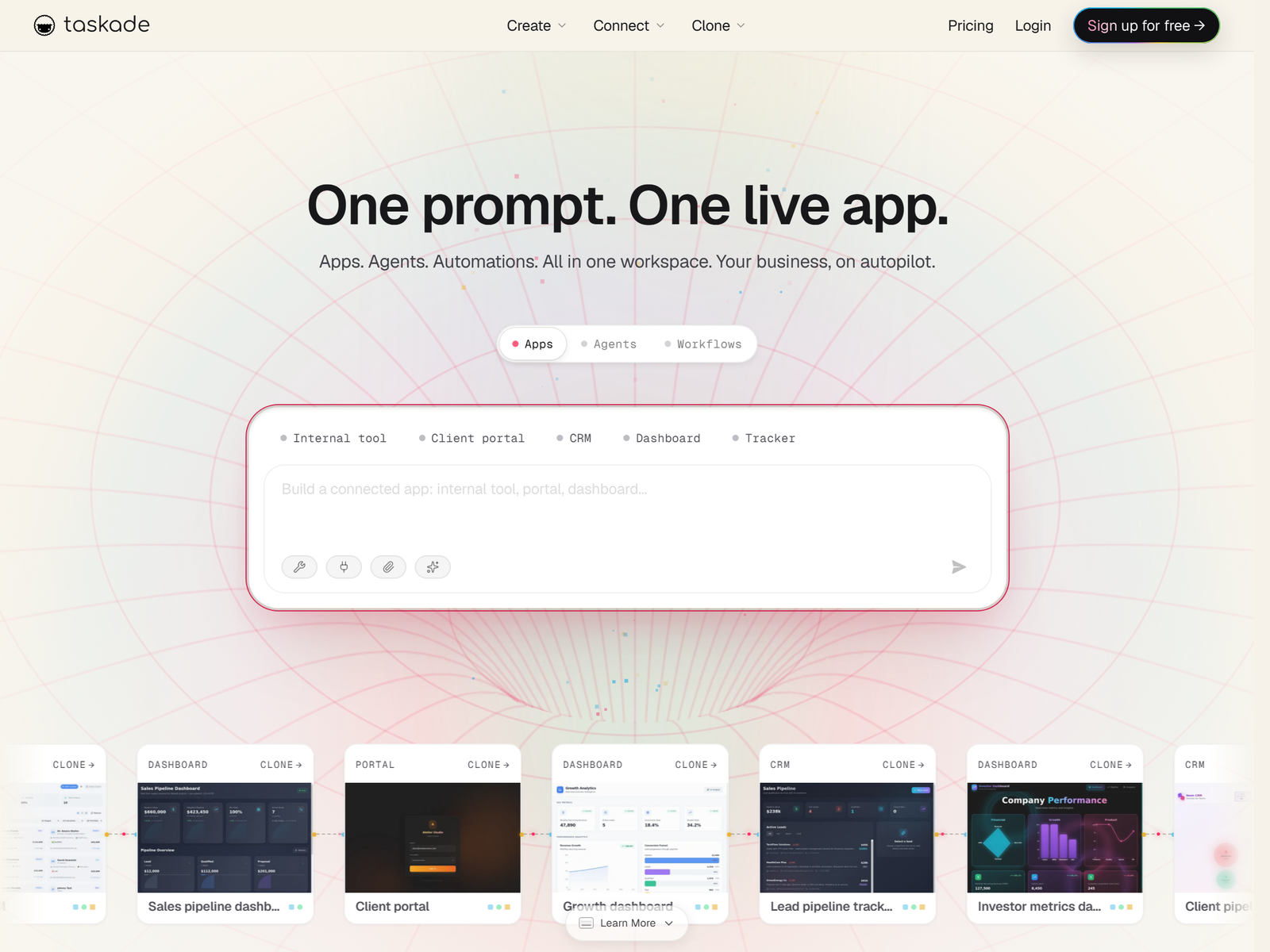
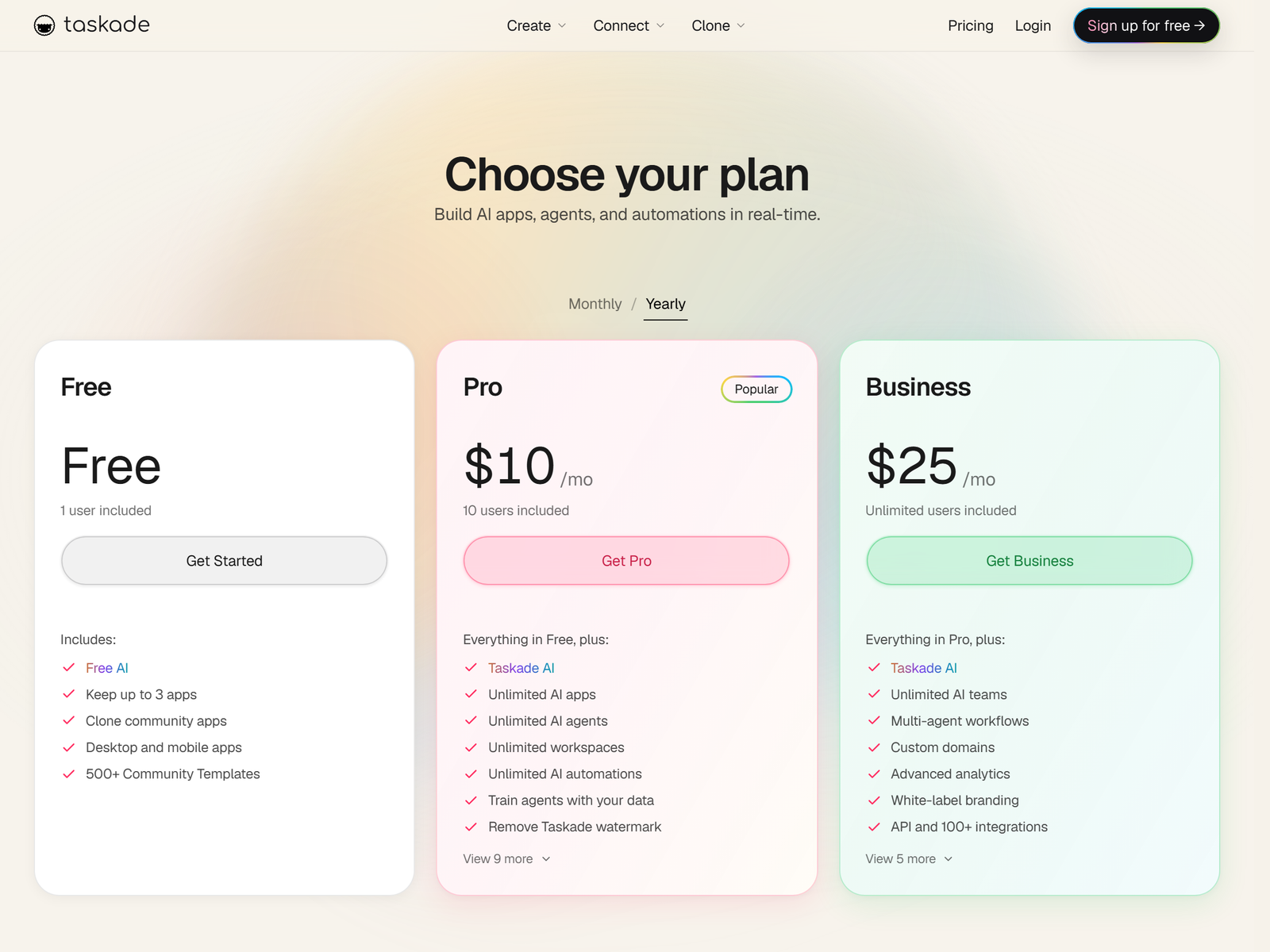
Taskade is an AI workspace that combines tasks, notes, mind maps, and docs with custom AI agents that hold persistent memory and automations across 100-plus integrations. It sits in the no-code development category, where anyone builds software without writing it. In 2026 it added Genesis, an AI app builder that turns a single prompt into a working app, a client portal, a CRM, or a dashboard, complete with a database backend, agents, and automation workflows. Over 150,000 apps have been built on the platform. Per Taskade's pricing page, plans are Free ($0, one user, about 1,000 AI credits, up to 3 apps), Starter at $6 a month (3 users, 10,000 credits), Pro at $10 to $16 a month (10 users, 50,000 credits, unlimited agents and automations, no branding), Business at $25 to $40 a month (unlimited users, custom domains, white-label), and Enterprise custom. For client work you would run Pro or Business so you can remove branding and use custom domains.
The Service: Build and Set Up AI Workspaces
The offer is a done-for-you internal system. A coach gets a branded client portal with intake forms and session notes. An agency gets a lead CRM with automated follow-ups. A consultant gets a dashboard pulling data from Sheets and Slack. Because published Taskade apps serve unlimited visitors at no credit cost, your client pays only for the build and any ongoing care, which removes the usual "another subscription" objection.
Step-by-Step: From Prompt to Paid Build
- Pick one vertical (coach portals, agency dashboards, or lead CRMs) and build a reusable template.
- Learn Genesis by generating an app from a prompt, then wiring one automation and one agent.
- Set package prices and a handoff plan that includes a live training call.
- Find clients on LinkedIn and Instagram (coaches), and in small-agency communities on X and Slack.
- Run discovery, generate the first draft, connect integrations, then train the client and collect a testimonial.
Pricing Your Taskade Builds
| Deliverable | Scope | Price | Margin note |
|---|---|---|---|
| Client portal | Intake, notes, resources | $300 to $600 | Template reuse |
| CRM or dashboard | Data, agents, automations | $600 to $1,200 | Highest ticket |
| Care retainer | Updates, new automations | $100 to $400 a month | Recurring |
| Add-on automation | Per workflow | $50 to $150 each | Upsell |
Client Management and What You Can't Promise
White-label and custom domains require the Business plan, so confirm branding needs before quoting. Published apps run free for the client, but heavy agent usage draws from your credit pool, so price care plans to cover it. Train the client on adding content so you are not called for every edit. Be honest that Taskade is not a replacement for a heavy custom backend with complex auth at enterprise scale; for most small teams it is more than enough.
Pro Tips and Pitfalls
Reuse one template per vertical to cut build time from days to hours, and lean on the 100-plus integrations (Stripe, Slack, Google Sheets) to make each app feel complete. Upsell automations after the first build, once the client trusts the system. The pitfalls are overpromising enterprise-grade auth, ignoring credit limits so automations stall, and skipping handoff training so the client feels abandoned. Document the app in a short Loom.
Who This Is and Isn't For
This fits non-technical operators who can structure a workflow and explain it clearly: consultants, ops generalists, and agency owners. It is a weak fit if you want to build complex software with custom servers, or if you dislike client communication.
My Take: The Bottom Line
Taskade Genesis is the closest thing to a consulting business in a box. You are not selling software; you are selling a working system a non-technical client could never build alone, and the free-to-run published apps make the pitch almost frictionless. Start with one vertical and a single template, charge for the build plus a care retainer, and let reusable templates compound your hourly rate. A realistic part-time operator reaches $1,000 to $3,500 a month within three to six months, with retainers turning one-off projects into steady income.
FAQ
Do I need to code to use Genesis?
No. Genesis builds the app from a prompt, including the database and agents, so you configure rather than code.
How much does it cost me per client?
A Pro or Business plan at $10 to $40 a month covers most client work; published apps cost the client nothing to run.
Can clients use the app on their own domain?
Yes, on the Business plan you can attach a custom domain and remove Taskade branding for a white-label feel.
What if a client needs complex integrations?
Taskade connects 100-plus tools including Stripe, Slack, and Sheets; for anything beyond that, scope it as a custom add-on.
Is Taskade better than Notion for this service?
For AI agents and app-building, yes; Notion charges extra for AI and lacks a true app builder, so you can charge more.