How to Make Money Editing Videos With VEED.io in 2026
Category: Monetization Guide
Reviewed by the aifreetool.site editorial team. This is an independent guide with no affiliate links — we do not earn a commission if you sign up for the tools we cover.
Quick answer: In 2026, you can make money editing videos with VEED by offering a done-for-you captioning, cleanup and localization service to creators, coaches and small businesses. You add accurate subtitles, clean up audio, and translate clips into other languages, then bill per video or per month. A part-time operator charges $20 to $80 per video or $300 to $1,500 a month in retainers, and VEED's free plan plus a roughly $12 to $30 monthly paid plan is enough to start.
What VEED is (and why it is service-friendly)
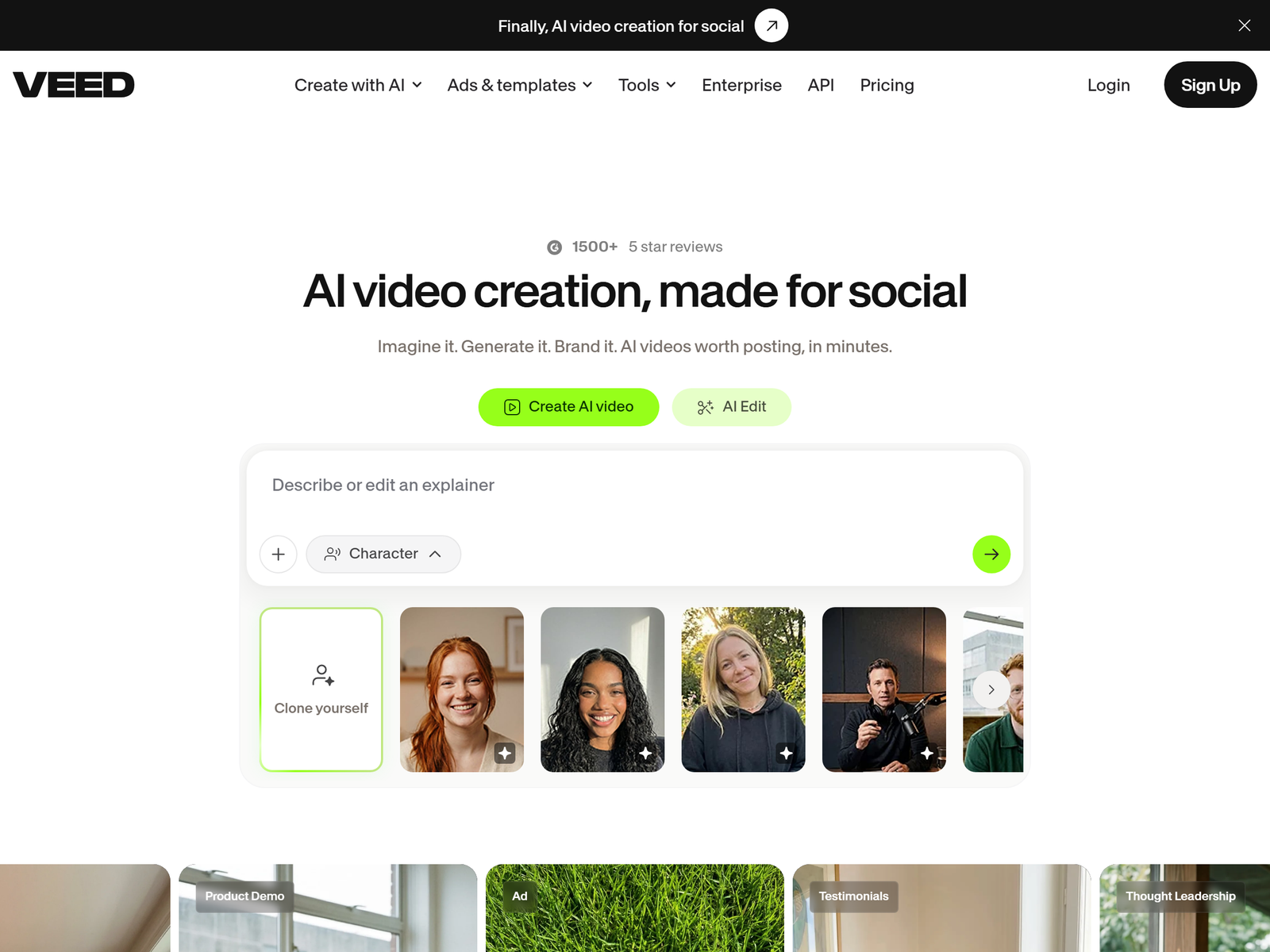
VEED is a browser-based video editor with more than 5 million users. Unlike desktop suites that take months to learn, you upload a clip and edit it on a timeline in any browser, with no install. The features that matter for a service business are its auto-subtitles (about 90 to 95 percent accurate on clean English speech), AI clean-audio noise removal, AI translation and dubbing into 75-plus languages, a background remover for talking-head footage, and one-click vertical 9:16 reframing for TikTok, Reels and Shorts. Because everything runs in the cloud, you can deliver client work from any computer.
Our full VEED review on aifreetool.site covers the complete feature list if you want the comparison, but the short version is that VEED bundles the three jobs clients actually pay for — captions, cleanup, and translation — into one tidy subscription.
The monetization idea: a caption-and-cleanup video service
You are not competing with filmmakers. You are selling the tedious, recurring jobs that every creator and business needs but hates doing:
- Subtitle and caption packages for YouTubers and course creators — $20 to $40 per video for accurate, styled captions.
- Audio cleanup and podcast polish — remove background noise and normalize levels for $15 to $35 per episode.
- Translation and dubbing for creators expanding to Spanish, Portuguese or other markets — $50 to $120 per localized video.
- Vertical-clip repackaging — turn one horizontal video into three platform-ready vertical cuts with captions, $25 to $60 per source.
A realistic part-time income is $300 to $1,500 a month once you hold two to five recurring clients. The margins are high because your main cost is software, not labour.
Step-by-step: launch the service in two weeks
- Practice on the free plan. VEED's free tier gives you core editing and limited auto-subtitles, enough to produce sample reels. Exports carry a watermark, so use them only for your portfolio.
- Pick a lane. "Video editing" is too broad. Choose "subtitles and captions for course creators" or "translate my YouTube channel" — specific offers convert better.
- Upgrade for the licence. The Basic plan runs about $18 a month ($12 if billed annually) and removes the watermark with full subtitles. The Pro plan at roughly $30 a month ($24 annually) adds 4K export, AI dubbing, clean audio and a voice generator — the tier most service providers actually need.
- Build proof. Caption three fictional videos and post a 60-second before-and-after showreel.
- Land clients. Cold-message small creators on YouTube and list a $15 first-video caption gig on Fiverr. One good review compounds.
VEED plans you would actually use
| Plan | Monthly price | Key limit | Best for |
|---|---|---|---|
| Free | $0 | Watermark, 10-min, 720p | Portfolio only |
| Basic | ~$12 to $18 | No watermark, 1080p | New captioners |
| Pro | ~$24 to $30 | 4K, AI dubbing, clean audio | Service providers |
| Business | ~$49 to $70 | Teams, brand kits, white-label | Agencies |
Client and quality management
Set expectations around accuracy. VEED's subtitles are 90 to 95 percent accurate on clear speech but drift on heavy accents, fast talk or noisy rooms — always proofread before delivery and bill a small surcharge for poor audio. Deliver captions as both a burned-in file and an SRT so clients can use them anywhere. Keep two revision rounds per job, then charge for extra changes so a $25 caption does not eat an hour.
Pro tips and pitfalls to avoid
- Use the vertical 9:16 preset on every short. Manual re-export of talking-head clips wastes two hours a week you could spend on clients.
- Batch proofreading in one session per client beats fixing each file as it finishes.
- The free plan's watermark ruins a deliverable. Upgrade before you accept paid work.
- Do not promise perfect dubbing on clips longer than three or four minutes — VEED's AI voice drifts on long audio. Scope those as captions plus a human voiceover referral.
Who this is and is not for
Video captioning and cleanup suits people who are organised and comfortable with client communication, not necessarily film school graduates. It is a poor fit if you want purely passive income — this is a service business. In 2026 the demand keeps rising as more coaches, podcasters and small brands publish video and need captions for accessibility and reach, so the market is not shrinking.
See the VEED tool page on aifreetool.site for the full breakdown, and browse the Monetization Guide category for more playbooks. More AI tool guides live at aifreetool.site.
My Take / The Bottom Line
VEED is the most practical on-ramp I have found for turning video editing into a real service without learning Premiere Pro or building a desktop rig. The free tier lets you learn at zero risk, and the ~$24 to $30 Pro plan unlocks everything a caption-and-cleanup business needs: 4K, AI dubbing, clean audio and a voice generator. Best for organised operators who like steady client work; the trade-off is that you compete with cheap gig-edit providers, so win by specialising in one niche like course captions or channel translation. Land three to five recurring clients at $60 to $150 each and $300 to $1,500 a month is realistic, on a software bill under $30.
Frequently Asked Questions
Can I start a video editing service with the VEED free plan?
Yes for learning and portfolio work. The free plan watermarks exports, so upgrade to at least Basic (~$12 to $18 a month) before you deliver to paying clients.
How accurate are VEED's auto-subtitles?
About 90 to 95 percent accurate on clear English speech. Accuracy falls with strong accents, background noise or fast talking, so always proofread and charge extra for poor audio.
Which VEED plan do I need to sell the service?
The Pro plan at roughly $24 to $30 a month is the practical choice because it adds 4K export, AI translation and dubbing, and clean-audio noise removal — the features clients actually pay for.
Where do I find clients for video captioning?
Start with Fiverr and Upwork, plus direct outreach to small YouTube creators and coaches. A $15 first-video offer earns reviews that compound into retainers.
Is VEED better than hiring a freelance editor?
For routine captions, cleanup and translation, VEED beats paying $50 an hour. For complex long-form or cinematic edits, a human editor still wins, so scope those out of your offer.
Get started at VEED's official site, find clients on Fiverr, and build a freelance profile on Upwork.