How to Make Money Selling Product Photos With Pebblely
Category: Monetization Guide
You can make money selling studio-quality product photos to online sellers with Pebblely, without renting a studio or learning Photoshop. Shopify and Amazon merchants pay $5 to $15 per cleaned image and $50 to $200 for a full catalog batch, and Pebblely turns a single dull product shot into a polished, on-brand scene in seconds. The tool removes the background, drops the item into one of 40-plus themes, and adds realistic shadows and reflections automatically.
Tool at a Glance: What Pebblely Actually Does

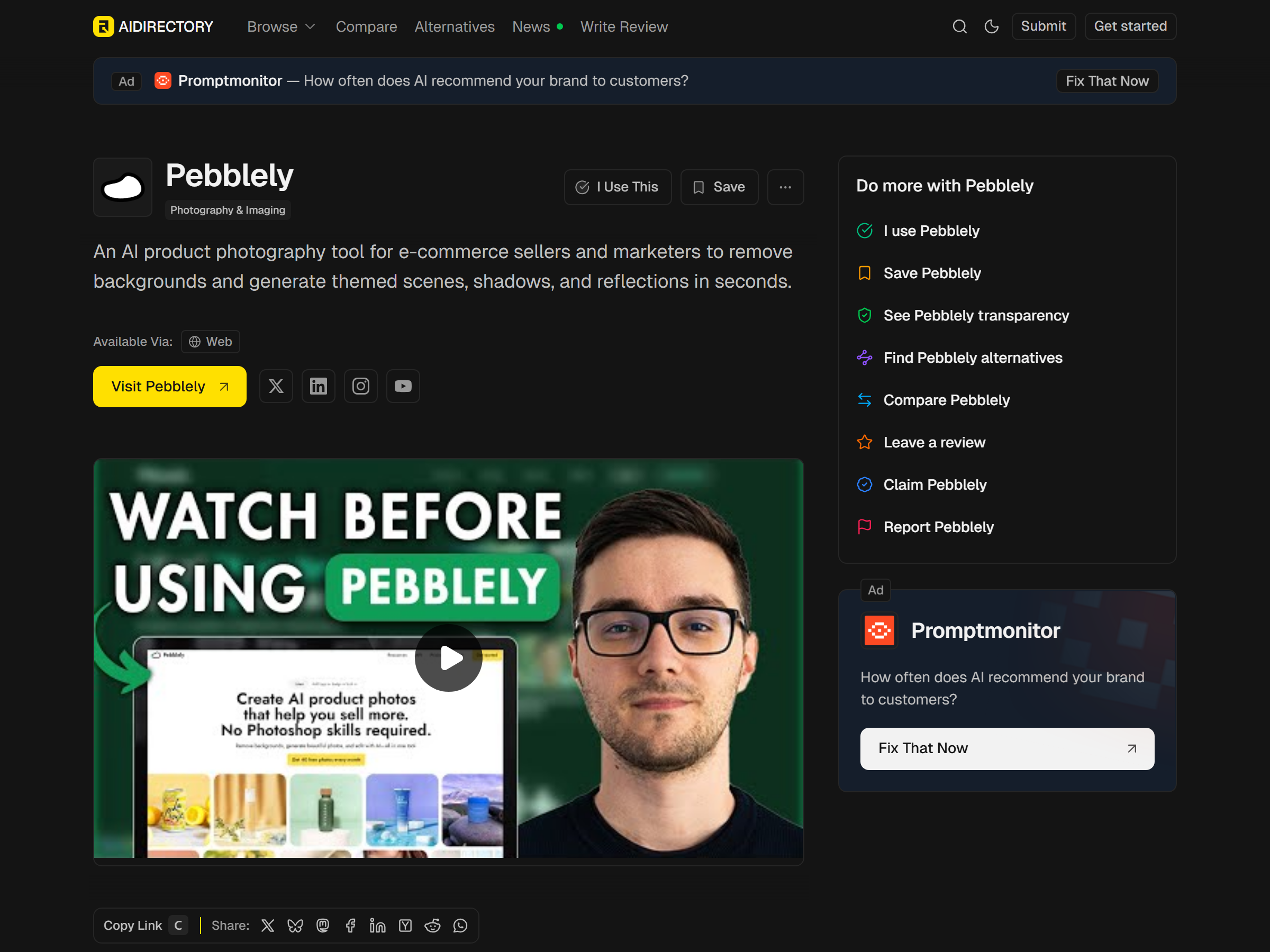
Pebblely is a web app built for e-commerce imagery. You upload a product photo, a mug, a candle, a pair of shoes, and it isolates the object, then generates a new background complete with lighting that matches. You get natural shadows and reflections that sell the product instead of a flat cutout.
The features that matter for a paid service are bulk generation, brand color matching, and multiple export sizes. Bulk mode lets you run hundreds of variations across a catalog in one session. Brand matching keeps every image consistent for a single store. Export presets size images for Amazon listings, Instagram, and email banners without manual cropping.
Pebblely also ships a Shopify app, so store owners can generate photos inside their admin panel. That integration is your single best foot-in-the-door when pitching clients, because you can show the result without asking them to leave their store.
The Monetization Idea: Product Photo Service for Sellers
The offer is simple: send me your raw product photos, get back marketplace-ready images. New Shopify stores, Amazon private-label sellers, and Instagram boutiques all need this but hate doing it. You charge per image or per batch and deliver the same day.
A second angle is seasonal refresh, swapping a store's summer backgrounds to holiday themes in an afternoon. A third is bundling Pebblely output with copywriting or listing optimization for a higher ticket. Most sellers price single images at $5 to $15 and 30-image batches at $80 to $200, which keeps the work accessible while protecting margin.
Part-time, a focused seller earns $500 to $2,000 a month handling 10 to 30 stores. The work scales because bulk generation means your time goes to client acquisition and quality checks, not pixel-pushing.
Step-by-Step: From Sign-Up to Your First Paid Client
- Open a Pebblely account and test the free tier on your own product photo to learn the 40-plus themes.
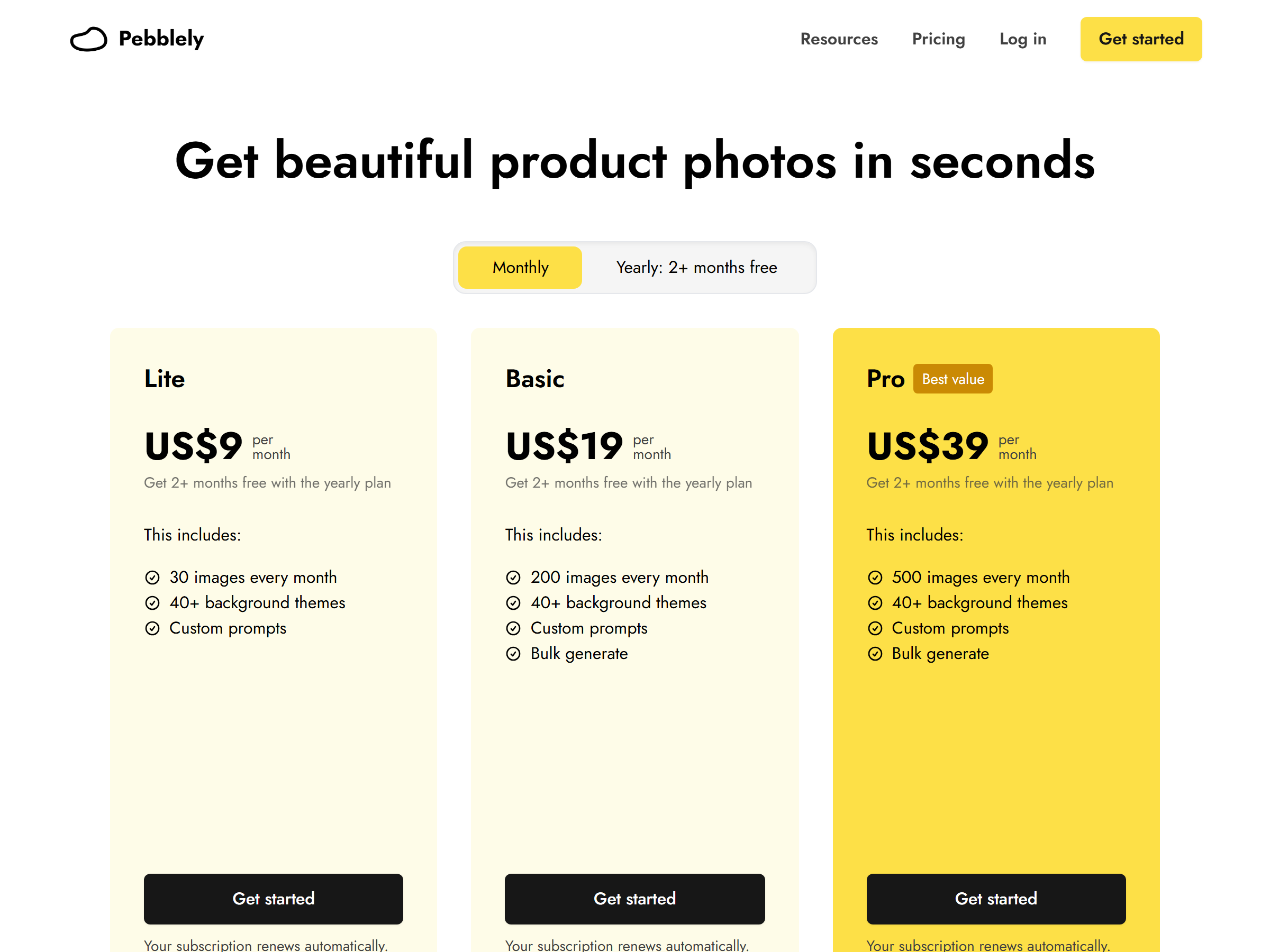
- Upgrade to the Basic plan at $19 a month for 200 images once you have paying work; move to Pro at $39 for 500 images as volume grows.
- Pick a niche, skincare, home decor, or apparel, so your portfolio looks specialized.
- Make a one-page sample using three ugly raw photos you transform into premium scenes.
- Message 20 Shopify store owners whose listings show plain white or messy backgrounds, offering a free single image.
- Convert free samples into a $99 monthly retainer for ongoing seasonal refreshes.
First-month tool cost stays under $20. The real effort is outreach, not editing, because Pebblely does the heavy lifting on each shot.
Pricing: Which Pebblely Plan You Need
| Plan | Monthly cost | Images | Best for |
|---|---|---|---|
| Free | $0 | Limited | Testing the workflow |
| Lite | $9 | 30/mo | Hobby sellers |
| Basic | $19 | 200/mo | First paid clients |
| Pro | $39 | 500/mo | Catalog batches, agencies |
Basic at $19 covers most solo sellers; 200 images a month is enough for roughly six to eight small stores. Choose Pro at $39 only when you consistently run catalog batches above 200 images. You own every image you generate, so there is no licensing friction with clients.
Client Management and Quality Control
Set the scope in writing before you start. Pebblely struggles with highly reflective glass, transparent packaging, and very thin objects, so tell clients which products need a real photoshoot instead of overpromising. Deliver watermarked previews and release clean files after payment.
Because you own the generated images, you can reuse background themes across clients, but never resell one store's branded scene to a direct competitor. Keep a per-store style guide so repeat work stays consistent without re-explaining the brief.
Pro Tips and Pitfalls to Avoid
- Lead with the Shopify app integration; store owners trust a tool they can see inside their admin.
- Charge per batch, not per hour, because bulk generation makes your marginal cost near zero.
- Do not promise magazine perfection on glass or clear plastic; set realistic expectations early.
- Avoid the free tier for client work; its limits and watermarks look unprofessional in deliverables.
The common mistake is racing to the bottom on Fiverr at $2 per image. Sellers who pitch directly to store owners and charge $8 to $15 per image keep healthier margins and avoid the race-to-zero marketplace.
Realistic Expectations: Who This Is For
This suits someone comfortable with e-commerce basics and light client communication. It is a weak fit if you dislike outreach, because the business lives or dies on finding stores with bad photos. You also need a basic eye for composition: Pebblely generates the scene, but you choose which of the 40-plus themes actually sells a given product.
My Take / The Bottom Line
My take: Pebblely is the most turnkey way to start a product-photo side business, because the gap between a seller's raw shot and a sellable image is huge and the tool closes it in one click. The catch is that you are selling taste and reliability, not the software; clients pay you to make their store look expensive. Treat it as a local agency with one automation, and $500 to $2,000 a month is realistic. Treat it as an anonymous marketplace gig, and you will burn out at $2 an image.
To compare Pebblely with other image tools, see Pebblely on aifreetool.site for the full feature breakdown.
FAQ
Who owns the product photos Pebblely generates?
You do. Pebblely states that users own the images they generate, which means you can deliver them to clients or use them in your own store without separate licensing fees. Keep that ownership clause in your client contract to avoid disputes.
Can Pebblely handle a large catalog at once?
Yes. Bulk generation processes hundreds of products in a single session, and the Pro plan at $39 a month covers 500 images. For stores above that, annual billing or a custom arrangement keeps costs predictable.
Do I need the Shopify app to sell this service?
No, but it helps. You can deliver images as files to any platform, Amazon, Etsy, or a custom site. The Shopify app simply makes the pitch easier because clients see results without leaving their store.
What products should I avoid promising?
Highly reflective glass, clear plastic, and very thin or transparent items still trip up automatic background and shadow generation. Be honest about those limits and suggest a traditional shoot instead of delivering a weak result.