How to Make Money Vectorizing Logos With Vectorizer.AI
Category: Monetization Guide
Most small businesses still hand you a blurry JPG of their logo and expect print-ready files. That gap is where you make money vectorizing logos. With Vectorizer.AI you can convert pixelated PNGs and JPGs into clean, scalable vector files (SVG, EPS, PDF, DXF) in minutes, then sell that as a logo-vectorization service for $15 to $150 per job. This guide shows how to turn Vectorizer.AI into a $300 to $1,500 per month side income without a graphic-design degree.
What Vectorizer.AI Does (and the Plan You'd Use)
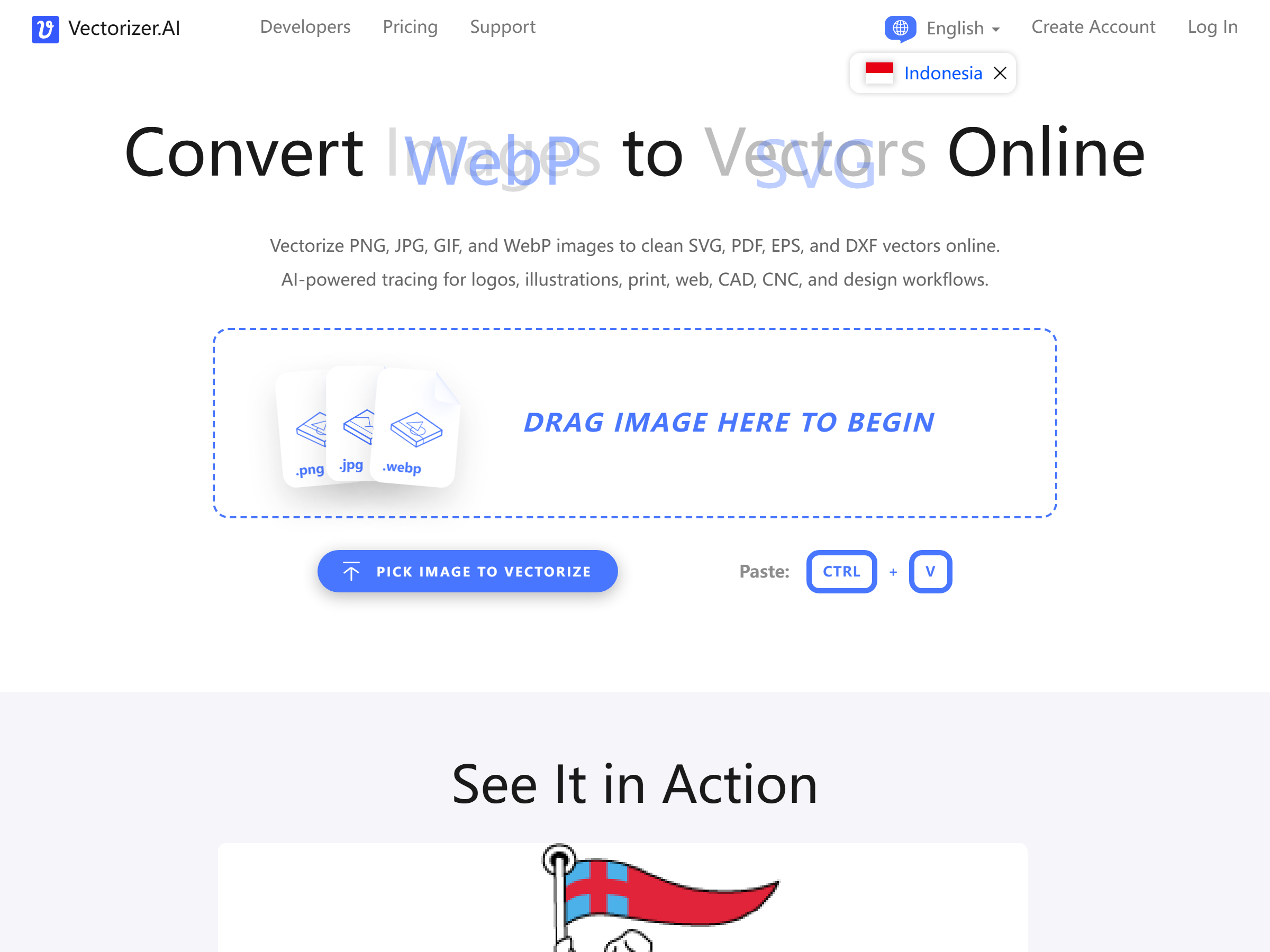
Vectorizer.AI is an AI tool that turns raster images, PNG, JPG, GIF, BMP, and WebP, into true vector graphics. Its deep-learning engine reconstructs shapes, fits curves, and preserves full 32-bit color plus transparency, so the output scales to any size without the jagged edges you get from old auto-tracing algorithms.
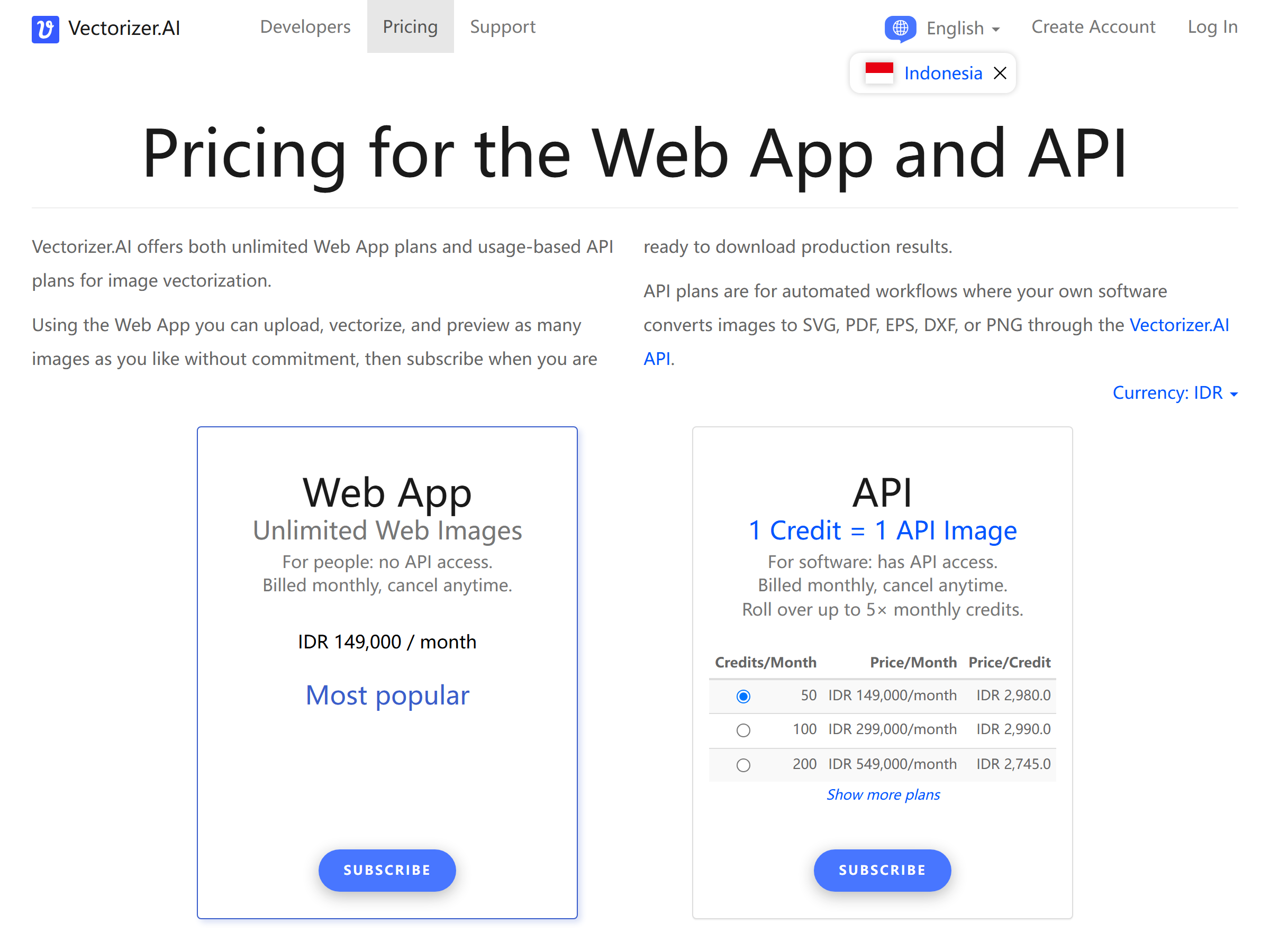
For a service business, the Web App unlimited plan at 8.99 euros per month is the one to use. It lets you upload, preview, and download as many vectors as you like, with no per-file fee and no API setup. API plans start at 50 credits for 8.99 euros if you later want to automate high volume. Inputs can be up to 3 megapixels and 30 MB, which covers virtually every logo and icon a client will send.
The interactive preview is the real selling point: you see the before-and-after at full zoom before you download, so you only pay once you know the result is good.
The Service You Can Sell: Logo and Artwork Vectorization
The offer is simple: send me your blurry logo, get back clean vector files. Every Etsy seller, food truck, church group, and startup has needed this at some point. You are not competing with branding agencies, you are fixing a tedious, repetitive file-conversion job they do not want to do.
Realistic pricing on Fiverr and Upwork:
- Simple logo or icon with clean shapes: $15 to $40
- Detailed logo with text or multiple colors: $40 to $80
- Complex illustration, badge, or rush job: $80 to $150
At 10 to 20 jobs a month, that is roughly $300 to $1,500 in part-time income. Add upsells, business cards, vinyl-ready DXF files, or a one-page brand sheet, and the average order climbs.
Step-by-Step: From Sign-Up to First Paid Client
1. Set up Vectorizer.AI. Create a free account and subscribe to the 8.99 euro Web App plan so you can download production files. Test it on a few logos you find online to learn the preview controls.
2. Build one gig. On Fiverr, title it "I will vectorize your logo and convert PNG to SVG, EPS, PDF." On Upwork, save a proposal template that says you deliver print- and web-ready vectors in 24 hours.
3. Receive the file and run it. Upload the client's raster to Vectorizer.AI, check the live preview, and adjust color or shape detail if needed.
4. Download and package. Export SVG for web, EPS or PDF for print, and DXF for cutting machines when relevant. Zip them with a preview PNG.
5. Deliver and ask for a review. Fast, clean delivery earns the 5-star ratings that fill your pipeline.
Managing Clients and Quality Expectations
Vectorizer.AI shines on logos, icons, line art, and badges. It struggles on low-resolution photos or hand-drawn sketches where the pixels do not define clear edges, those need manual cleanup in Illustrator, which you either learn or decline. Set this boundary upfront: best for logos and graphics, not photographs.
Always show the client the preview before final delivery, and confirm which formats they need. A sign shop wants EPS or DXF, a web developer wants SVG, a printer wants PDF. Getting the format right is most of the perceived value.
Pro Tips and Pitfalls to Avoid
- Upsell the format bundle. Delivering SVG plus EPS plus PDF plus DXF in one zip justifies a higher price than a single file.
- Never touch trademarked characters. Refuse Disney, Marvel, or sports-logo requests, that is how freelancers lose accounts.
- Keep a portfolio. Before-and-after shots of non-client logos prove your quality and lift conversion.
- Do not overpromise on messy inputs. If a logo is 200 pixels and fuzzy, say so before taking the order.
Is This Realistic? Who It's For
This works best for someone with a basic eye for design and a few free hours a week, virtual assistants, students, retirees, or anyone already doing small freelance gigs. It is not a replacement for a senior brand designer on complex identity systems, and it will not make you rich overnight. But as a low-overhead, repeatable service with near-zero tool cost, it is one of the cleaner AI-assisted income streams out there.
Key Takeaways
- Vectorizer.AI turns PNG and JPG logos into SVG, EPS, PDF, and DXF vectors for 8.99 euros per month.
- Charge $15 to $150 per job; part-time operators earn about $300 to $1,500 per month.
- Sell on Fiverr and Upwork; upsell multi-format bundles and rush delivery.
- Best for logos and line art; decline photos and trademarked characters.
FAQ
Can Vectorizer.AI handle a hand-drawn or sketched logo?
Partly. If the sketch is scanned at decent resolution with clear lines, the AI does well. Very faint or low-res scans need manual cleanup in vector software, which adds time or a higher quote.
What file formats do clients usually need?
SVG for websites, EPS or PDF for print shops, and DXF for Cricut, vinyl, and laser cutters. Offering all three in one delivery is a strong upsell.
Is the 8.99 euro plan enough to start a service?
Yes. The Web App unlimited plan has no per-file download limit, so one subscription covers an entire month of client work.
How much should I charge as a beginner?
Start at $15 to $25 for simple icons to build reviews, then raise prices to $40 to $80 as your ratings and turnaround speed improve.
Do I need Adobe Illustrator?
Not to start. The preview and export happen in the browser. Illustrator helps only for fixing hard inputs, which you can decline until you are ready.
My Take / The Bottom Line
Vectorizer.AI is one of the rare AI tools that maps almost perfectly onto a billable service. The input problem, blurry logos, is universal, the output, clean vectors, is something people pay for repeatedly, and the tool cost is under ten euros a month. The risk is thin, you are not buying inventory or learning a fragile skill. If you already spend time on freelance platforms, adding a vectorize my logo gig is a low-effort way to stack $300 to $1,500 a month. Just respect the tool's limits: it is a tracer, not a designer, and the freelancers who last are the ones who set honest expectations and deliver fast. Start with five cheap gigs this week, bank the reviews, and raise prices once the pipeline is warm.
Ready to try it? Open Vectorizer.AI and create your first vector, then list your gig. You can also compare it with other design tools in our Vectorizer.AI directory listing at aifreetool.site (https://aifreetool.site/tool/vectorizer-ai/).