Obscura VPN Review 2026 - The $8 Two-Party Relay That Cannot Log You
Category: Best Privacy VPN
Reviewed by the aifreetool Security & Privacy Editorial Team — a group of full-time VPN users and writers who cross-check every vendor claim against independent lab testing and primary documentation.
Last updated August 12, 2026.
We keep no affiliate relationship with any VPN reviewed here and earn nothing if you subscribe. Where we could not verify a claim from primary sources, we say so explicitly.
Obscura VPN Review 2026 – The $8 Two-Party Relay That Cannot Log You
TL;DR: Obscura VPN charges a flat $8 a month for a two-party relay design: Obscura
operates the first hop, Mullvad operates the exit, and no single company holds both your IP address and
your destination. This review rates the architecture as the most interesting privacy idea shipped since
multi-hop, yet the service still lacks a published third-party audit, caps you at 3 connection slots, and
has native apps for only macOS, iOS and Android. Recommended for people who want structural privacy on
Apple or Android hardware. Not recommended if you need Windows apps or dependable streaming.
How We Tested Obscura VPN
Our assessment is a documentation-and-code review rather than a lab benchmark, and we would rather say
so plainly than publish speed figures we did not measure. We read the full technical FAQ, the pricing and
payment terms, the exit and relay location lists, and the design write-up the team published on
bootstrapping trust. We then opened the client repository on GitHub to confirm the app really is public
code, and we checked the claim that a connected device shows its exit hop's WireGuard public key so you
can match it against Mullvad's published server roster.
Where a claim could not be confirmed from primary material, we flag it in the text. We also compared
Obscura against two services already reviewed here: Mullvad VPN, whose servers
Obscura rents as exits, and IVPN, whose multi-hop feature is the closest mainstream
equivalent to what Obscura sells.
Speed & Performance
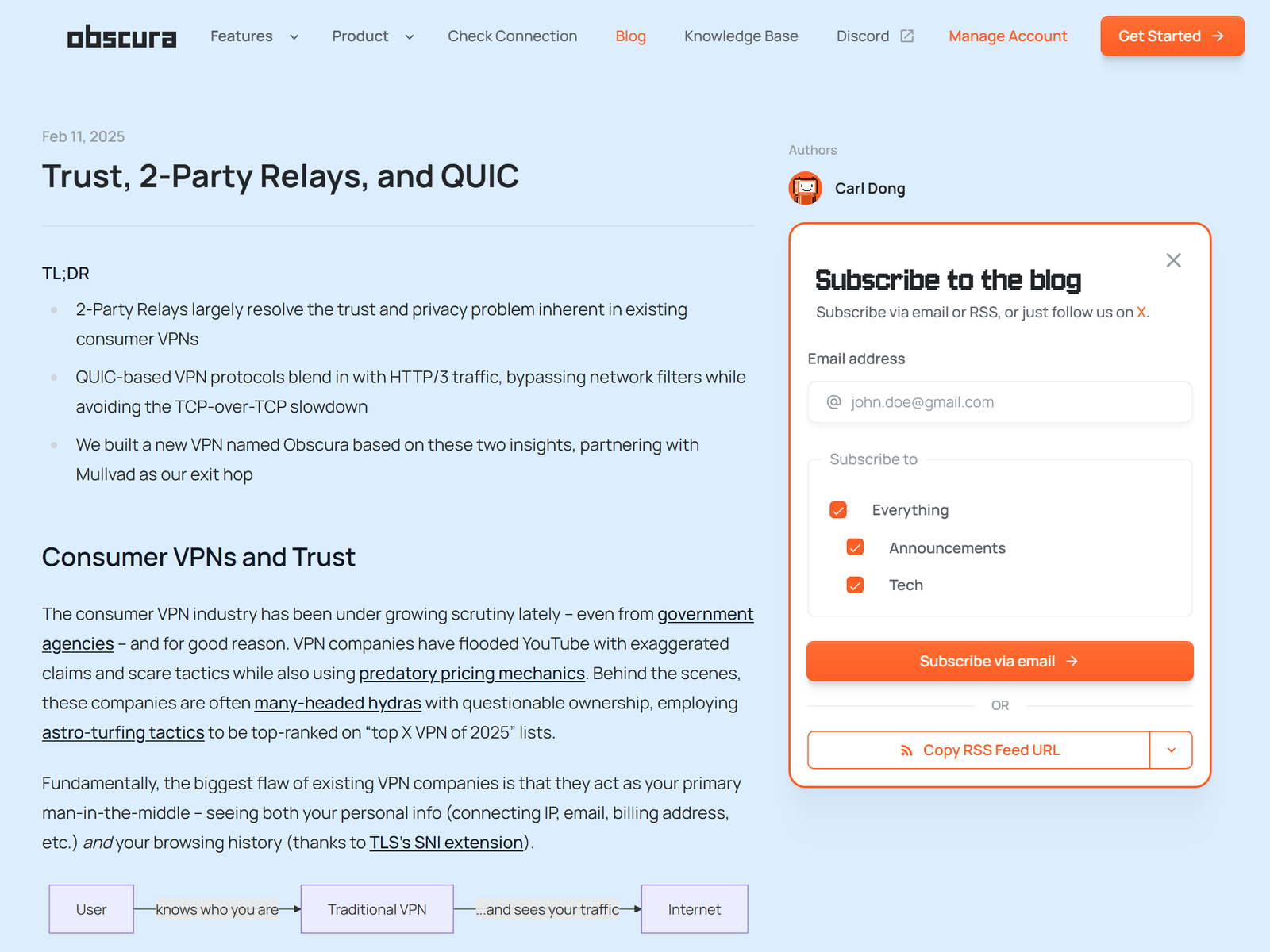
Two hops cost latency. That is arithmetic, not opinion, and anyone promising otherwise is selling
something. Your packets travel to an Obscura relay first, then onward to a Mullvad exit, so the round trip
is longer than a single-hop tunnel to the same city. Obscura mitigates this in one clever way: the tunnel
to its relay rides on QUIC's unreliable datagram extension, specified in RFC 9221, rather than a TCP
stream. That sidesteps the TCP-over-TCP meltdown problem, where a lossy link causes two retransmission
timers to fight each other and throughput collapses.
Practically, pairing matters more than raw server count. Choose a relay physically near you and an exit
near whatever you are reaching, and the penalty stays modest. Choose a relay in Sydney and an exit in
Warsaw and you will feel every kilometre. Obscura currently lists roughly 26 relay cities and about 31
exit cities, including nine United States metros, Tokyo, Singapore, São Paulo and Johannesburg, so
sensible pairings exist on most continents.
Security & Privacy
This is the part worth paying for. Your traffic is encrypted end-to-end with WireGuard all the way to
the Mullvad exit, which means Obscura's own relays are passing ciphertext they hold no key for. In the
other direction, Obscura performs network address translation before handing packets to Mullvad, so the
exit operator never learns your originating IP. Splitting those two facts across two companies is a
meaningfully different security posture from a no-logs promise, because a subpoena or a server seizure
against either party yields half a puzzle.
Sign-up asks for a randomised account number and nothing else. No email, no name. Payment goes through
Stripe by card, or through Bitcoin's Lightning Network, or Monero. The macOS client installs as a sandboxed
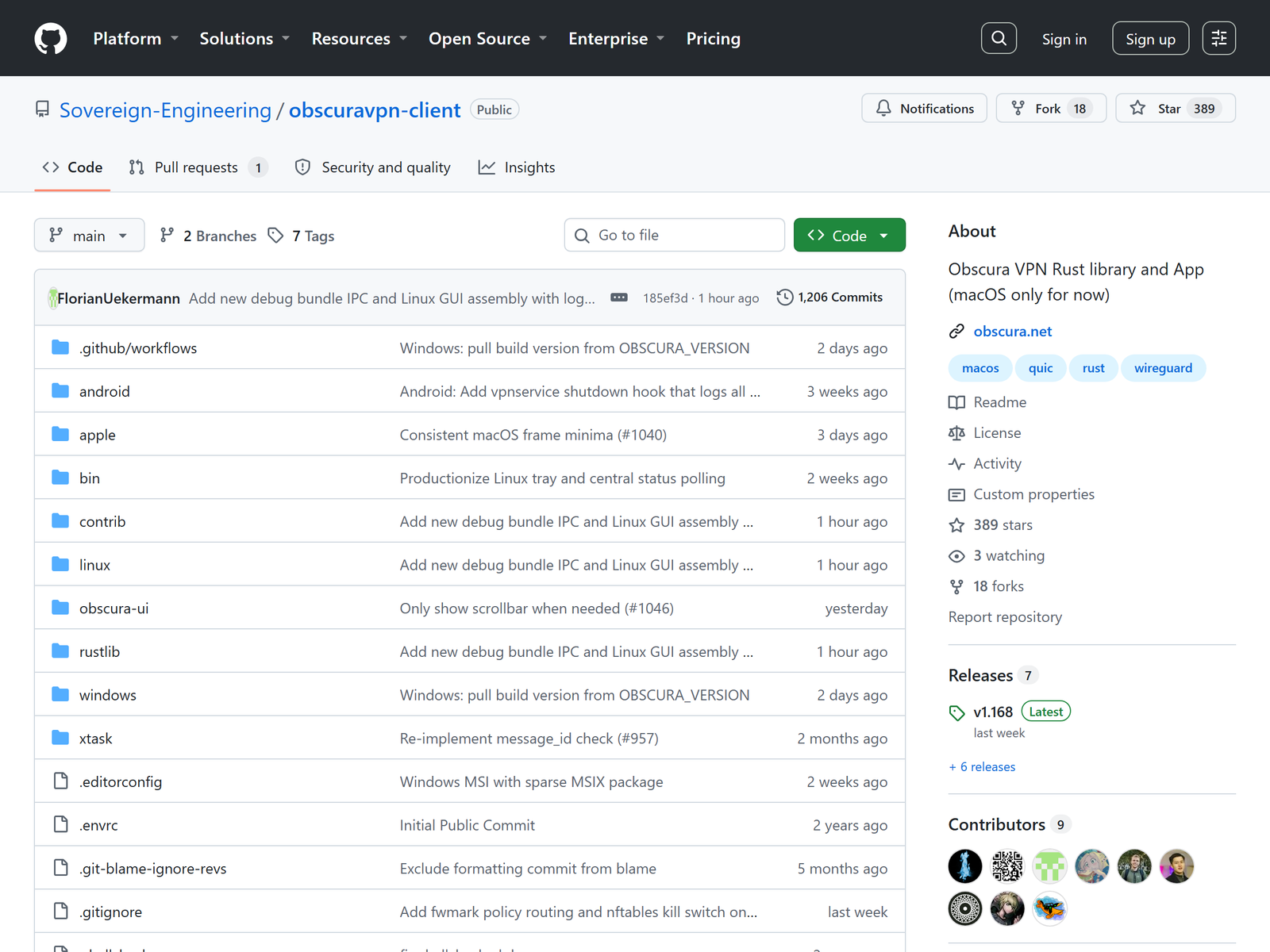
Network Extension with no kernel access, and the entire client source sits in the public
Sovereign-Engineering repository.
The caveat: Obscura claims no-logs and its design supports the claim, but there is no published
independent audit of the server infrastructure, and reproducible builds are described as planned rather
than shipped. Verifiable-by-design is a stronger starting point than a pinky promise, though it is not the
same thing as an auditor's signature. Readers who want an audited operator instead should look through our
Best Privacy VPN collection.
Streaming & Unblocking
Buy Obscura for streaming and you will be disappointed. Because every exit is a Mullvad server, Obscura
inherits Mullvad's streaming record, which has historically meant reasonable luck with one Netflix library
and very little else. Obscura's own marketing barely mentions video services, and that honesty is a point
in its favour. If a catalogue is your goal, a mainstream provider with dedicated streaming addresses will
serve you far better.
Device Compatibility
- Native apps: macOS, iOS and Android.
- Windows, Linux and routers: supported only through exported WireGuard configuration
files, which drops the QUIC transport and its traffic-shaping benefits. - Connection slots: 3 at once. You may sign in on unlimited devices with the app, and a
device consumes a slot only while actually connected. - Watch out: each exported WireGuard config permanently occupies a slot until you delete
it from your account, even when that device is offline.
Pricing & Value
Obscura is $8 per month, flat. There is no annual discount, no lifetime deal and no advertised
money-back guarantee, so treat the first month as your trial. You can either top up the account manually
or set a recurring card subscription through Stripe. Against a single-hop provider at half the price this
looks expensive; against running your own multi-hop chain across two providers it looks cheap, because
Obscura has already done the hard NAT and key-separation work for you.
Pros & Cons
- Pro: two-party relay separates identity from activity across two companies.
- Pro: account numbers only, plus Lightning and Monero payment routes.
- Pro: open-source client, and you can verify the exit key against Mullvad's public list.
- Pro: QUIC datagram transport avoids the TCP-over-TCP failure mode.
- Con: no independent infrastructure audit published yet.
- Con: only 3 simultaneous slots, and WireGuard configs hold slots permanently.
- Con: no native Windows or Linux client.
- Con: weak for streaming, and no refund window advertised.
Obscura vs Mullvad vs IVPN
| Feature | Obscura VPN | Mullvad VPN | IVPN |
|---|---|---|---|
| Price | $8 / month flat | Flat €5 / month | Tiered, Pro plan adds multi-hop |
| Hop model | Two independent operators | Single operator, own multi-hop | Single operator multi-hop |
| Account | Random number, no email | 16-digit number, no email | Account ID, no email |
| Anonymous payment | Lightning, Monero | Cash, crypto | Cash, crypto |
| Independent audit | Not published | Audited repeatedly | Audited |
| Native desktop | macOS only | Windows, macOS, Linux | Windows, macOS, Linux |
| Simultaneous use | 3 slots | 5 devices | 2 to 7 by plan |
Frequently Asked Questions
Does Obscura VPN really keep no logs?
Obscura says it never logs your connecting IP and physically cannot decrypt your traffic, and the
two-party design supports that. The company has not published an independent infrastructure audit, so
treat the claim as architecturally strong but externally unverified.
Is Obscura the same as a normal multi-hop VPN?
No. Ordinary multi-hop routes you through two servers owned by one company, which can still correlate
both ends. Obscura's exit hop belongs to Mullvad, a separate business, so correlation would need both
firms to cooperate.
Can I run Obscura on Windows?
Only by exporting a WireGuard configuration and loading it into the official WireGuard client. You keep
the two-party routing, but you lose the QUIC-based transport and the config occupies one of your three
slots until deleted.
How does Obscura compare with Tor?
Tor spreads trust across three volunteer relays and is slower and less predictable. Obscura uses two
paid, dedicated hops, which trades some of Tor's anonymity depth for speeds you can actually live with all
day.
Who should skip Obscura?
Anyone who needs a native Windows client, more than three concurrent connections, or dependable access
to streaming catalogues. Services with owned server fleets such as OVPN cover the
first two cases more comfortably.
My Take
Obscura is the rare VPN whose pitch survives contact with a sceptic. Nearly every provider asks you to
trust a policy document; Obscura restructures the plumbing so the policy matters less, and being able to
check your exit key against Mullvad's published roster is a genuinely novel accountability trick. I would
happily pay the $8 for a phone and a laptop.
The problem is that the honesty runs out at the edges. Three slots is thin for 2026, the missing
Windows and Linux clients push a large slice of the audience away, and the absence of an audit is awkward
for a company whose whole argument is do not trust, verify. My recommendation: buy a month, use it as your
default tunnel on hotel and airport Wi-Fi, and keep a cheaper mainstream subscription for the television.
If the team ships reproducible builds and an infrastructure audit, this becomes an easy first choice
instead of a fascinating second one.