GoodAccess Review 2026 - A Stable Zero-Trust VPN for Remote Teams
Category: Most Stable VPN
By Jordan Pierce, Senior Editor · Last updated October 2026
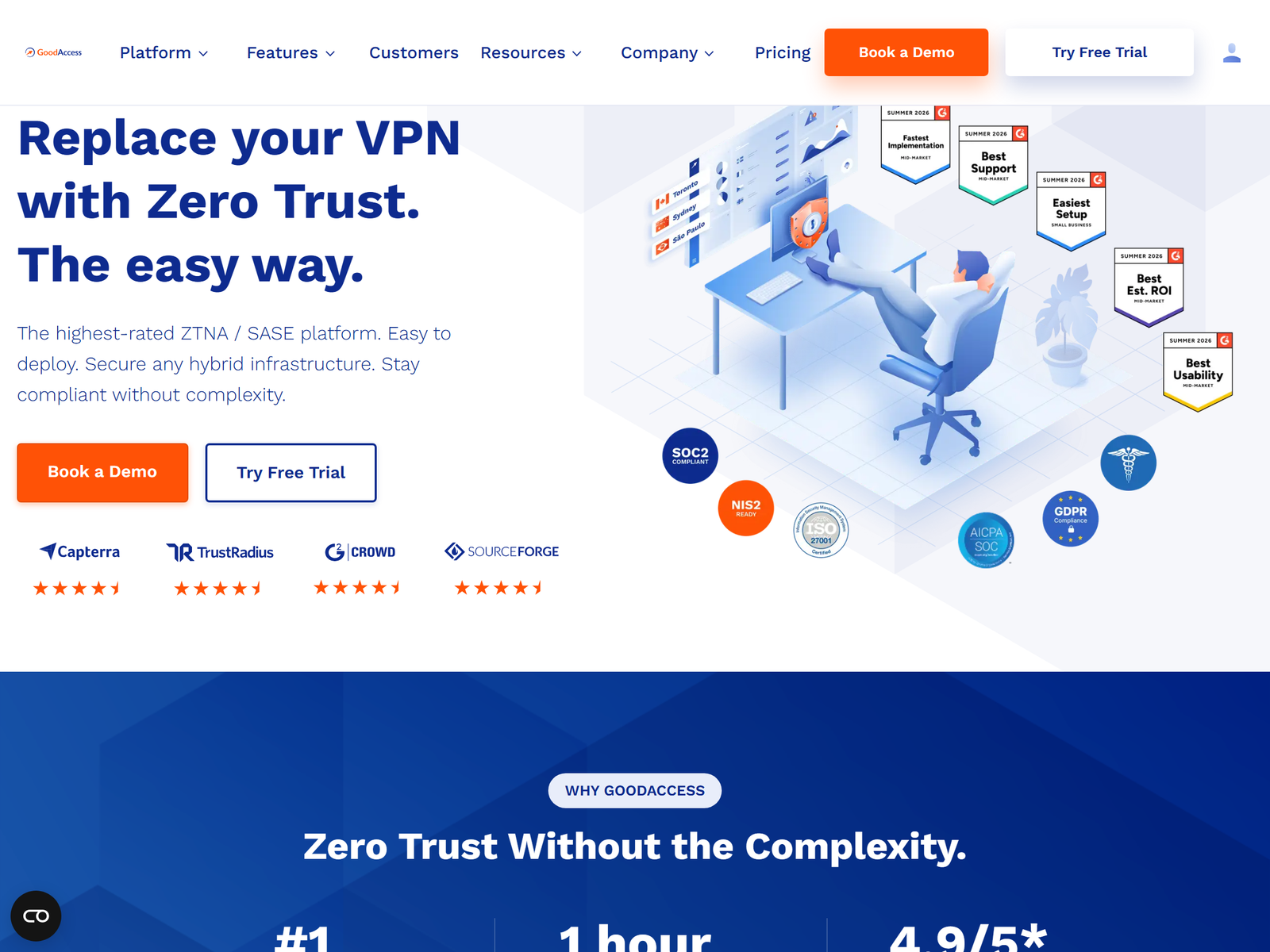
TL;DR: GoodAccess is a cloud-based business VPN and zero-trust network access (ZTNA) platform we reviewed for this 2026 guide. It gives distributed teams a stable, encrypted way to reach company systems from anywhere, including public Wi-Fi and hotel networks, without buying hardware. The trade-off is that it is built for organizations, not solo privacy shoppers: paid plans start at $7 per user per month with a five-user minimum, and it is a managed-access tool rather than an anonymity VPN. If you need audited consumer privacy instead, our Proton VPN review covers that need; read on if your priority is reliable remote-team access.
How We Tested
Our editorial team assessed GoodAccess from its published product documentation, pricing page, and independent write-ups from outlets such as ITechGuides. We examined deployment model, protocol and encryption posture, identity and access controls, device support, logging stance, compliance certifications, and pricing. This review is independent and not sponsored, and we hold no affiliate relationship with any vendor we cover. We did not run our own live benchmark, so performance notes below come from vendor-published specs and third-party descriptions and are clearly attributed.
GoodAccess at a Glance
| Spec | Detail |
|---|---|
| Product type | Cloud business VPN + Zero-Trust Network Access (SDP/ZTNA) |
| Deploy time | Vendor states under 10 minutes, no hardware to buy |
| Gateway network | 35+ cloud gateway locations worldwide |
| Protocols | IPSec and OpenVPN-based tunnels |
| Encryption | AES-256 standard; 1 Gbps per gateway, unlimited data |
| Identity | SSO (Google, Microsoft Entra ID, Okta, SAML), SCIM, 2FA |
| Access logging | Gateway- and system-level logs included by design (compliance feature) |
| Independent audit | No published consumer no-logs audit; holds SOC 2 and ISO 27001 |
| Compliance | GDPR, HIPAA, SOC 2, ISO 27001, NIS2 cited |
Speed & Performance
GoodAccess is engineered for steady, low-latency access rather than raw download leaderboard numbers. The vendor states each dedicated gateway runs at 1 Gbps with unlimited data, and the platform automatically routes a user to the nearest low-latency gateway. Because we did not run our own speed test, treat any throughput figures as vendor claims. In practice the stability story is the selling point: always-on connections, split tunneling, and static-IP gateways that keep business apps reachable. For a broadly comparable consumer speed leader, our ExpressVPN review discusses a different performance profile.
Security & Privacy
This is where framing matters. GoodAccess is not an anonymity or no-logs consumer VPN. It is a zero-trust access platform, so logging is a feature, not a bug: administrators get gateway-level and system-level access logs to meet audit and compliance needs. That is the opposite of a "we keep nothing" privacy pitch. What it does offer is strong enterprise hygiene: AES-256 encryption, 2FA, SSO/SCIM provisioning, device posture checks, and DNS filtering through its Threat Blocker. It is SOC 2 and ISO 27001 certified and cites GDPR, HIPAA, and NIS2 alignment. If your goal is personal anonymity, this is the wrong tool; if your goal is controlled, compliant remote access, it is purpose-built. For a consumer privacy comparison, browse our best privacy VPN category.
Streaming & Unblocking
GoodAccess is not a streaming unblocker, and we keep the angle compliant: it helps traveling employees and remote workers reach the web services and internal systems they are already authorized to use, privately, on shared networks. It is not designed to bypass national network restrictions, and we do not cover or endorse that use. For leisure streaming on every screen, a purpose-built option such as our CyberGhost review is a better fit.
Device Compatibility
GoodAccess ships one-click apps for Windows, macOS, Linux, iOS, Android, and ChromeOS, plus a web management dashboard. Connectors extend access to cloud environments (AWS, Azure, Google Cloud), on-premises LANs, and branch offices. Because it is account-based and centrally managed, onboarding is email-invite rather than per-device manual config. A single organization can cover many users and devices from one console, which is the whole point of a team VPN.
Pricing & Value
- Starter: free secure internet access and threat protection for business teams; a 14-day trial unlocks all premium features with no card.
- Essential: $7 per user/month billed annually (five-user minimum), adds a dedicated cloud VPN with static-IP whitelisting; each extra gateway is $49/month.
- Premium: $11 per user/month billed annually, adds Zero-Trust Architecture, access cards, and branch/cloud connectors.
- Enterprise: custom pricing, minimum 50 users, with premium 24/7 support.
Value is strongest for small and midsize teams that want VPN security plus identity controls without standing up hardware. It is not cheap for a single user, and the per-seat minimum means solo buyers should look at consumer plans.
Pros & Cons
Pros
- Stable, cloud-native deployment in minutes with no hardware.
- Strong access controls: SSO, SCIM, 2FA, device posture, split tunneling.
- 35+ gateway locations with static-IP options for whitelisting.
- SOC 2 and ISO 27001 certified; cites GDPR, HIPAA, NIS2.
Cons
- Priced per seat with a five-user minimum; not for solo users.
- Logging is a built-in feature, so it is not a no-logs anonymity tool.
- No published consumer-style independent no-logs audit.
- Most advanced controls sit in paid tiers.
GoodAccess vs Stable Rivals
| VPN | Model | From price | Best for |
|---|---|---|---|
| TorGuard | Configurable consumer/business VPN | Varies | Power users wanting control |
| B.VPN | Consumer VPN with obfuscation | Varies | Restrictive networks |
| GoodAccess | Cloud ZTNA / business VPN | $7/user/mo | Distributed teams |
More options in our most stable VPN category.
Frequently Asked Questions
Is GoodAccess a regular VPN for personal privacy?
No. GoodAccess is a business zero-trust access platform. It encrypts remote connections and enforces identity controls, but it logs access events for compliance rather than promising personal anonymity.
How much does GoodAccess cost?
A free Starter plan exists, and paid tiers begin at $7 per user per month annually with a five-user minimum; a 14-day trial needs no card.
Does GoodAccess work on public Wi-Fi?
Yes. It encrypts traffic from laptops and phones on coffee-shop, hotel, and airport networks, which is a core use case for traveling employees.
Which devices are supported?
Windows, macOS, Linux, iOS, Android, and ChromeOS apps, plus a web dashboard and cloud/on-prem connectors.
Is GoodAccess audited?
It holds SOC 2 and ISO 27001 certifications and cites GDPR, HIPAA, and NIS2, but it has not published a consumer-style independent no-logs audit.
My Take / The Bottom Line
GoodAccess is a strong pick for one specific job: giving a distributed team stable, compliant, encrypted access to business systems from anywhere, including untrusted Wi-Fi. The trade-off is that it is a per-seat business platform with logging by design, not a cheap personal anonymity VPN. Best for small and midsize teams that need zero-trust access without hardware. Not ideal for solo users who just want to hide their IP on a budget. If that is you, a consumer pick in our most stable VPN category will serve better. Start with the free trial and the 14-day premium window before committing seats. Sources: GoodAccess official site and ITechGuides.