

Last Updated: January 06, 2026 | Review Stance: Independent testing, includes affiliate links
Quick Navigation
TL;DR - Kapwing 2026 Review
Kapwing is a versatile browser-based platform excelling in AI-powered video creation and editing in 2026, with tools for auto subtitles, text-to-video, dubbing, and collaboration. Easy for beginners yet robust for teams, it offers a generous free plan and paid options—great for social content but with occasional glitches reported.
Kapwing Review Overview and Methodology
Kapwing is a cloud-based multimedia editor focused on videos, images, GIFs, and memes, with heavy AI integration for generation and automation. Evolving since 2017, it now emphasizes collaborative workflows and AI tools for fast content production.
This review evaluates the web platform for ease of use, AI accuracy, editing capabilities, collaboration, and value, based on real-world tests for social media clips, memes, and team projects.
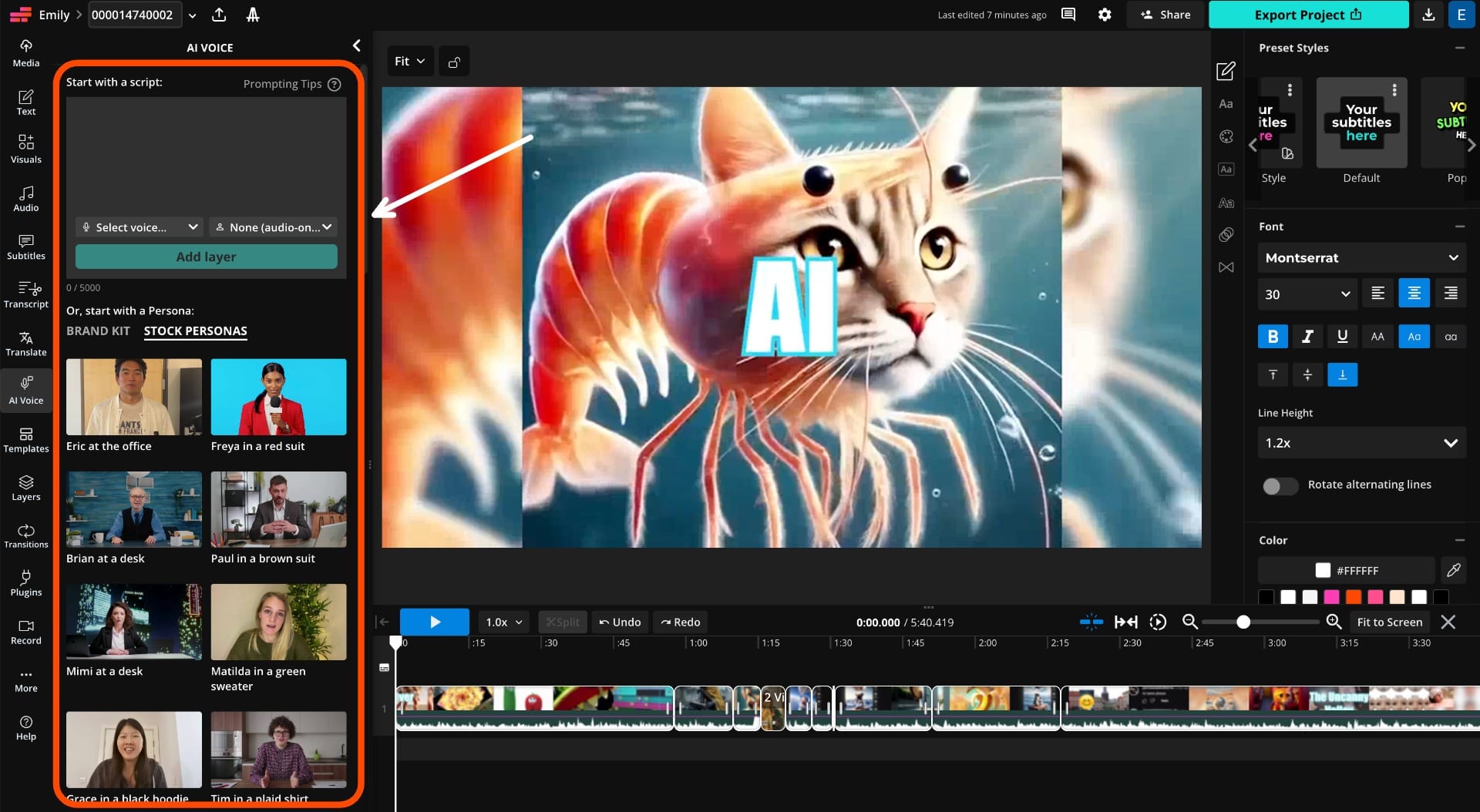
Kapwing modern timeline editor interface (2026)
.webp)
AI-generated subtitles and captions in action
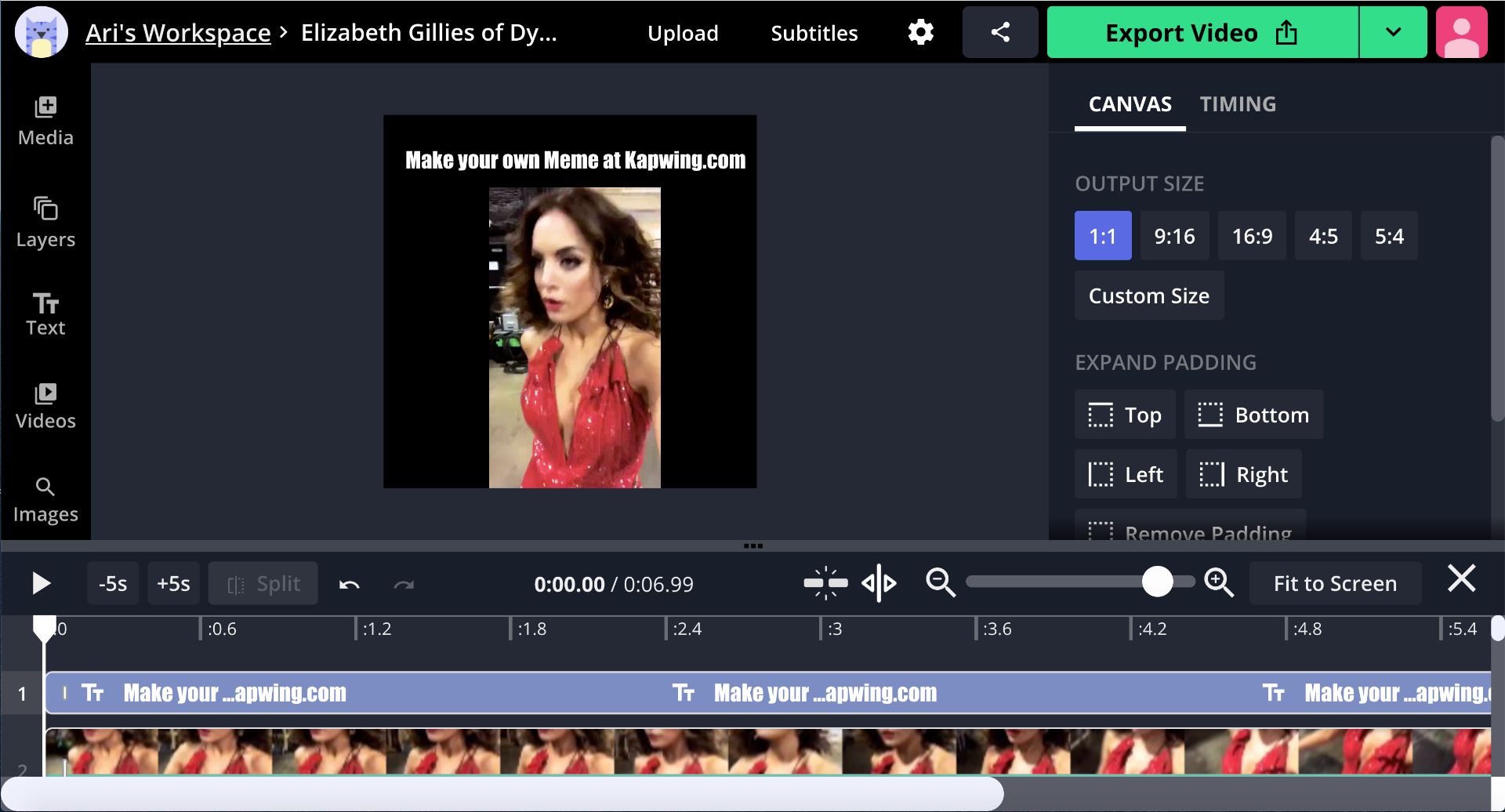
Custom meme creation with templates
Social Media
Reels, TikToks, shorts with auto subtitles & resizing.
Marketing
Ads, promos, branded content with AI generation.
Education
Explainer videos, presentations, localized content.
Memes & Fun
Quick meme/GIF creation, effects.
Core Features of Kapwing
Key Tools & Capabilities
- AI Video Generation: Text/script to video, B-roll, avatars, dubbing in 40+ languages.
- Auto Subtitles & Translation: Accurate captions, multi-language support.
- Video Editing: Trim, resize, add effects, smart cut (remove silences), background removal.
- Meme & GIF Maker: Templates, text overlays, animations.
- Collaboration: Real-time team editing, comments, version history.
- AI Enhancements: Lip sync, voice cloning, object removal, photo restoration.
- Browser-based: No downloads, unlimited stock assets in paid plans.
User Experience Highlights
- Intuitive drag-and-drop interface
- Fast AI processing for subtitles and cuts
- One-click resizing for platforms
- Collaborative workspaces
- Extensive templates and AI styles
Kapwing Functionality & Performance
In 2026, Kapwing's AI delivers reliable subtitles, clean audio removal, and quick generations, with strong performance for short-form content and team workflows.
Key Advantages in Performance
Ease of Use
Collaboration
Platform Resizing
AI Variety
Kapwing Use Cases
Ideal Scenarios
- Social media creators for quick edits and subtitles
- Marketing teams producing branded videos
- Educators creating engaging lessons
- Meme and GIF enthusiasts
- Remote teams collaborating on content
Integration Options
Browser Web
Team Workspaces
Stock Library
AI Studio
Kapwing Pricing & Plans
Free Plan
$0/month
Basic access
- Watermarked exports
- Limited minutes & storage
- Basic AI (e.g., 10 min subtitles)
- 720p quality
Pro Plan
$16-24/month
For individuals/creators
- No watermark, 4K exports
- 1,000 AI credits/month
- Unlimited projects & storage
- Brand kit, collaboration
Business Plan
$50-64/month
For teams
- 4,000 credits/month
- Voice cloning, lip sync
- Priority support
- Advanced collaboration
Enterprise custom; annual billing saves money as of January 2026. AI features use credits.
Pros & Cons: Balanced Assessment
Strengths
- No-download browser access
- Powerful AI for subtitles & generation
- Excellent collaboration tools
- One-stop for memes, GIFs, videos
- Easy resizing & templates
- Generous free tier for testing
Limitations
- Watermarks & limits on free plan
- Occasional glitches & rendering issues
- Credit-based AI can add costs
- Not as advanced as desktop editors
- Mixed user feedback on support
Who Should Use Kapwing?
Best For
- Social media creators
- Marketing & content teams
- Educators & trainers
- Meme/GIF makers
- Beginners needing quick tools
Consider Alternatives If
- You need offline/desktop editing
- Require unlimited free exports
- Want pro-level manual controls
- Heavy professional video production
Final Verdict: 8.7/10
Kapwing is a standout online editor in 2026, blending AI innovation with collaborative ease for fast multimedia creation. Its vast toolset and accessibility shine for social/content needs, though free limits and occasional bugs hold it back from perfection.
AI Features: 9.0/10
Value for Money: 8.5/10
Collaboration: 8.8/10
Try the Leading Online AI Content Creator in 2026
Start with free tools for video editing, AI subtitles, and generation—no download needed.
Free plan available as of January 2026.











