Tailscale Review 2026 - A Free Mesh VPN That Fixes Remote Access, Not Streaming
Category: Most Cost-effective VPN
Reviewed by the aifreetool Security & Privacy Editorial Team — a group of full-time VPN users and writers who cross-check every vendor claim against independent lab testing and primary documentation.
Last updated August 12, 2026.
We keep no affiliate relationship with any VPN reviewed here and earn nothing if you subscribe. Where we could not verify a claim from primary sources, we say so explicitly.
Tailscale Review 2026 – A Free Mesh VPN That Fixes Remote Access, Not Streaming
TL;DR: Tailscale is a WireGuard-based mesh network that connects your own machines to
each other instead of routing you through a rented server, and the Personal tier costs nothing for up to
6 users with unlimited devices. For remote access to a home server, a work laptop or a lab full of
Raspberry Pis it is the best value in this category. It is not a streaming tool, and by default it does
not even hide your public IP address. Recommended for remote work and self-hosting, not for catalogue
hopping.
How We Tested
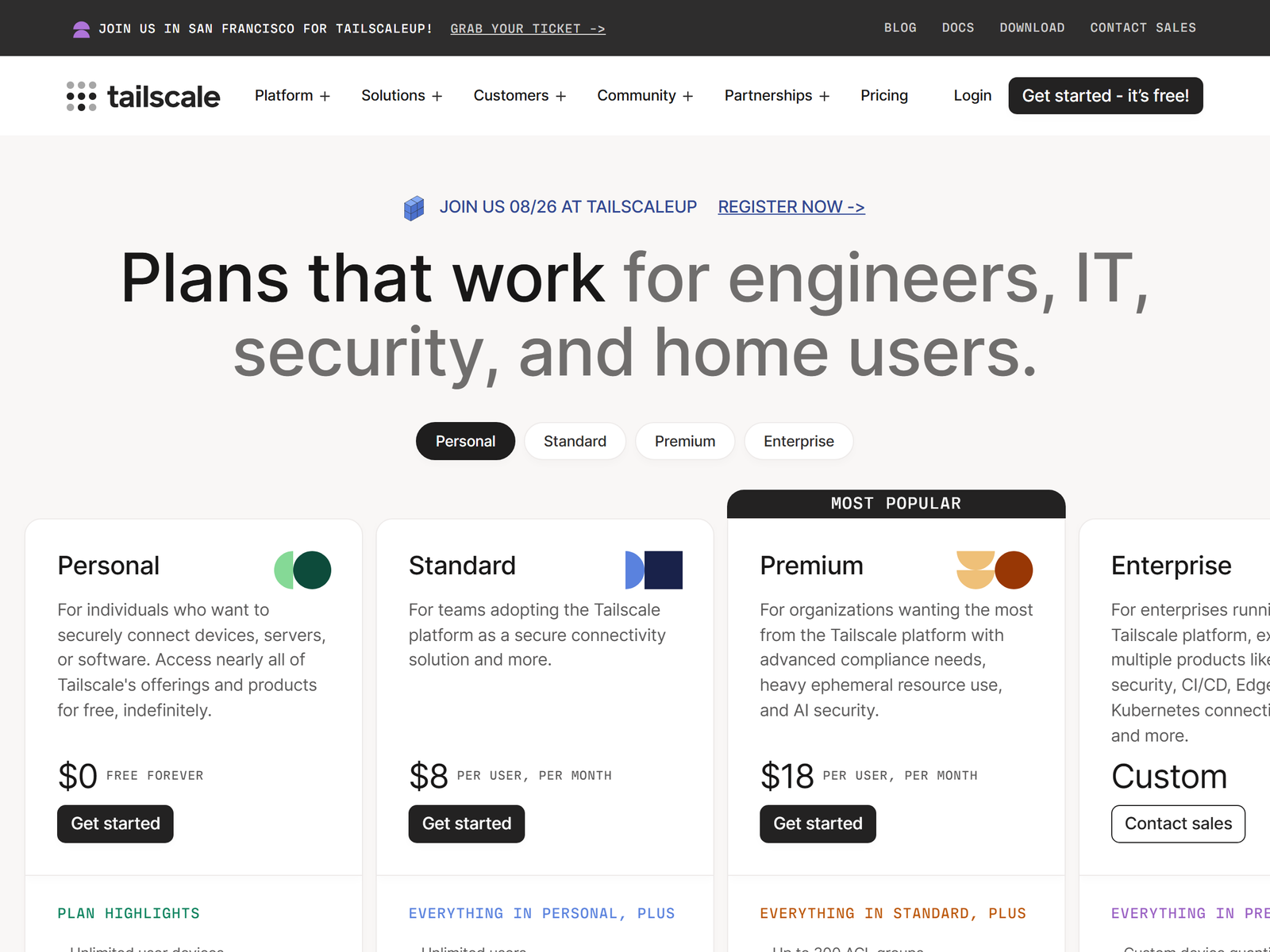
We worked from the vendor's own pricing table and its architecture documentation, both fetched fresh
for this article, and mapped the published tier limits against the way small teams actually deploy the
product. Because Tailscale is a connectivity fabric rather than a commercial exit-node service, the usual
review yardsticks of server count and Netflix success rate do not apply cleanly, so we assessed it on
setup effort, what the free tier really includes, and where the paid line sits.
Speed & Performance
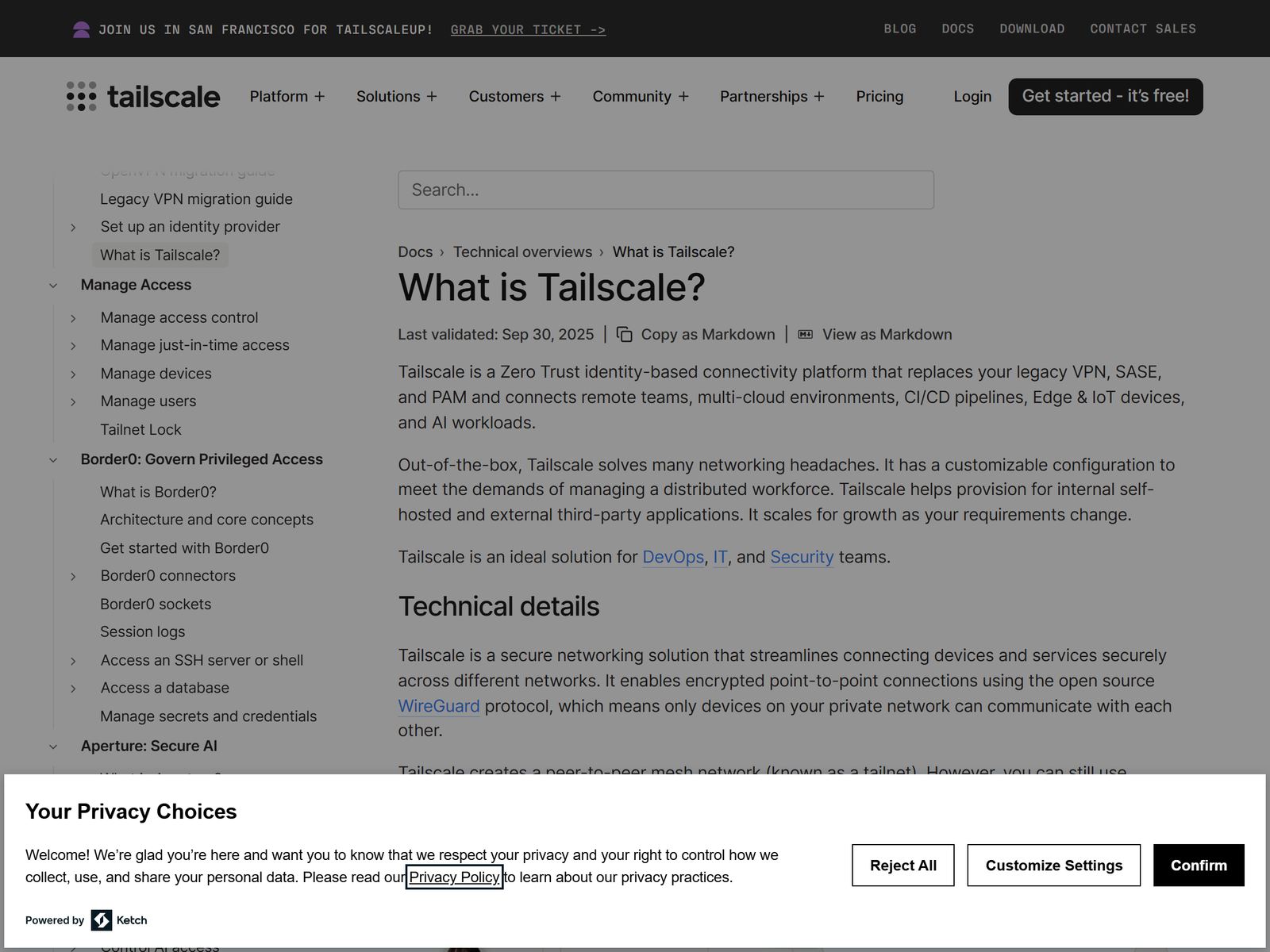
Traditional consumer VPNs funnel everything through a central gateway that may be nowhere near you.
Tailscale builds direct encrypted links between your devices instead, punching through NAT and firewalls
without port forwarding. When a direct path exists, traffic never touches the company's infrastructure at
all, so latency is roughly whatever the internet between the two endpoints costs. When a direct path
cannot be established, connections fall back to relay servers, which is slower but keeps the link alive.
That topology is why performance feels different from a normal tunnel. Copying a file from your laptop
to a desktop in the next room stays on the local network rather than crossing an ocean twice. The flip
side is that Tailscale gives you no speed advantage for ordinary browsing, because ordinary browsing is
not what it routes.
Security & Privacy
Encryption is WireGuard, peer to peer, with a zero-trust access model layered on top. Access control
policies decide which device may reach which service, Tailnet Lock lets you require signing before a new
node joins, and device approval keeps strangers out of the network. Traffic between peers is encrypted
end to end, so the coordination service distributes keys rather than reading payloads.
Now the honest caveat, because it matters. Out of the box Tailscale does not mask your public IP from
the websites you visit; it only connects your own machines. To behave like a privacy VPN you must
designate an exit node and route all traffic through it, which means either running your own box somewhere
else or buying the Mullvad add-on at $5 a month per 5 devices. That add-on is genuinely good value, and
our Mullvad review explains why that network is worth routing through. Sign-in
also requires an identity provider such as Google, Microsoft, GitHub or Apple, which is a real
consideration for anyone who wants an account with no email attached; the services in our
Best Privacy VPN list handle that differently.
Streaming & Unblocking
Short version: do not buy Tailscale for video. Without an exit node your address never changes, so
regional catalogues see exactly where you are. With a self-hosted exit node at home you can reach your own
media server while travelling, which is a legitimate and useful case, but that is remote access rather
than unblocking. Nothing in the product is tuned to keep up with streaming detection, and the company
makes no claims that it is.
Device Compatibility
- Desktop and mobile: Windows, macOS, Linux, iOS and Android.
- Infrastructure: containers, Kubernetes, CI runners, edge and IoT hardware, plus
subnet routers that expose an entire LAN to your tailnet. - Devices: unlimited user devices on every tier, including the free one.
- Extras: MagicDNS for name resolution, Tailscale SSH, and Funnel for exposing a
service publicly when you choose to.
Pricing & Value
The free Personal plan is the headline and it is unusually generous: $0 forever, up to 6 users,
unlimited user devices, up to 3 access-control groups, 50 tagged resources and 1,000 minutes a month of
ephemeral resources. Basic Tailscale SSH covers up to 5 hosts. Most home labs and two-person side projects
will never outgrow it.
Paid tiers are billed per seat. Standard is $8 per user per month and adds unlimited users, 10
access-control groups, SCIM provisioning, MDM deployment and device-posture integrations. Premium is $18
per user per month, raising the group ceiling to 300, lifting ephemeral minutes to 10,000, and adding
network flow logs, log streaming, regional routing and just-in-time access. Enterprise is quoted
individually. Two useful billing details: user devices never count against your seat total, and an
ephemeral resource that stays online past 4 hours converts to a tagged resource rather than draining your
minute pool.
Pros & Cons
- Pro: free tier covers 6 users and unlimited devices with no time limit.
- Pro: direct peer-to-peer paths cut latency versus a central gateway.
- Pro: no port forwarding, no firewall surgery, working in minutes.
- Pro: optional Mullvad exit nodes at $5 per month per 5 devices.
- Con: does not hide your IP unless you configure an exit node.
- Con: useless for streaming catalogues.
- Con: requires third-party single sign-on, so no anonymous account.
- Con: per-seat pricing gets expensive for larger teams.
Tailscale vs Mullvad vs Windscribe
| Feature | Tailscale | Mullvad VPN | Windscribe |
|---|---|---|---|
| What it is | Mesh network for your own devices | Commercial exit-node VPN | Commercial exit-node VPN |
| Free tier | Yes, 6 users, unlimited devices | No | Yes, data-capped |
| Hides your IP by default | No | Yes | Yes |
| Paid entry price | $8 per user / month | Flat €5 / month | Low-cost build-a-plan |
| Streaming | Not designed for it | Limited | Reasonable |
| Remote access to home LAN | Yes, subnet routers | No | No |
| Anonymous signup | No, SSO required | Yes | Email only |
Frequently Asked Questions
Is Tailscale really free?
The Personal plan is $0 with no expiry, covering up to 6 users and unlimited user devices. Paid plans
start at $8 per user per month and mainly add enterprise identity, auditing and policy features rather
than raw connectivity.
Does Tailscale hide my IP address like a normal VPN?
Not by default. It links your own machines together. Turn on an exit node, either one you host or a
Mullvad node bought as an add-on, and all traffic routes through it, at which point it behaves like a
conventional tunnel.
Can Tailscale see my traffic?
Peer connections are end-to-end encrypted with WireGuard, so the coordination service handles key
exchange and policy rather than payloads. It does hold metadata about your devices and network, which is
a different trust model from an anonymous commercial VPN.
Is it good for accessing a work network from home?
That is the core use case. A subnet router exposes an office or home LAN to the tailnet, access
policies decide who reaches what, and nobody has to open a port on the edge firewall.
What should a budget-minded user choose instead?
If your goal is a cheap conventional tunnel rather than device-to-device access, browse our
Most Cost-effective VPN picks, or start with a capped free plan such as
Windscribe.
My Take
Tailscale is the answer to a question most VPN shoppers are not asking, which is why it confuses
people. If you want a different IP address for an evening, it is the wrong tool and no amount of clever
networking changes that. If you want your laptop, your phone, your home server and a cloud instance to
behave as though they share a private network, it does that better than anything else at any price, and
the free tier is not a crippled demo.
The value case is hard to argue with. Six users and unlimited devices for nothing, then a straight $8
per seat when you need governance features, undercuts the cost of maintaining a self-hosted alternative
once you count your own hours. Add the $5 Mullvad option and you get privacy routing bolted onto a remote
access fabric, which is a combination the traditional providers cannot match. My advice: install it on two
machines this week, see whether the direct connection holds, and treat any commercial VPN subscription you
keep as a separate purchase for a separate job.