Last Updated: January 14, 2026 | Review Stance: Independent testing, includes affiliate links
Quick Navigation
TL;DR - Miro AI 2026 Review
Miro AI transforms teamwork in 2026 by embedding intelligent agents, multi-step Flows, and visual context directly into collaborative canvases—accelerating product development, brainstorming, and workflows with enterprise-grade security. Great for distributed teams; limited free AI credits, scalable paid plans.
Miro AI Review Overview and Methodology
Miro is the innovation workspace platform, with Miro AI (Assist) integrating powerful AI features into its infinite canvas for real-time team collaboration. In 2026, it includes advanced Flows, Sidekicks, visual processing, and more—focusing on cross-team AI rather than individual tools.
This review evaluates Miro AI through testing on boards for brainstorming, prototyping, summaries, and workflows—assessing accuracy, speed, integration, and value in product/design/agile scenarios.

Miro AI enhancing team workflows and product design
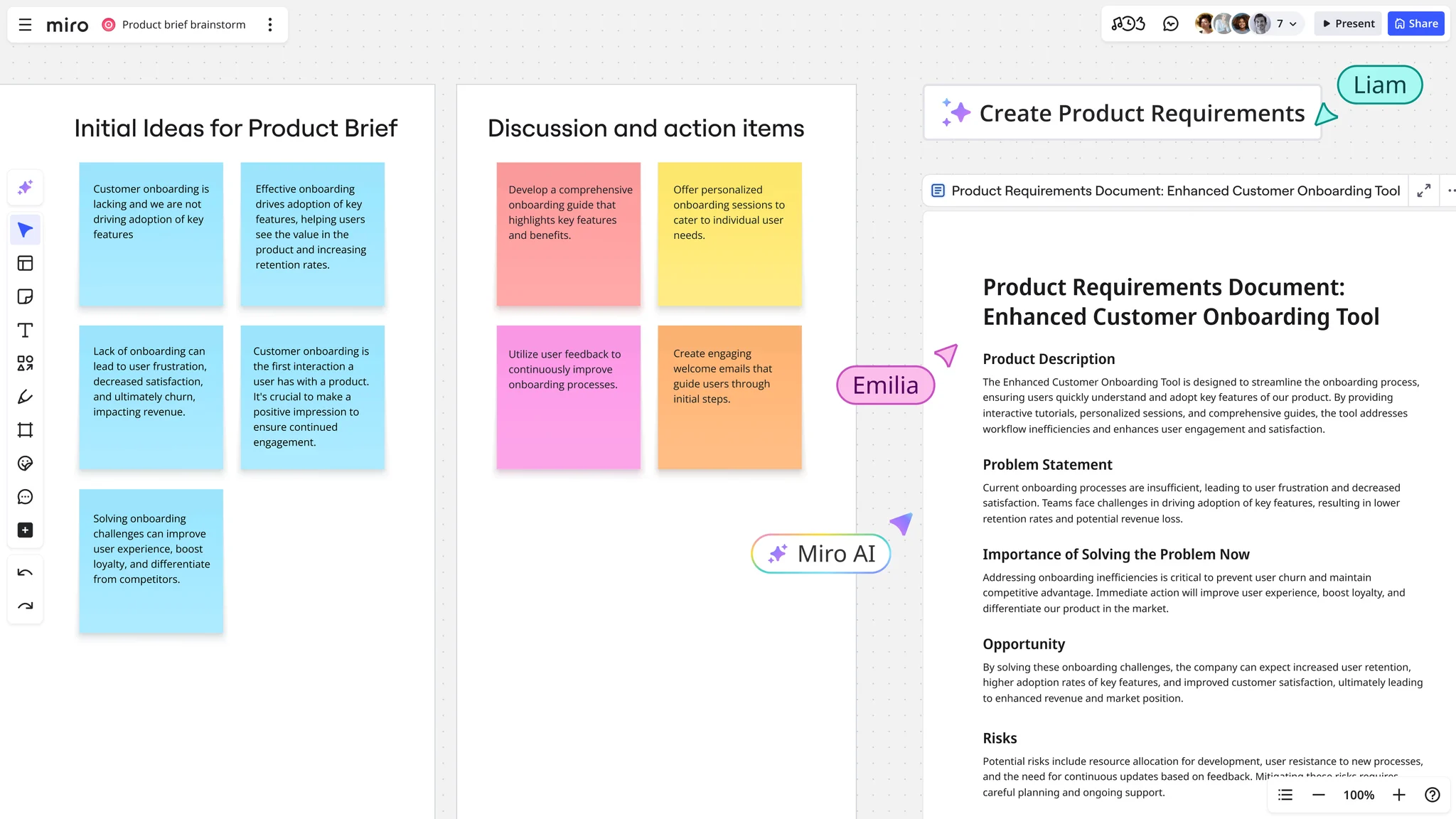
Miro AI in action for product management
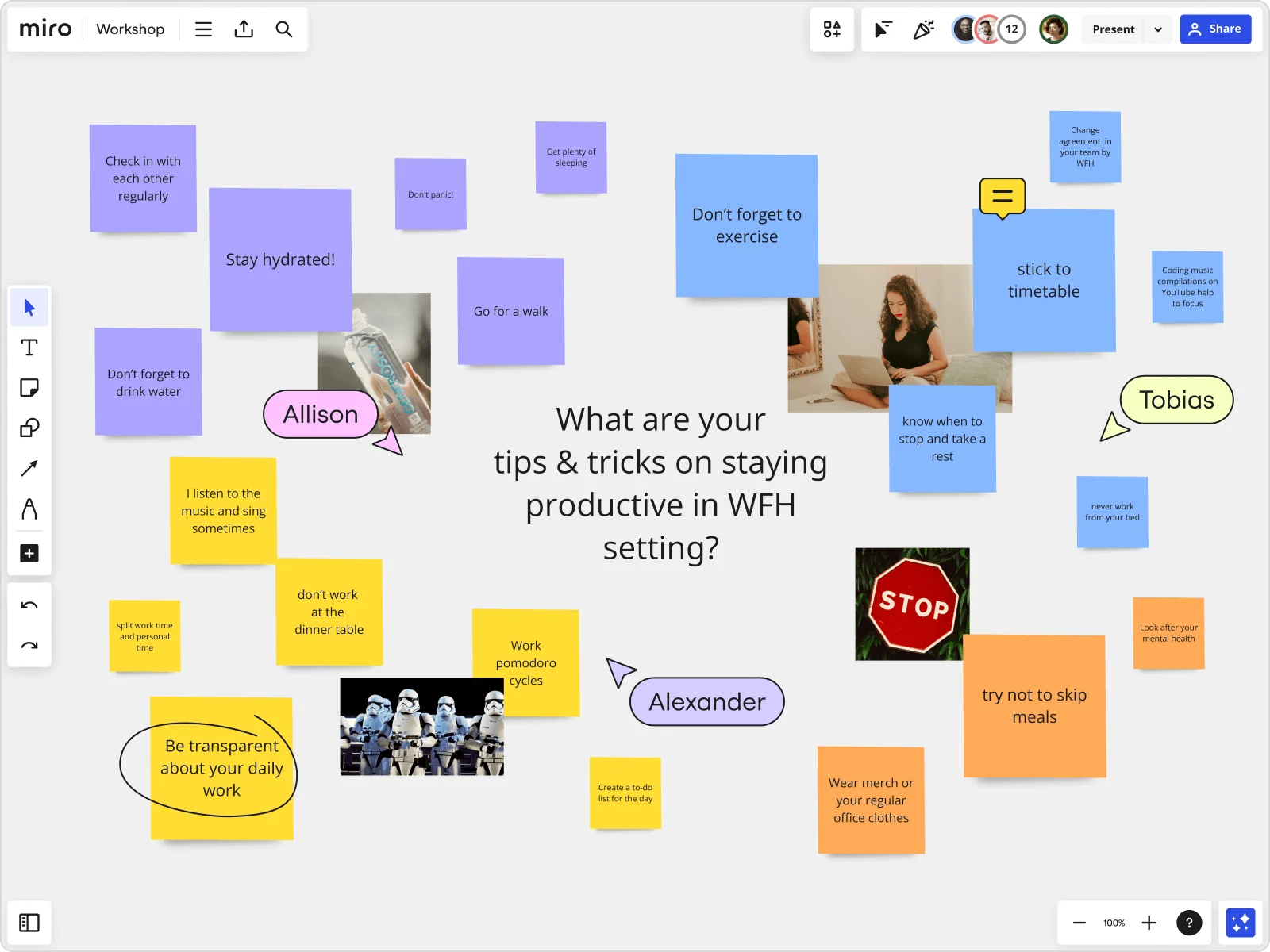
AI-powered sticky notes organization and mind mapping
Product Development
Roadmaps, prototypes, specs with AI acceleration.
Brainstorming & Retros
Clustering notes, summaries, idea generation.
Workshops & Planning
Flows for multi-step processes, visual workflows.
Global Teams
Translation, secure collaboration.
Core Features of Miro AI
Key Tools & Capabilities
- Flows: Build visual multi-step AI workflows on canvas, human-in-control automation.
- Sidekicks: Custom conversational AI agents with context/skills for tasks.
- Visual Context Processing: Use entire board as AI prompt for accurate results.
- Clustering & Summarization: Group sticky notes by theme, generate summaries/transcripts.
- Content Generation: Create diagrams, docs, prototypes, copy editing from board content.
- Integrations: Connect models, data sources (Glean, Copilot), 160+ apps.
- Enterprise Controls: Governance, usage tracking, ISO 42001 certified.
User Experience Highlights
- Infinite canvas with real-time co-editing
- AI understands visual context for better outputs
- Templates & templates for quick starts
- Mobile & desktop support
- Secure & compliant for enterprises
Miro AI Functionality & Performance
In 2026, Miro AI excels in context-aware generation, reducing manual work dramatically (weeks to hours reported). Flows and Sidekicks enable complex automation while keeping teams in control—strong for product acceleration.
Key Advantages in Performance
Workflow Automation
Team Collaboration
Security & Governance
Speed Gains
Miro AI Use Cases
Ideal Scenarios
- Product teams accelerating from ideas to prototypes/specs
- Brainstorming sessions with AI clustering & insights
- Retrospectives & meeting summaries
- Agile planning with visual workflows
- Global distributed teams needing translation & sync
Integration Options
Collaboration Tools
Productivity Apps
AI Models
Knowledge Bases
Miro Pricing & Plans (with AI Credits)
Free
$0/month
Basic exploration
- 3 editable boards
- 10 AI credits/team/month
- Basic collaboration
- Limited features
Starter
$8/member/month (annual)
Small teams
- Unlimited boards
- 25 AI credits/member/month
- Unlimited collaborators
- More integrations
Business
$16/member/month (annual)
Growing teams
- Multiple workspaces
- 50 AI credits/member/month
- Advanced security
- Admin controls
Enterprise
Custom (30+ members)
Large orgs
- 100 AI credits/member/month
- Org-wide AI governance
- SSO, compliance
- Dedicated support
As of January 2026, AI credits vary by plan (add-ons for more); annual billing saves ~20%. Free trial available. Check official for exact/current rates.
Pros & Cons: Balanced Assessment
Strengths
- Seamless AI in collaborative canvas
- Powerful Flows & Sidekicks
- Visual context for superior results
- Strong for product/innovation teams
- Enterprise security & governance
- Continuous updates & integrations
Limitations
- Limited AI credits on lower plans
- Learning curve for advanced Flows
- Can feel overwhelming for simple needs
- Navigation quirks reported
- Higher costs for enterprise scale
Who Should Use Miro AI?
Best For
- Product, design & engineering teams
- Remote/hybrid collaborators
- Agile & innovation workshops
- Enterprises needing secure AI
Consider Alternatives If
- You need simple task lists only
- Want unlimited free AI
- Prefer traditional docs over visual
- Require heavy offline use
Final Verdict: 9.2/10
Miro AI leads collaborative innovation in 2026, brilliantly merging visual canvases with intelligent agents and workflows for faster team results. Its context-aware power and security make it essential for modern product teams—credit limits on lower tiers are the main caveat.
AI Effectiveness: 9.3/10
Value for Money: 8.9/10
Feature Depth: 9.4/10
Experience the AI-Powered Innovation Workspace in 2026
Supercharge your team's creativity and productivity with Miro AI—start free and unlock Flows, Sidekicks, and more.
Free tier with AI credits available as of January 2026.