Last Updated: January 15, 2026 | Review Stance: Independent testing, includes affiliate links
Quick Navigation
TL;DR - Luma Labs Ray3 2026 Review
Luma Ray3 powers Dream Machine as a top-tier AI video model in 2026, offering reasoning-driven generation, 4K HDR output, precise controls (keyframes, character refs), Draft Mode for fast ideation, and superior motion/physics realism. Perfect for pro creatives—free trial available, credit-based for full use.
Luma Labs Ray Review Overview and Methodology
Luma Labs Ray (currently Ray3) is the intelligent next-gen video model integrated into Dream Machine, built for creatives in film, advertising, and gaming. It emphasizes reasoning, high-fidelity consistency, and production tools like HDR and modifications.
This 2026 review assesses Ray3 via Dream Machine testing on prompt adherence, motion quality, controls, speed (Draft vs HiFi), and real-world scenarios like cinematic storytelling and video editing.
Here are some stunning examples of Ray3-powered AI video generations showcasing cinematic quality and motion:

These demonstrate smooth, realistic scenes from text/image prompts, with advanced physics and details.
Film & Storytelling
Cinematic sequences, narrative videos with character consistency.
Advertising & Branding
Product placements, virtual environments, relighting.
Gaming & Concept Art
Motion previews, crowd scenes, physics simulations.
Creative Iteration
Rapid Draft Mode exploration to HiFi mastering.
Core Features of Luma Labs Ray
Key Tools & Capabilities
- Text-to-Video & Image-to-Video: High-fidelity generation with reasoning for intent understanding.
- Modify Video: Keyframes, character references, wardrobe/environment swaps, relighting, virtual placements.
- Draft Mode: 5x faster/cheaper for quick ideation, then Hi-Fi master to 4K HDR.
- HDR Pipeline: Native 16-bit HDR, EXR export, tone mapping.
- Advanced Controls: Annotations, physics accuracy, motion blur, light interactivity, crowds.
- Consistency: Character likeness, performance preservation across clips.
- Integration: Dream Machine web/iOS, API for scaling.
User Experience Highlights
- Intuitive prompting with reasoning for better results
- Fast Draft iteration + pro mastering
- High realism in physics/motion
- Mobile/web access
- Community showcases & tutorials
Luma Labs Ray Functionality & Performance
In 2026, Ray3 sets benchmarks in realism, with superior motion coherence, physics, and creative control. Draft Mode accelerates exploration, while HiFi delivers pro-grade 4K HDR output with minimal artifacts.
Key Advantages in Performance
HDR Fidelity
Control Precision
Speed (Draft)
Consistency
Luma Labs Ray Use Cases
Ideal Scenarios
- Filmmakers prototyping scenes & storyboards
- Advertisers creating dynamic product videos
- Game developers visualizing concepts
- Creators editing/reimagining footage
- Professional studios needing HDR pipelines
Access Options
Dream Machine Web
iOS App
Luma API
Community Gallery
Luma Labs Ray Pricing & Plans (via Dream Machine)
Free Trial
$0 (Limited)
Start exploring
- Limited generations/credits
- Watermarked outputs
- Basic access to Ray3
- Non-commercial use
Paid Plans
From $6.99/month
Lite to Unlimited
- More credits & higher res (up to 4K HDR)
- No watermarks, commercial use
- Priority fast generations
- Unlimited tiers available
Enterprise/API
Custom
For teams & scaling
- High-volume credits
- API integration
- Priority support
- Custom solutions
Ray3 credits vary by duration/res (e.g., 5s 720p SDR ~320 credits). Draft Mode cheaper/faster. Check official for current rates as of January 2026.
Pros & Cons: Balanced Assessment
Strengths
- Unmatched realism & physics
- Innovative Draft + HiFi workflow
- Advanced controls & consistency
- HDR & pro-grade output
- Reasoning for better prompts
- Mobile/web accessibility
Limitations
- Credit-based (can be costly for heavy use)
- No native audio on Ray3
- Generation times vary with demand
- Short clips (5-20s typical)
- Requires paid for full commercial
Who Should Use Luma Labs Ray?
Best For
- Filmmakers & directors
- Advertising creatives
- Game concept artists
- Professional video producers
- AI video enthusiasts
Consider Alternatives If
- You need very long videos
- Require built-in audio generation
- Want unlimited free use
- Prefer simpler consumer tools
Final Verdict: 9.3/10
Luma Ray3 in 2026 is a game-changer for AI video, blending intelligence, control, and pro fidelity in Dream Machine. Its Draft/HiFi workflow, HDR innovation, and realism make it elite for creatives—strong value despite credit system.
Controls: 9.4/10
Value: 8.9/10
Features: 9.5/10
Experience Ray3 AI Video Generation in 2026
Start with free trial in Dream Machine for cinematic text-to-video, modifications, and more—unlock production-grade creativity.
Free trial credits available as of January 2026.
Last Updated: January 09, 2026 | Review Stance: Independent testing, includes affiliate links
Quick Navigation
TL;DR - Luma AI Dream Machine 2026 Review
Luma AI's Dream Machine leads AI video generation in 2026 with Ray3's realistic motion, HDR, reasoning, and modify tools for pro editing. Fast previews, high quality, web/iOS access make it excellent for creators—limited free tier but strong paid plans.
Luma AI Dream Machine Review Overview and Methodology
Luma Labs' Dream Machine is a cutting-edge AI platform for generating and editing videos, powered by advanced models like Ray3 for multimodal intelligence and realistic physical simulations.
This 2026 review evaluates the web and iOS apps, testing video quality, coherence, speed, controls, and real-world use in content creation and filmmaking.

Dream Machine next-gen AI video showcase
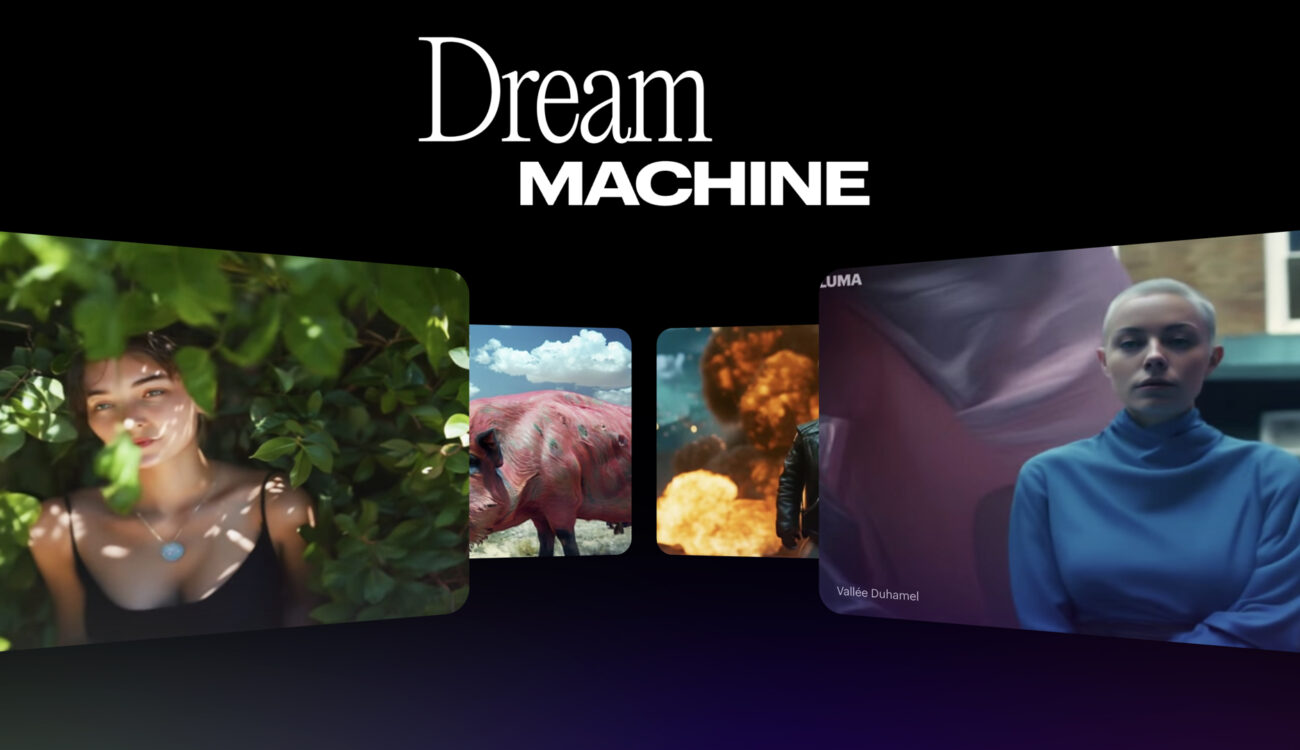
High-fidelity cinematic output example
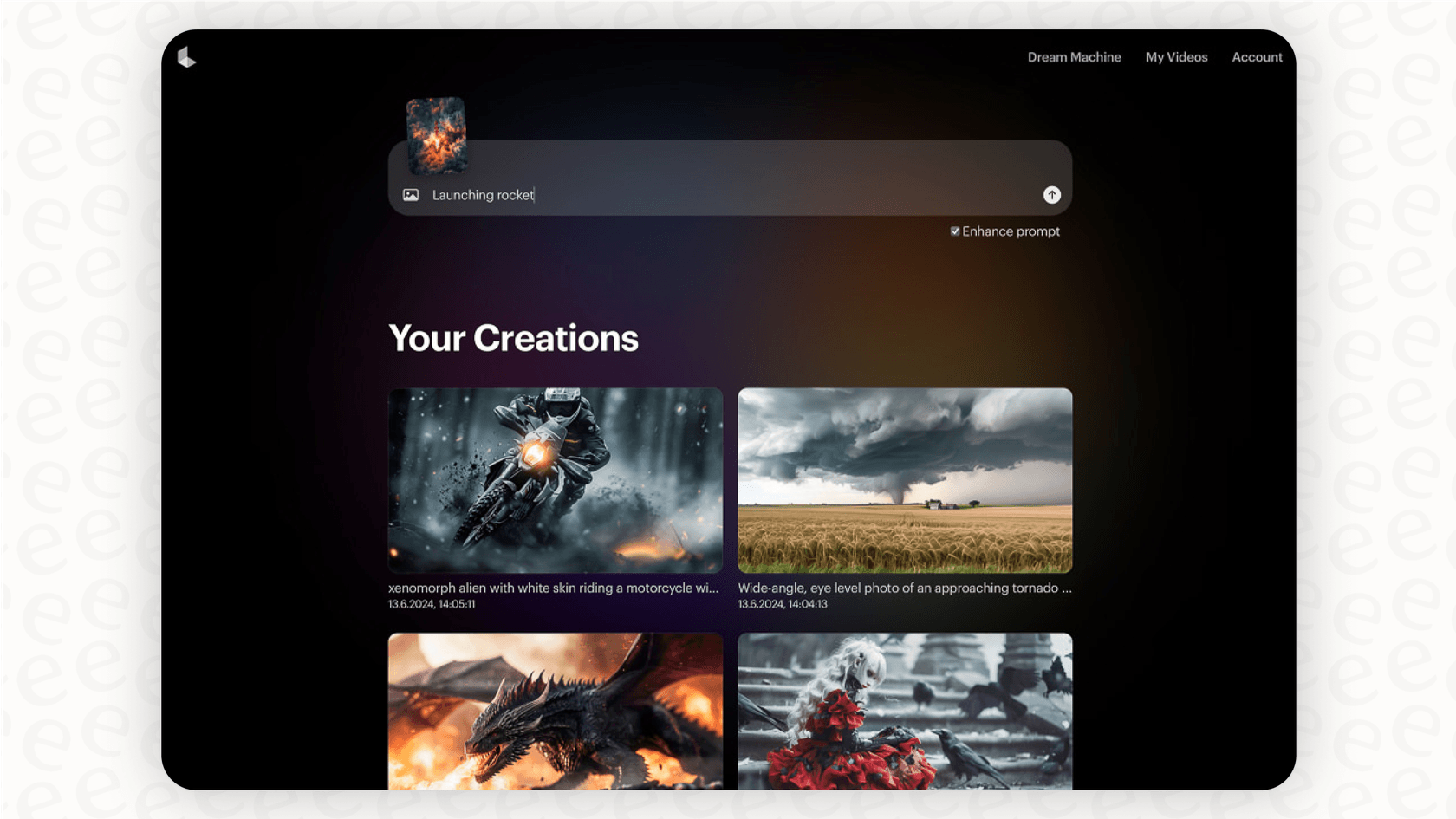
Dream Machine intuitive interface (2026)
Filmmaking
Storyboarding, concept videos, hybrid editing.
Content Creation
Social media clips, ads, animations.
Marketing
Product visuals, promotional videos.
Creative Exploration
Idea visualization, artistic experiments.
Core Features of Luma AI Dream Machine
Key Tools & Capabilities
- Text-to-Video: Generate videos from detailed prompts with realistic motion and physics.
- Image-to-Video: Animate static images into dynamic clips.
- Ray3 Modify: Edit videos with keyframes, character references, start/end frames while preserving performance.
- HDR & Reasoning: Studio-grade HDR, self-correcting AI, logical sequences.
- Draft/Relax Modes: Fast previews or unlimited queued generations.
- Photon Image Gen: High-quality companion image model.
- Web/iOS Access: Seamless creation and sharing.
User Experience Highlights
- Intuitive prompt-based interface
- High priority/fast generation on paid plans
- 4K up-res and HDR output
- Commercial licenses on higher tiers
- API for developers
Luma AI Functionality & Performance
In 2026, Ray3 delivers state-of-the-art video quality with coherent motion, realistic details, and advanced reasoning—excelling in cinematic camera work and consistency.
Key Advantages in Performance
HDR Quality
Edit Controls
Reasoning AI
Fast Previews
Luma AI Use Cases
Ideal Scenarios
- Filmmakers prototyping scenes or hybrid productions
- Content creators for social/media videos
- Marketers generating ads/visuals
- Artists exploring concepts
- Developers via API integration
Access Options
Web Platform
iOS App
Draft Mode
API
Luma AI Pricing & Plans
Free
$0/month
Limited trial
- 8 draft videos
- Lower priority
- Watermarks
- Non-commercial
Lite
$7.99/month
Entry paid
- 3,200 credits (~50 videos)
- 4K up-res
- High priority
- Watermarks
Plus
$23.99/month
Popular
- 10,000 credits (~160 videos)
- 4K HDR
- Commercial use
- No watermark
Unlimited
$75.99/month
Heavy users
- Unlimited relax mode
- 10,000 credits
- Full features
- Commercial
Enterprise plans available on request. Credits for generations; higher tiers offer better value and priority as of January 2026.
Pros & Cons: Balanced Assessment
Strengths
- Top-tier video realism and motion
- Advanced editing with Ray3 Modify
- HDR and reasoning capabilities
- Cinematic quality outputs
- Fast draft mode
- Commercial options
Limitations
- Very limited free tier
- Generation speed varies (queues)
- Credit costs add up for heavy use
- Occasional inconsistencies
- No unlimited free generations
Who Should Use Luma AI?
Best For
- Filmmakers & directors
- Content creators
- Marketers & agencies
- Professional video producers
Consider Alternatives If
- You need fully free unlimited
- Prefer faster local generation
- Require advanced manual editing
- Budget constraints
Final Verdict: 9.2/10
Luma AI Dream Machine sets the benchmark for AI video in 2026 with Ray3's stunning realism, motion, and pro editing tools. Excellent for creative pros despite limited free access—paid plans deliver strong value.
Ease of Use: 9.0/10
Features: 9.4/10
Value for Money: 8.8/10
Try the Leading AI Video Generator in 2026
Generate realistic videos from text/images with Ray3—start with free drafts today.
Free limited generations available as of January 2026.