Last Updated: January 02, 2026 | Review Stance: Independent testing, includes affiliate links
Quick Navigation
TL;DR - Framer AI 2026 Review
Framer AI integrates intelligent tools into the popular no-code platform, generating responsive layouts, custom components, multilingual translations, and extensible plugins. It accelerates design workflows for professionals but serves best as a strong starting point requiring manual refinement—accessible on Framer's tiered plans.
Framer AI Review Overview and Methodology
Framer AI is a suite of AI-powered features built into Framer, the leading no-code website builder favored by designers for its visual canvas, animations, and publishing tools. In 2026, it focuses on generative design assistance rather than full autonomous site building.
This review evaluates real-world use of Wireframer, Workshop, AI Translate, and Plugins, testing output quality, customization ease, responsiveness, and integration within Framer projects for portfolios, landing pages, and multilingual sites.
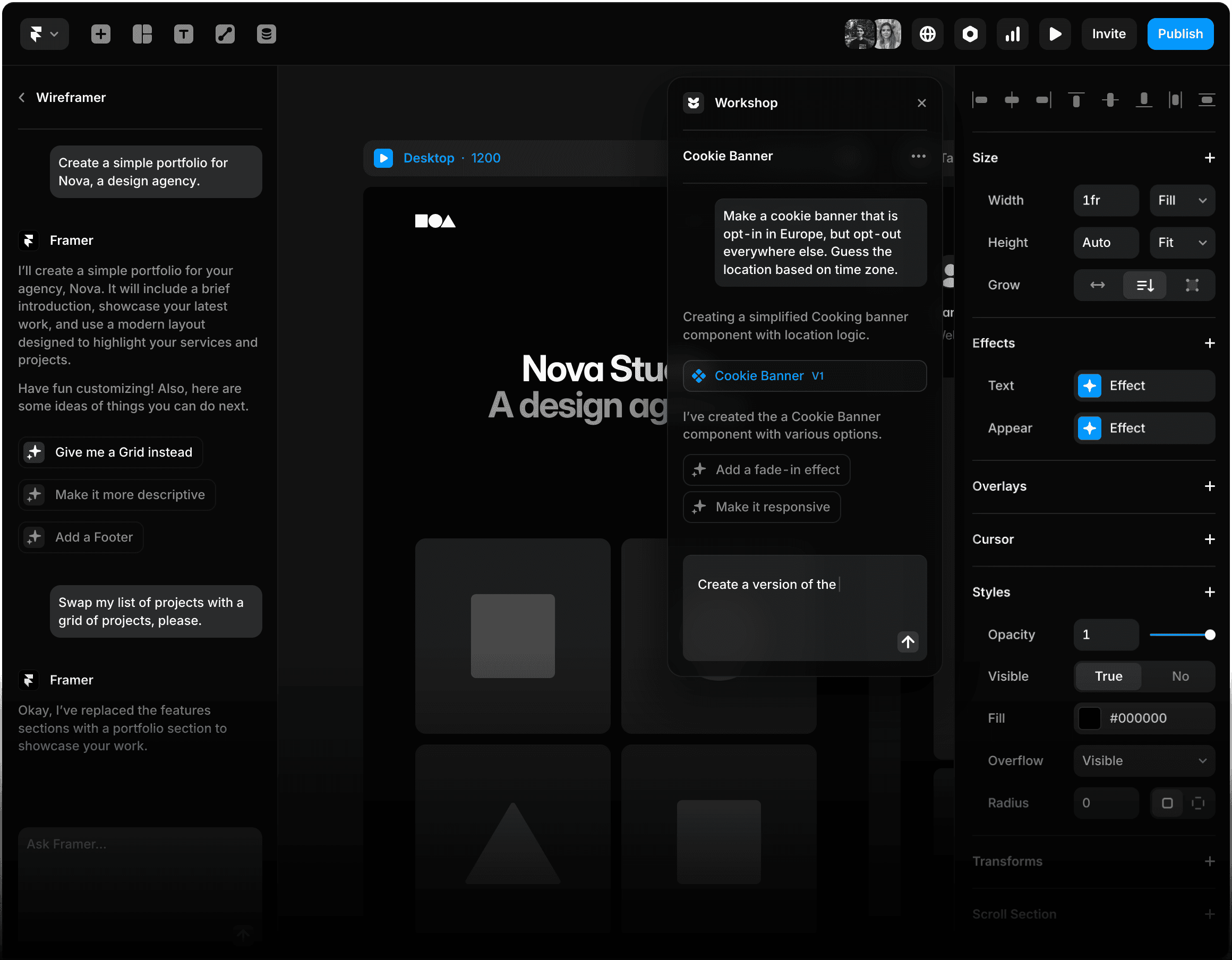
Framer AI main page and intelligent tools overview (source: official)

Example of AI-assisted website template in Framer
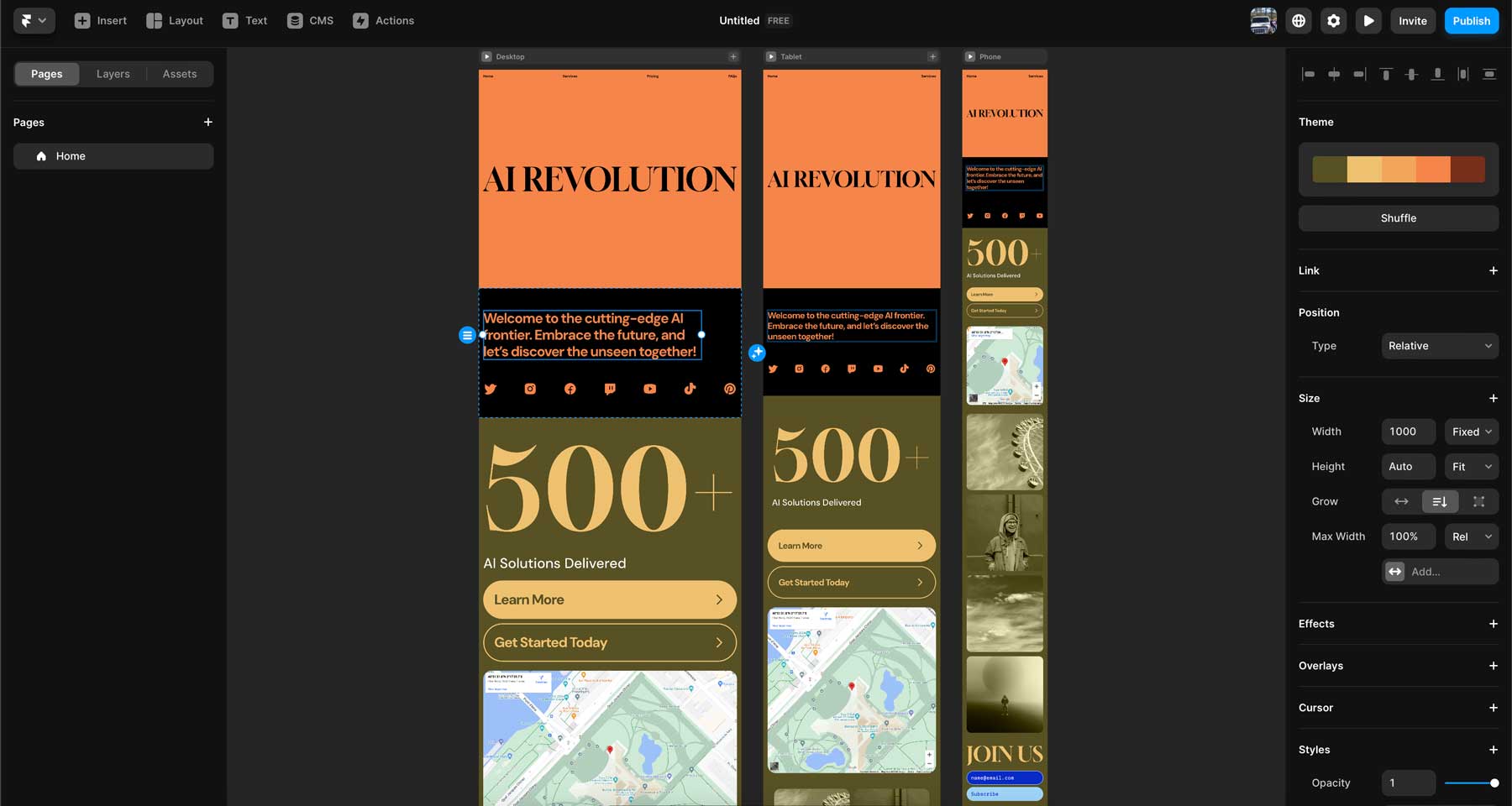
Framer AI generating a full site layout
Portfolios & Resumes
Quick starter layouts with sections and content.
Landing Pages
Hero sections, forms, and responsive designs.
Multilingual Sites
One-click translation with AI accuracy.
Custom Components
Advanced effects, banners, and interactions.
Core Features of Framer AI
Key Tools & Capabilities
- Wireframer: Chat-based generation of responsive page layouts with starter content and structure.
- Workshop: AI-powered creation of advanced components (e.g., cookie banners with logic, tabs, effects) without coding.
- AI Translate: One-click translation of entire sites into multiple languages.
- AI Plugins: Build or use custom plugins connecting to OpenAI, Anthropic, Gemini for text rewriting, image generation, alt text, etc.
- Integration: Seamless with Framer's canvas, animations, CMS, and publishing.
- Vibe-coding & On-Page Editing: Style-matched components and live site updates.
User Experience Highlights
- Intuitive chat interface for generation
- Fast starter outputs ready for customization
- Deep platform integration
- Extensible via plugins
- Responsive and modern defaults
Framer AI Functionality & Performance
In 2026, Framer AI provides solid starter layouts and components with good responsiveness and style matching, but outputs often feel generic and require significant manual tweaks for uniqueness and polish.
Key Advantages in Performance
Responsive Layouts
Style Matching
Translation Speed
Plugin Flexibility
Framer AI Use Cases
Ideal Scenarios
- Designers overcoming blank canvas for prototypes
- Freelancers building client portfolios quickly
- Teams creating multilingual marketing sites
- Developers adding custom AI-enhanced components
- Agencies iterating landing pages rapidly
Integration Options
Wireframer Chat
Workshop Components
AI Translate
Custom Plugins
Framer AI Pricing & Plans
Free Plan
$0/month
Basic testing & personal use
- Limited AI generations
- Basic features access
- Framer branding
- Restricted pages/CMS
Basic/Pro Plans
$10-30/month
For freelancers & small teams
- Full AI tool access
- Custom domains
- More pages & CMS
- Advanced features
Scale/Enterprise
$100+/month
For agencies & large sites
- Unlimited AI usage
- High traffic & locales
- Team collaboration
- Custom support
As of January 2026, Framer AI features are included in all plans (limited on Free); additional locales/AI translations may incur extra fees on higher tiers. Check official pricing for exact details.
Pros & Cons: Balanced Assessment
Strengths
- Excellent starting point for layouts
- Seamless Framer integration
- Powerful translation & plugins
- No-code component creation
- Responsive & modern outputs
- Fast ideation boost
Limitations
- Generic/standardized results
- Requires heavy customization
- Not full autonomous builder
- Extra costs for locales/translations
- Limited on free plan
Who Should Use Framer AI?
Best For
- Professional designers
- Freelancers & agencies
- Teams needing fast prototypes
- Multilingual site builders
- No-code enthusiasts
Consider Alternatives If
- You want fully autonomous AI sites
- Need unlimited free generations
- Prefer standalone AI builders
- Require advanced coding control
Final Verdict: 8.7/10
Framer AI is a valuable enhancement to the Framer platform in 2026, providing smart starters for layouts, components, and translations that speed up professional workflows. While not revolutionary as a standalone generator, its tight integration and extensibility make it excellent for designers valuing control and polish.
Output Quality: 8.2/10
Integration: 9.5/10
Value for Money: 8.5/10
Try the Leading AI-Enhanced No-Code Builder in 2026
Generate layouts, components, and translations instantly—start free and upgrade for full power.
Free plan available as of January 2026.