

Last Updated: January 02, 2026 | Review Stance: Independent testing, includes affiliate links
Quick Navigation
TL;DR - FlexClip 2026 Review
FlexClip is an excellent browser-based AI video editor in 2026, with thousands of templates, powerful AI tools (text-to-video, auto subtitles, script generation), and vast stock library. Easy for beginners yet capable for pros—free plan available, paid for higher quality/no watermark.
FlexClip Review Overview and Methodology
FlexClip is a cloud-based online video editor and maker developed by PearlMountain, emphasizing simplicity with AI enhancements. Updated continuously in 2026, it supports full browser editing without downloads, focusing on quick professional videos.
This review evaluates the web platform through real projects: template customization, AI generation, editing accuracy, export quality, and performance for social media, marketing, and educational content.
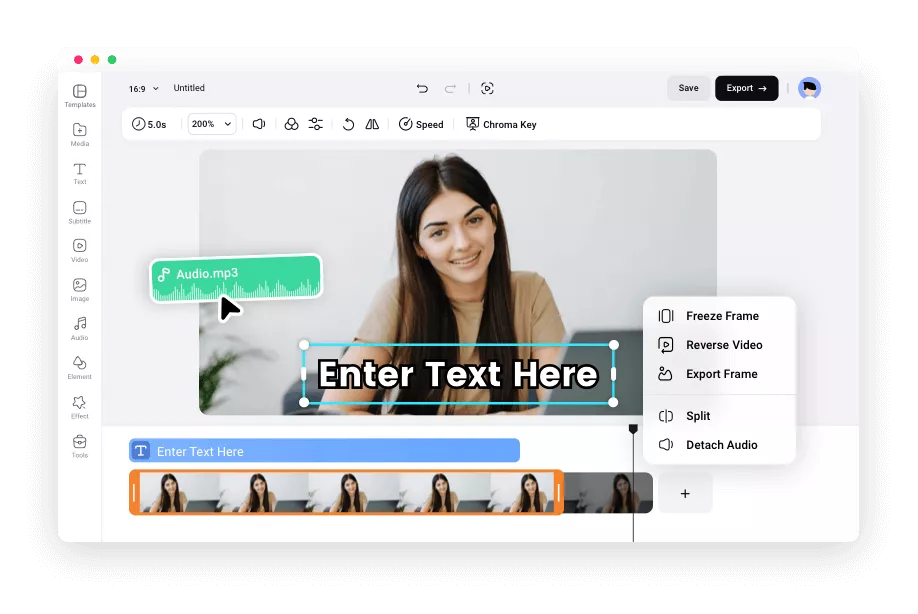
FlexClip intuitive online editor interface (2026)

FlexClip workspace with timeline and assets
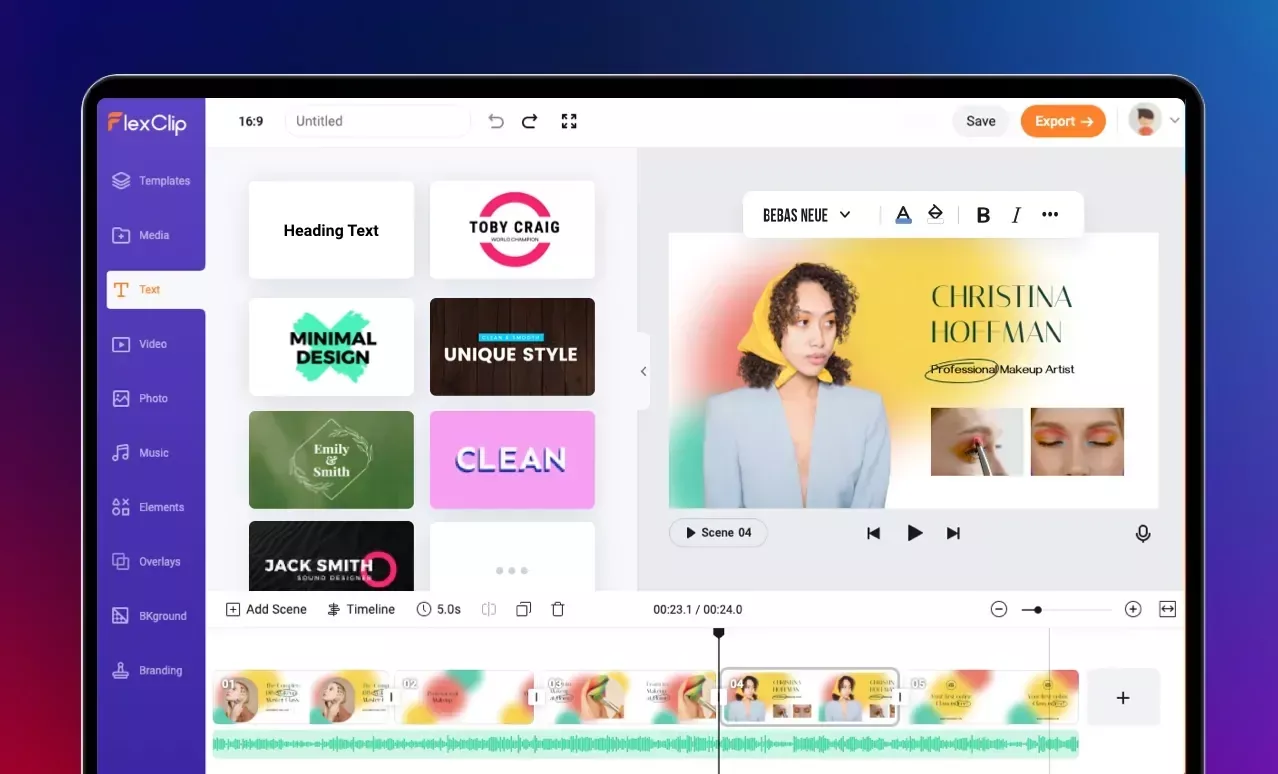
Example of AI text-to-video creation in FlexClip
Social Media
Short clips, Reels, TikToks, ads with templates.
Marketing
Promo videos, product demos, explainer videos.
Education
Tutorials, lessons, presentation videos.
Personal/Business
Greetings, events, internal comms.
Core Features of FlexClip
Key Tools & Capabilities
- AI Text-to-Video: Generate full videos from text prompts or URLs.
- Templates Library: Thousands of customizable templates for all occasions.
- Auto Subtitles & TTS: AI captions, text-to-speech in multiple voices/languages.
- Stock Media: Millions of royalty-free videos, images, music tracks.
- Editing Tools: Trim, split, transitions, text animations, overlays, speed control.
- AI Enhancements: Script generator, image generator, background removal.
- Cloud Storage & Export: Up to 4K, no download needed.
User Experience Highlights
- Drag-and-drop intuitive interface
- No software installation required
- Real-time preview and fast rendering
- Extensive tutorials and resources
- Browser-based with cloud sync
FlexClip Functionality & Performance
In 2026, FlexClip excels in quick, high-quality video creation with reliable AI accuracy for subtitles and generation. Rendering is fast, supporting complex projects smoothly in browser.
Key Advantages in Performance
AI Accuracy
Template Variety
Stock Library
Fast Export
FlexClip Use Cases
Ideal Scenarios
- Social media managers creating daily content
- Marketers producing ads and promos quickly
- Teachers making educational videos
- Small businesses for branding materials
- Beginners exploring video creation
Platform Options
Web Browser
Templates
AI Tools
Stock Assets
FlexClip Pricing & Plans
Free Plan
$0/month
Basic creation
- 720p exports
- Watermark
- Limited stock & AI credits
- Short video length
Plus Plan
$9.99-$19.99/month
Most popular
- 1080p exports
- No watermark
- More stock & AI credits
- Cloud storage
Business Plan
$19.99-$29.99/month
For professionals
- 4K exports
- Unlimited stock
- Max AI credits & storage
- Custom branding
As of January 2026, annual billing saves ~20-30%. Prices vary slightly by source; check official for current details.
Pros & Cons: Balanced Assessment
Strengths
- Extremely beginner-friendly
- Powerful AI tools save time
- Huge template & stock library
- No installation, browser-only
- Generous free plan
- Fast and intuitive
Limitations
- Free plan has watermark/low res
- Lacks advanced pro controls
- AI credits limited on lower plans
- No desktop app
- Occasional rendering delays on complex projects
Who Should Use FlexClip?
Best For
- Beginners & non-editors
- Social media creators
- Marketers & small businesses
- Educators & trainers
- Quick video needs
Consider Alternatives If
- Need advanced pro editing (Premiere/CapCut)
- Want fully offline software
- Require unlimited free exports
- Heavy complex animations
Final Verdict: 9.0/10
FlexClip is a standout online AI video editor in 2026, combining ease-of-use with powerful features and vast resources. Perfect for fast, professional results without expertise—strong free tier and value make it a top recommendation for most users.
Features: 9.0/10
Value for Money: 9.2/10
AI Tools: 8.8/10
Try the #1 Free Online AI Video Editor in 2026
Create stunning videos with AI text-to-video, templates, and stock media—start for free, no card needed.
Free plan available as of January 2026.













