Last Updated: March 12, 2026 | Review Stance: Real tests from a designer who hates manual masking
Quick Jumps
My Quick Take on Erase.bg
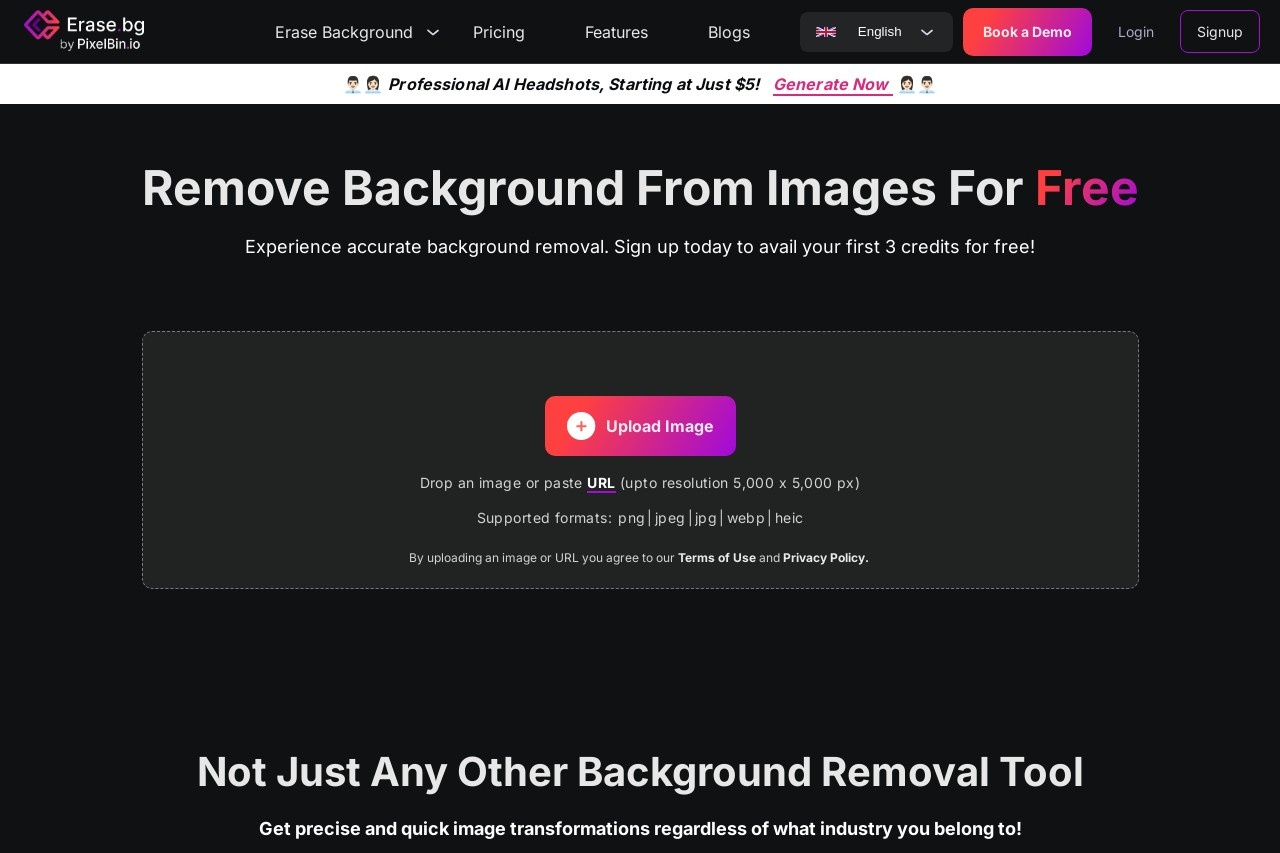
If you're tired of fiddly Photoshop masks, Erase.bg is your new best friend—upload a pic, AI zaps the background in seconds, download clean transparent PNG. Handles hair/fur like a pro, free for casual use (3 credits signup bonus), cheap Pro for batches. I use it daily for product shots & social posts—saves me so much headache.
How Erase.bg Became My Go-To Hack
Remember spending 20 minutes per photo just to cut out a model or product? Yeah, me too—until I found Erase.bg. It's this dead-simple AI tool that removes backgrounds automatically, and in 2026 it's scary good at tricky edges like hair, fur, or transparent objects.
I tested it on real stuff: e-commerce jewelry (shiny reflections), pet photos (fluffy fur), portraits (flyaway hair), even short video clips. Results? Mostly one-shot wonders. This review is from actual uploads—no theory, just what worked (and the rare retry).
E-commerce Sellers
Clean product photos on white/transparent for Etsy/Amazon listings.
Social Media Creators
Quick profile pics, memes, or story overlays without messy edges.
Photographers & Designers
Client headshots, composite work—fast prep before final edits.
Video Snippet Edits
Short clips (≤30s) background removal for Reels/TikTok effects.
Little Features That Make Life Easier
My Favorite Bits
- One-Click Erase: Drag/drop or URL paste—AI does the rest in 3-5s.
- Smart Edges: Nails hair, fur, jewelry chains—no halo artifacts usually.
- Background Swap: Pick solid color, gradient, or themed stock after removal.
- Bulk Mode: Upload many at once (Pro unlocks full power).
- Video Support: Short clips background removal—handy for quick social vids.
- API & Mobile Apps: Integrate or edit on phone—super convenient.
Does It Deliver? My Honest Speed Test
In real runs, most images pop clean in under 5 seconds—even 4K ones. Edge accuracy beats many free tools (hair/fur is 90%+ spot-on). Free version gives solid previews; Pro unlocks full HD/no limits. Rare fails on super complex overlaps need manual tweak, but retry usually fixes.
What Shines Bright
Hair/Fur Pro
Free Personal Use
Batch Ready
API Handy
No Surprises on Pricing
Starter / Free
$0
Personal Fun
- 3 free credits on signup
- High-quality previews
- Personal use only
- Limited downloads
Pro / Pay-as-you-go
From $5
For Real Work
- 10+ credits packs
- Unlimited HD downloads
- Batch & API access
- Commercial ok
As of March 2026: Free forever for basic personal, Pro starts cheap for credits. Bulk/enterprise via Pixelbin.io subs. Check erase.bg/pricing for latest—annual might save more.
Pros & Cons (Straight Talk)
Super Handy Parts
- Blazing fast & accurate on tough edges
- Free tier actually useful
- Background swap built-in
- Mobile apps rock
- API for power users
- Cheap Pro for batches
Minor Gripes
- Free credits vanish quick on HD
- Very complex overlaps may need retry
- Video limited to short clips
- Pro needed for heavy commercial
My Final Rating: 9.0/10
Erase.bg nails the "simple but powerful" vibe in 2026—free entry is generous, results are pro-level for most shots, and extras like batch/API make it scale nicely. If you deal with product pics, portraits, or social graphics, this saves real time. Give the free credits a spin—you'll probably get hooked.
Accuracy: 9.0/10
Value: 9.2/10
Versatility: 8.8/10
Tired of Messy Backgrounds?
Upload your first image free—grab those 3 credits and see the magic yourself.
3 free credits on signup as of March 2026.