
Last Updated: January 11, 2026 | Review Stance: Independent testing, includes affiliate links
Quick Navigation
TL;DR - CogVideo.org 2026 Review
CogVideo.org delivers an accessible AI text-to-video experience in 2026, powered by Minimax for realistic & creative outputs. With simple interface, demo gallery, and affordable plans, it's excellent for quick video creation—strong on stylized content like dance & scenes.
CogVideo.org Review Overview and Methodology
CogVideo.org is a web-based AI video generator focused on turning text prompts into high-quality videos, leveraging advanced models like Minimax for engaging and realistic results. It's designed for ease of use with prompt entry and instant generation.
This review is based on testing text prompts, exploring demo gallery, output quality, speed, and usability in creative scenarios as of January 2026.
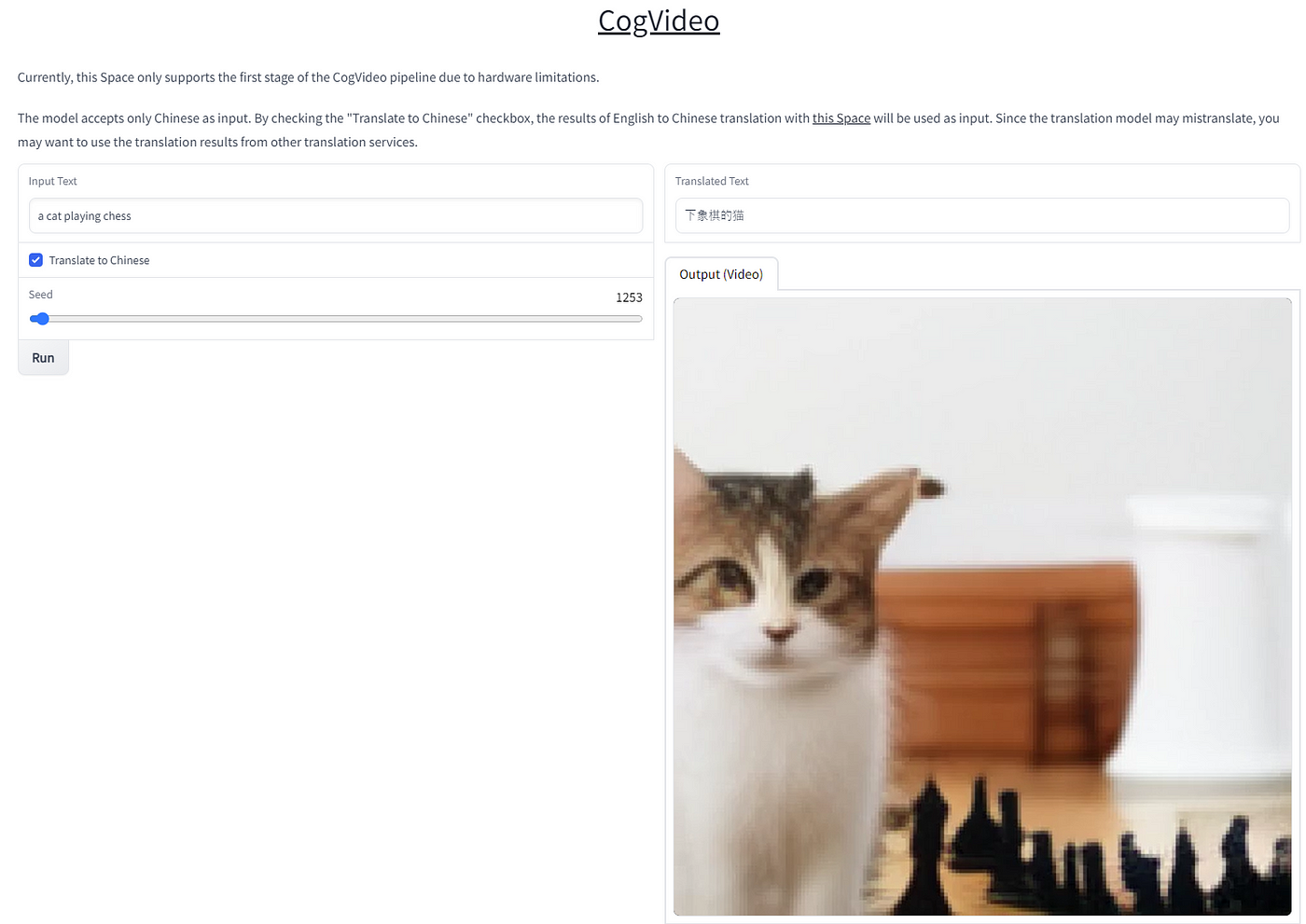
Example of AI-generated video from text prompt (source: demo showcase)

CogVideo generation result preview

User-friendly prompt input for video creation
Content Creation
Social media clips, marketing videos from text.
Dance & Performance
K-pop style idol dance videos.
Storytelling
Santa scenes, emotional hugs, nature animations.
Quick Experiments
Test creative ideas instantly.
Core Features of CogVideo.org
Key Tools & Capabilities
- Text-to-Video Generation: Turn detailed prompts into realistic videos (e.g., dance, scenes, actions).
- Minimax Powered: Advanced AI for high-quality, engaging outputs.
- Demo Gallery & Explore: View and browse community/user-generated videos.
- AI Hug & Special Effects: Unique features like hugging animations.
- User-Friendly Interface: Simple prompt entry, multiple sizes/styles supported.
- Video Saving & Sharing: Easy export and view options.
User Experience Highlights
- Intuitive for beginners—no complex setup
- Fast generation with professional results
- Rich demo library for inspiration
- Supports various artistic styles
- Flexible for creative & commercial use
CogVideo.org Functionality & Performance
In 2026, CogVideo.org provides solid text-to-video quality with realistic motion (especially dance/human actions) and creative flair. Outputs are engaging, quick to generate, and suitable for short clips.
Key Advantages in Performance
Easy Prompting
Demo Inspiration
Style Variety
Quick Results
CogVideo.org Use Cases
Ideal Scenarios
- Social media & short-form content creators
- Dance/performance video prototyping
- Marketing clips & storytelling visuals
- Holiday/fun scene generation
- Quick AI experiments & inspiration
CogVideo.org Pricing & Plans
Standard
$9.99/month or one-time
Entry level access
- Basic video generations
- Lower cost entry
- Standard quality
Professional
$19.00/month
Best for creators
- More generations & features
- Higher quality options
- Professional tools
Enterprise
$99.00/month or yearly
For teams/business
- High volume generations
- Custom support
- Advanced usage
As of January 2026, plans include one-time/yearly options; check official for exact credits/videos per tier. Free trial/demo generations available.
Pros & Cons: Balanced Assessment
Strengths
- Simple & fast text-to-video
- Great for dance/performance prompts
- Inspiring demo gallery
- Affordable entry plans
- Realistic & engaging outputs
Limitations
- Limited advanced editing
- Video length/resolution may vary by plan
- Best for short clips
- No heavy community features
Final Verdict: 8.5/10
CogVideo.org is a solid, accessible AI video tool in 2026 for quick text-based creation with strong Minimax quality. Perfect for casual to semi-pro use—easy entry, inspiring demos, and good value.
Output Quality: 8.6/10
Value for Money: 8.4/10
Features: 8.0/10
Start Creating AI Videos Today
Turn your text ideas into stunning videos with CogVideo.org—explore demos and generate for free trial.
Visit CogVideo.org Official Site
Start generating as of January 2026.