Last Updated: January 06, 2026 | Review Stance: Independent testing, includes affiliate links
Quick Navigation
TL;DR - Trello 2026 Review
Trello remains a top visual Kanban tool in 2026 for simple, intuitive project management with drag-and-drop boards, automation, and integrations. AI features enhance paid plans, while the free tier is robust for small teams—great for beginners but limited for complex enterprise needs.
Trello Review Overview and Methodology
Trello, owned by Atlassian, is a Kanban-style project management platform using boards, lists, and cards for visual task organization. Continuously updated in 2026 with AI via Atlassian Intelligence and enhanced views.
This review evaluates the web/app experience, testing ease of use, automation, AI capture, views, and integrations in real scenarios like personal tasks, team projects, and remote collaboration.

Trello Kanban board with Power-Ups and integrations (2026)

Trello workspace dashboard and multiple views
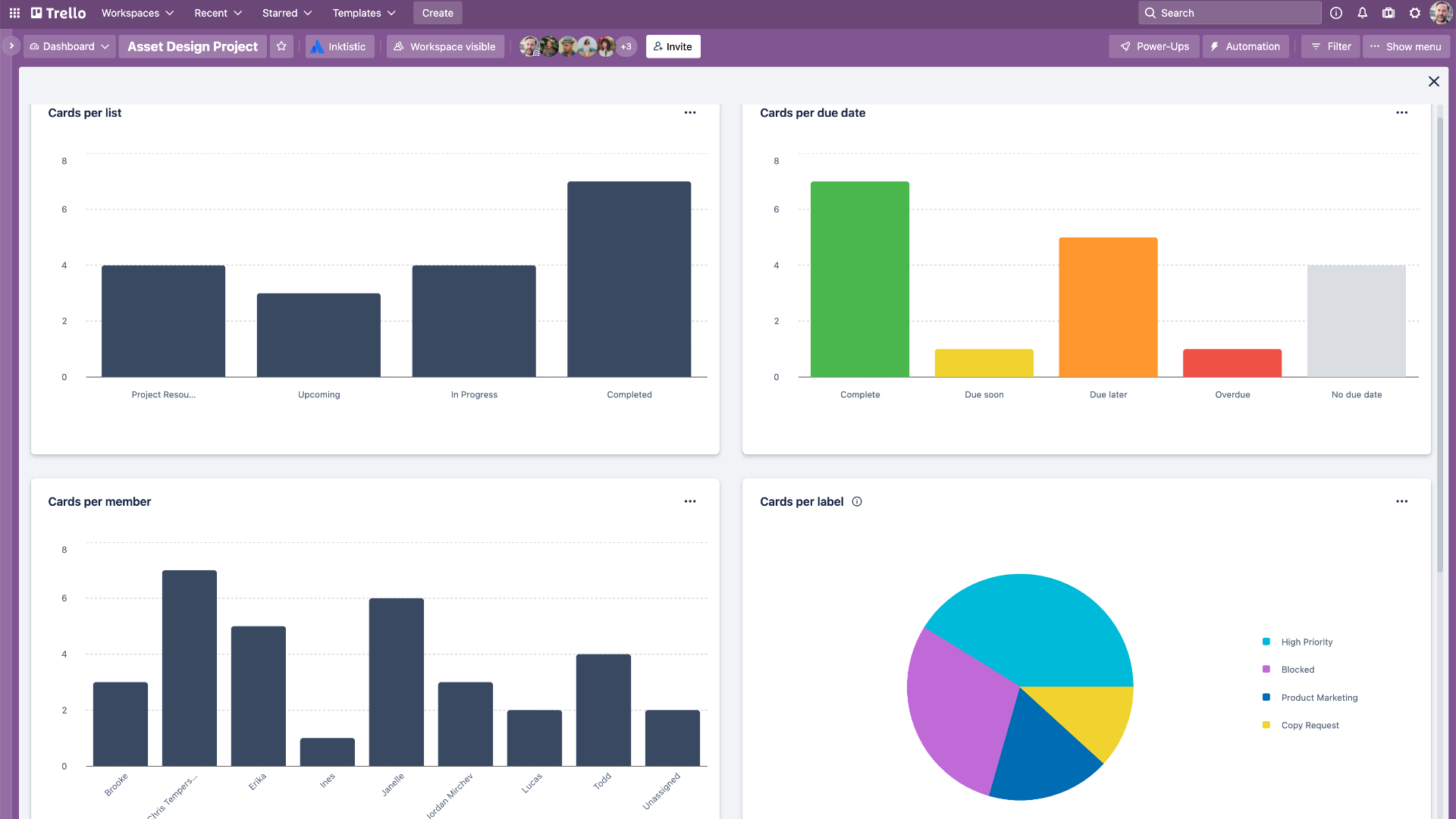
Modern Trello interface with advanced views (2026)
Personal Productivity
To-do lists, habit tracking, planning.
Small Teams
Agile workflows, content calendars.
Remote Collaboration
Task delegation, progress tracking.
Enterprise Projects
Cross-team coordination, security controls.
Core Features of Trello
Key Tools & Capabilities
- Kanban Boards: Drag-and-drop lists and cards for visual workflow.
- Automation (Butler): No-code rules, buttons, and scheduled commands.
- Power-Ups & Integrations: Connect Slack, Google Drive, Jira, etc.
- Views: Calendar, Timeline, Table, Dashboard (Premium+).
- AI Features: Quick capture from emails/Slack, summaries, writing assistance (Premium+).
- Mobile Apps: Full functionality on iOS/Android.
- Card Mirroring, Custom Fields, Checklists, Labels, Due Dates.
User Experience Highlights
- Intuitive visual interface, minimal learning curve
- Real-time collaboration and notifications
- Custom backgrounds, stickers, emojis
- Inbox for quick task capture
- Planner for scheduling
Trello Functionality & Performance
In 2026, Trello excels in simplicity and speed for visual task management, with reliable automation and AI enhancing efficiency on higher plans. Performance is smooth across devices, though advanced reporting is limited.
Key Advantages in Performance
Ease of Use
Automation
Integrations
AI Capture
Trello Use Cases
Ideal Scenarios
- Personal task and goal tracking
- Small team agile/sprint management
- Content planning and editorial calendars
- Remote team coordination
- Large organizations with Atlassian ecosystem
Integration Options
Slack
Google Drive
Jira
Power-Ups
Trello Pricing & Plans
Free
$0/forever
For individuals/small teams
- Up to 10 boards/workspace
- Unlimited cards
- Basic Power-Ups
- 250 command runs/month
Standard
$5/user/month (annual)
For growing teams
- Unlimited boards
- Advanced checklists
- Custom fields
- 1,000 command runs/month
Premium
$10/user/month (annual)
For advanced teams
- Advanced views (Timeline, etc.)
- Atlassian Intelligence AI
- Unlimited commands
- Admin features
Enterprise
$17.50/user/month (annual)
For large organizations
- Unlimited workspaces
- Organization permissions
- SSO & advanced security
- Priority support
As of January 2026, pricing is per user/month; annual billing saves ~17%. Free plan robust for basics.
Pros & Cons: Balanced Assessment
Strengths
- Extremely intuitive visual interface
- Generous free plan
- Powerful no-code automation
- Extensive integrations
- AI enhancements on paid plans
- Great for simple to medium projects
Limitations
- Limited advanced reporting/analytics
- No built-in time tracking or Gantt
- AI locked to Premium+
- Can feel basic for complex projects
- File storage limits on lower plans
Who Should Use Trello?
Best For
- Individuals & small teams
- Visual thinkers
- Simple project management
- Atlassian ecosystem users
Consider Alternatives If
- Need advanced reporting/Gantt
- Heavy time tracking
- Complex enterprise workflows
- Free AI features
Final Verdict: 8.9/10
Trello is a timeless, user-friendly Kanban tool in 2026, perfect for visual task management and team collaboration. Its free plan and automation shine, with AI adding value on paid tiers—ideal for most users, though advanced needs may require alternatives.
Features: 8.5/10
Value for Money: 9.2/10
Collaboration: 9.0/10
Try the Leading Visual Project Management Tool in 2026
Start with the generous free plan for unlimited cards and basic automation—no card required.
Free forever plan available as of January 2026.