Last Updated: January 07, 2026 | Review Stance: Independent testing, includes affiliate links
Quick Navigation
TL;DR - Recraft.ai 2026 Review
Recraft.ai stands out as a designer-focused AI platform in 2026, with its V3 model leading in photorealism, text accuracy, and vector generation. Instant brand styles, production-ready outputs, and pro editing tools make it ideal for professionals—offering a solid free tier and flexible credit-based plans.
Recraft.ai Review Overview and Methodology
Recraft.ai is an AI-powered design platform built for professionals, featuring its in-house Recraft V3 model (top-ranked in benchmarks) for generating and editing raster images, vectors, icons, 3D, and mockups with exceptional brand consistency.
This 2026 review evaluates the web platform based on real-world testing for quality, consistency, usability, and workflow integration in design, marketing, and branding scenarios.
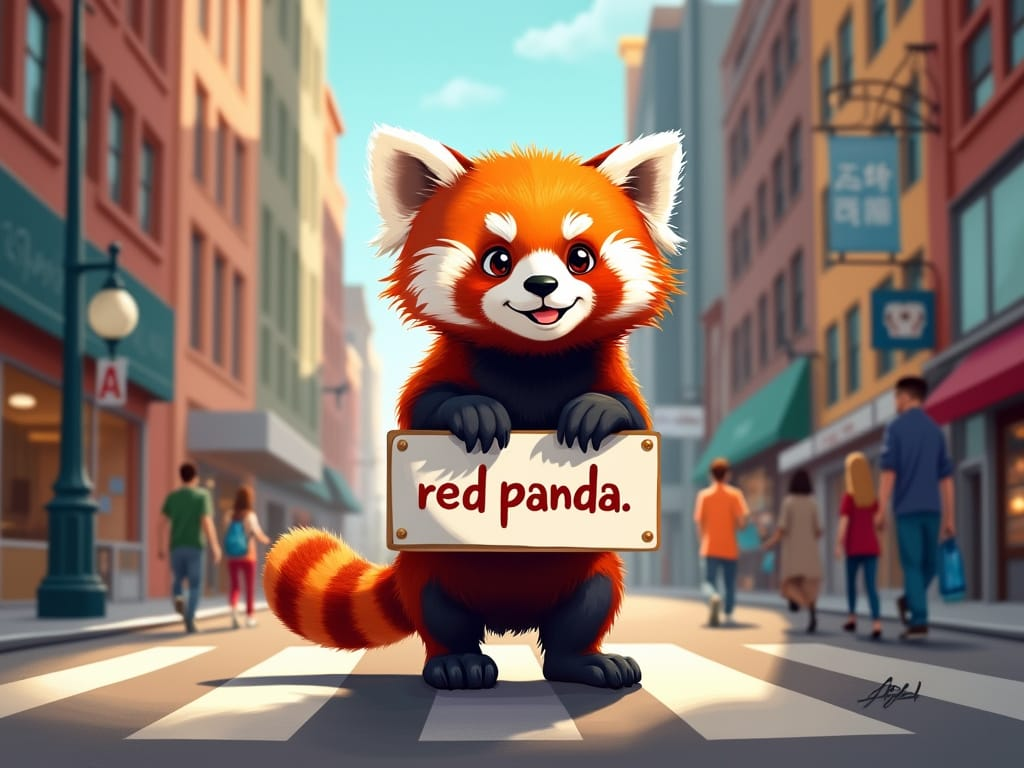
Recraft.ai high-quality photorealistic generation (source: demos)

Brand-consistent vectors and illustrations
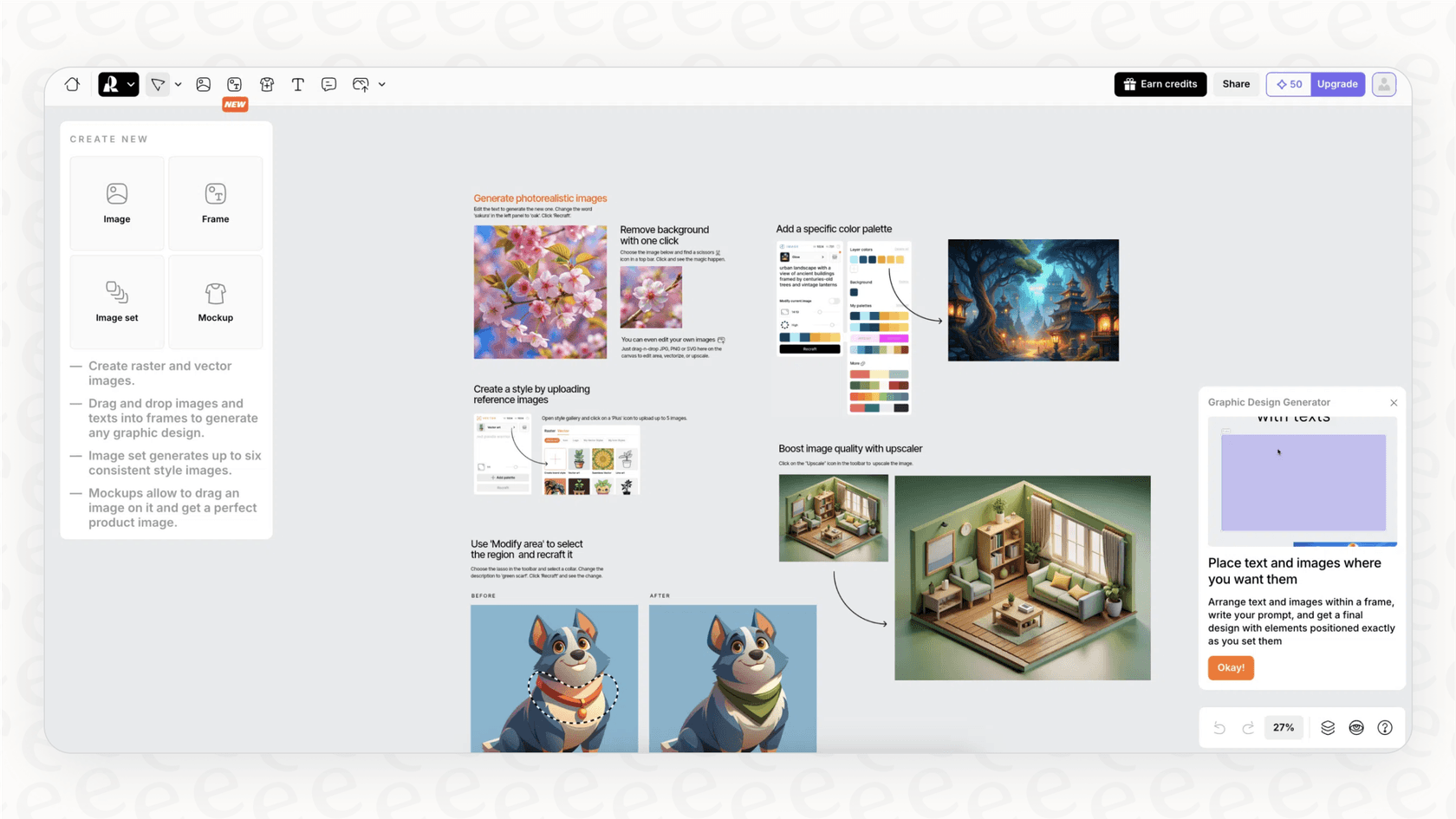
Recraft.ai intuitive design workspace (2026)
Graphic Design
Vectors, icons, illustrations with brand styles.
Marketing & Ads
Mockups, photorealistic product shots, text-accurate visuals.
Branding
Consistent assets, custom styles from references.
Content Creation
Social media graphics, print materials, 3D visuals.
Core Features of Recraft.ai
Key Tools & Capabilities
- Text-to-Image & Vector Generation: Recraft V3 model for photorealistic images and SVG vectors.
- Instant Brand Styles: Upload references for consistent colors, styles—no training required.
- Editing Tools: Upscaler, background remover, eraser, photo editor.
- Mockup & Icon Generator: Professional mockups and scalable icons.
- Accurate Text Rendering: Clean typography in generated images.
- Infinite Canvas Workflow: Layers, frames, commenting for design integration.
- 3D Illustrations: Generate and edit 3D-style graphics.
User Experience Highlights
- Clean, intuitive interface tailored for designers
- Fast generation with high precision
- Editable outputs (raster & vector)
- Web-based with infinite canvas
- Community gallery for inspiration
Recraft.ai Functionality & Performance
In 2026, Recraft V3 leads benchmarks for photorealism, text accuracy, and vector quality, with superior brand consistency and minimal artifacts in complex prompts.
Key Advantages in Performance
Vector Quality
Style Consistency
Text Accuracy
Pro Workflow
Recraft.ai Use Cases
Ideal Scenarios
- Professional designers creating brand assets
- Marketers producing ads and social content
- E-commerce for product mockups
- Teams maintaining visual consistency
- Freelancers scaling illustration work
Integration Options
Web Platform
Infinite Canvas
Export SVG/PNG
Community
Recraft.ai Pricing & Plans
Free Plan
$0 (Limited Credits)
For testing & casual use
- ~50 daily credits
- Core generation tools
- Public images
- Limited downloads
Pro/Beginner Plans
$10-20/month
For individuals
- 1,000+ credits/month
- Private generations
- Full ownership/commercial use
- Priority features
Advanced Plan
$27/month
For heavy users
- 4,000 credits/month
- All pro features
- Higher priority
- More generations
Max/Pro Plan
$48+/month
For teams & pros
- 8,400+ credits/month
- Team features
- Maximum priority
- Advanced perks
As of January 2026, Recraft uses a credit system; annual billing offers discounts. Check official pricing for latest details and promotions (e.g., referral credits).
Pros & Cons: Balanced Assessment
Strengths
- Top-ranked V3 model quality
- Native vector SVG outputs
- Instant brand consistency
- Pro designer workflow tools
- Generous free credits
- Accurate text & photorealism
Limitations
- Credit limits on free/paid plans
- No public API yet
- Web-only (no desktop app)
- Heavy use requires higher tiers
- Occasional prompt tweaking needed
Who Should Use Recraft.ai?
Best For
- Professional designers
- Marketing teams
- Brand managers
- E-commerce sellers
- Freelance illustrators
Consider Alternatives If
- You need unlimited free generations
- Require advanced manual editing (like Photoshop)
- Want offline/local tools
- Need public API integration
Final Verdict: 9.2/10
Recraft.ai is a standout professional AI design tool in 2026, bridging creative freedom with production-ready precision through vectors, brand styles, and top-tier generation. Its designer-centric approach and value make it essential for pros, despite credit-based limits.
Usability: 9.3/10
Features: 9.4/10
Value: 8.8/10
Try the Leading AI Design Platform for Professionals in 2026
Generate brand-consistent images, vectors, and mockups with free credits—no card required.
Visit Recraft.ai Official Site
Free credits available as of January 2026.