Last Updated: January 12, 2026 | Review Stance: Independent testing, includes affiliate links
Quick Navigation
TL;DR - NutStudio 2026 Review
NutStudio by iMyFone is a versatile desktop AI powerhouse in 2026, combining local/offline LLMs, cloud models, instant text actions, and advanced image/video generation (Veo 3.1, Kling, etc.). With seamless integration, privacy focus, and no-coding setup, it's excellent for boosting productivity—free core features available.
NutStudio Review Overview and Methodology
NutStudio is iMyFone's all-in-one AI assistant desktop app (with web version), designed for instant AI access in any workflow. It supports local LLM deployment for privacy, cloud integrations for power, and built-in creative tools like AI image/video generation.
This 2026 review is based on testing the desktop/web app, evaluating setup ease, generation quality, integration, privacy, and real-world use in productivity, coding, and content creation scenarios.
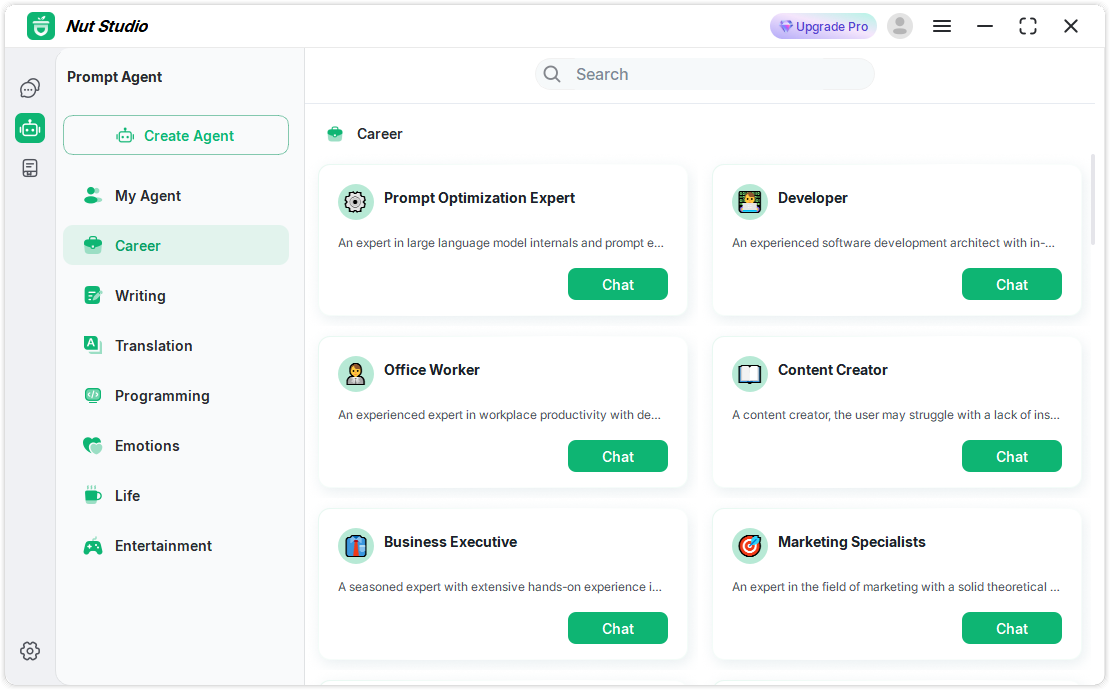
NutStudio intuitive dashboard with AI agents (official docs)
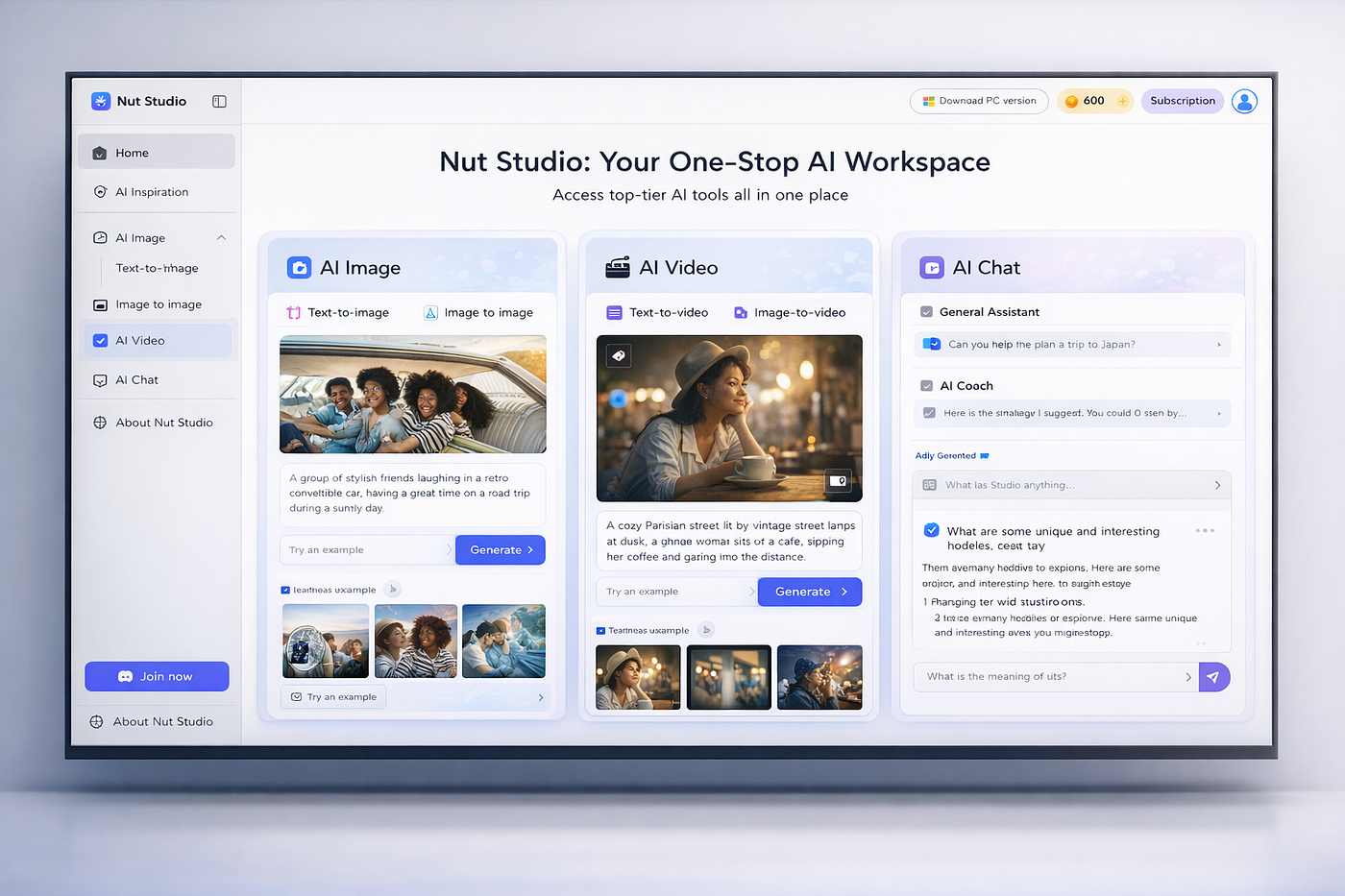
Real-world NutStudio usage in content creation
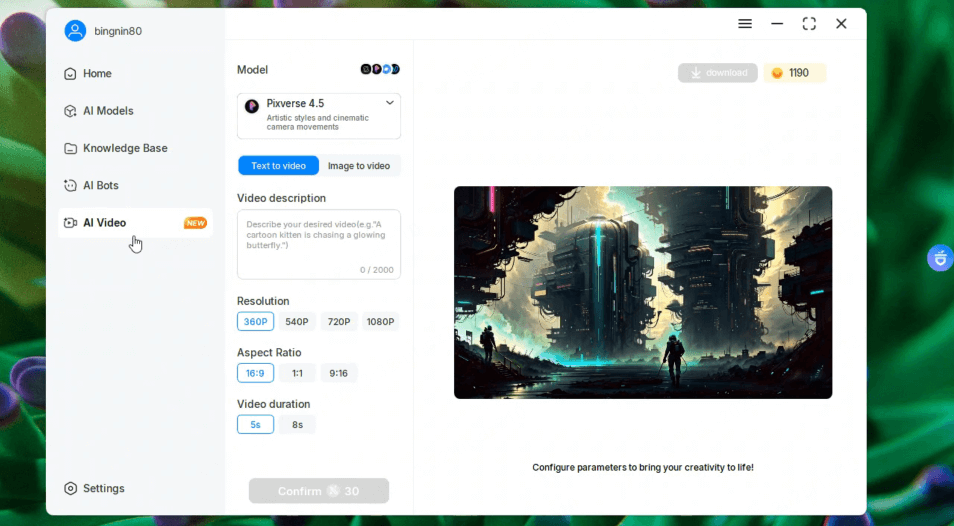
AI video creation example with advanced models

High-quality lifelike video generation demo
Productivity Boost
Instant text analysis, rewrite, translate in any app.
Content Creation
Text/image-to-video with Veo, Kling, etc.
Coding & Learning
AI-assisted code generation/explanation offline.
Privacy-Focused Work
Local models for secure, offline AI tasks.
Core Features of NutStudio
Key Tools & Capabilities
- Instant AI Assistant: Floating window/shortcuts for chat, analysis anywhere.
- Local LLM Deployment: Run 50+ models offline (Llama, Mistral, DeepSeek) with one-click—no coding.
- AI Image Generation: Text-to-Image & Image-to-Image for creative visuals.
- AI Video Generation: Text/Image-to-Video powered by Veo 3.1, Kling, PixVerse, Vidu.
- Contextual Actions: Select text to translate, explain, rewrite, summarize instantly.
- AI Agents & Bots: 100+ prebuilt for writing, coding, creativity; custom knowledge bases.
- Hybrid Mode: Toggle local/privacy vs cloud/power; file/web support.
User Experience Highlights
- Seamless desktop integration, no tab switching
- One-click model install & setup
- Strong privacy with full offline capability
- Customizable prompts/agents/knowledge
- High-quality video outputs with multiple models
NutStudio Functionality & Performance
In 2026, NutStudio delivers fast, reliable performance with excellent local model speed/privacy and cloud model quality for videos (smooth motion, lifelike details via Veo/Kling). Hybrid setup ensures flexibility without complexity.
Key Advantages in Performance
Multi-Model Video
Instant Access
Easy Setup
Workflow Integration
NutStudio Use Cases
Ideal Scenarios
- Professionals streamlining reports/docs with instant AI help
- Creators generating high-quality AI videos/images
- Coders getting offline assistance/explanations
- Students summarizing/rewriting notes securely
- Privacy-sensitive users avoiding cloud data sharing
Integration Options
Desktop App
Web Version
Local Models
Cloud APIs
NutStudio Pricing & Plans
Free Plan
$0 (Core)
Essential access
- Floating assistant & text actions
- Local model support
- Basic chat/analysis
- Limited cloud/video features
Paid Plans
From $14.99/month
Full access
- Unlimited advanced models
- Premium video generation
- More agents & features
- Lifetime/annual options
As of January 2026, free plan covers core/local use; paid unlocks premium cloud/video. Lifetime deals often available. Check official for current offers.
Pros & Cons: Balanced Assessment
Strengths
- Excellent privacy with full offline/local support
- Seamless integration into any workflow
- Powerful multi-model video/image generation
- User-friendly one-click setup
- Free core features & local models
- Customizable agents & knowledge
Limitations
- Advanced cloud/video in paid tiers only
- Local models require decent hardware
- Video generation limits on free
- Still evolving web version
- No mobile app yet
Who Should Use NutStudio?
Best For
- Professionals & office workers
- Content creators & video makers
- Developers/coders
- Students & researchers
- Privacy-conscious AI users
Consider Alternatives If
- You prefer fully cloud-based/web-only
- Need advanced mobile support
- Want unlimited free premium video
- Require heavy enterprise features
Final Verdict: 9.1/10
NutStudio excels as a privacy-first, all-in-one AI assistant in 2026, blending local power with cloud creativity for images/videos. Its seamless integration and ease of use make it a top choice for efficient workflows—strong value even on free tier.
Privacy & Offline: 9.5/10
Feature Set: 9.0/10
Value for Money: 9.0/10
Try the Ultimate AI Assistant in 2026
Download NutStudio for free—run local models offline, generate stunning AI videos, and boost your workflow instantly.
Free download & core features available as of January 2026.