Last Updated: January 24, 2026 | Review Stance: Real daily driver test, includes affiliate links
Quick Jumps
My Quick Take on Neo in 2026
Tired of 50 tabs, sketchy ads, and privacy paranoia? Neo (Norton Neo) is the calm I needed—free AI browser that thinks ahead, summarizes pages, organizes chaos, and keeps everything local + Norton-shielded. No creepy tracking, surprisingly smart AI, and it just... works. Finally a browser that feels like it's on my side.
How Neo Turned My Browser Nightmare into Peace
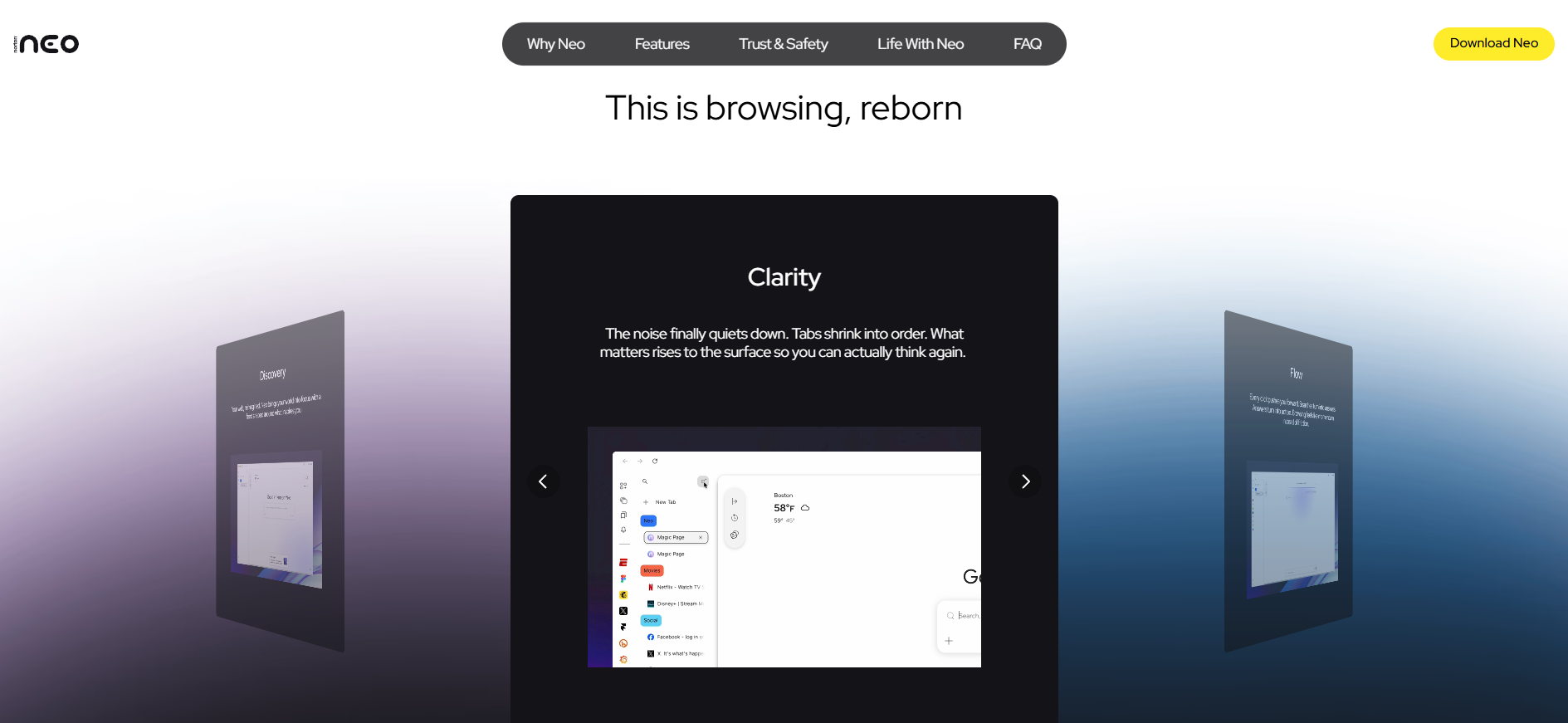
I used to live in tab hell—research tabs, shopping tabs, random rabbit holes, and always wondering if some site just stole my data. Then I downloaded Neo (neobrowser.ai) and... it felt weirdly quiet. In a good way. This isn't just Chrome with an AI button slapped on; it's built from the ground up as an AI-native browser that anticipates what you need while keeping your stuff private.
I've been running it as my main driver for weeks in 2026—streaming, shopping, deep dives, even late-night scrolls. This review is from someone who hates browser clutter and privacy leaks, so take it with that lens.
Research & Study
Instant summaries, no tab explosion for papers or projects.
Daily Multitasking
Reminders, organized tabs, proactive suggestions while you work/stream/shop.
Privacy-Conscious Users
Local storage, forget controls, Norton shield—no cloud snooping.
Casual & Heavy Browsers
From quick searches to all-day sessions, calmer experience.
The Bits That Made Me Stick Around
Everyday Helpers
- Instant Context & Magic Box: Type anything—question, command, search—it gives direct answers/summaries without link roulette.
- Proactive Smarts: Reminders pop up ("you left this tab open for shopping"), personalized feed, auto-tab grouping.
- Local AI Power: Runs on-device (great for neural-processor laptops), chats/history stay local—you decide what it remembers or forgets.
- Norton Web Shield: Blocks phishing/malware before click—peace of mind baked in.
- Calm UI: Clean design, no bloat, feels lightweight even with AI running.
How It Feels in Real Life (No Hype)
The AI is shockingly good for a browser—fast summaries, relevant context, almost ChatGPT-level without the lag. Local processing means no waiting for cloud, and privacy controls give real control. Shield catches sketchy sites reliably. Downside? Still maturing—some edge-case queries need rephrasing, and mobile is coming soon.
What Stands Out
Local Speed
Tab Sanity
Norton Shield
Free Forever (so far)
Pricing & How to Get It
Free Download
$0
Current Status
- Full access worldwide
- No waitlist
- Windows & macOS now
- iOS/Android soon
As of January 2026: Completely free to download and use—no ads, no forced subs (yet). Norton may add premium features later, but core AI + security is free. Head to neobrowser.ai to grab it.
Pros & Cons (Straight Talk)
What I Really Like
- Finally a browser that reduces stress
- Privacy feels genuine—local + controls
- AI is helpful, not gimmicky
- Norton shield actually works
- Free, no strings (for now)
- Clean, fast UI
Minor Gripes
- Mobile versions not out yet
- Some AI responses need tweaking
- Chrome extensions? FAQ unclear
- Future premium features possible
My Verdict: 9.0/10
Neo isn't trying to be everything—it's trying to be a better, calmer browser. In 2026, with privacy paranoia at peak and tabs driving everyone nuts, this feels like relief. Free, secure, smart, and actually useful. If you're ready to ditch the chaos, give it a spin—you might not go back.
Usefulness: 9.0/10
Speed & Calm: 9.2/10
Value: 9.3/10
Tired of Browser Chaos? Try Neo
Download free today—see if it brings the peace your browsing deserves. No risk, just calmer tabs.
Free worldwide as of January 2026.