Last Updated: January 10, 2026 | Review Stance: Independent testing, includes affiliate links
Quick Navigation
TL;DR - Gyazo 2026 Review
Gyazo remains the go-to tool for instant screenshots, GIFs, and video recordings in 2026, with seamless sharing, cloud sync, and powerful Pro features like OCR text search and unlimited collections. Super fast and user-friendly—free for basics, Pro for pros.
Gyazo Review Overview and Methodology
Gyazo is a lightweight, lightning-fast screenshot and screen recording tool loved by over 23 million users worldwide. It captures instantly, uploads to cloud automatically, and provides shareable links in seconds—perfect for visual communication without workflow interruption.
This 2026 review evaluates capture speed, sharing ease, search capabilities (including AI OCR in Pro), organization, and cross-platform performance through real-world tests in professional, gaming, and collaborative scenarios.
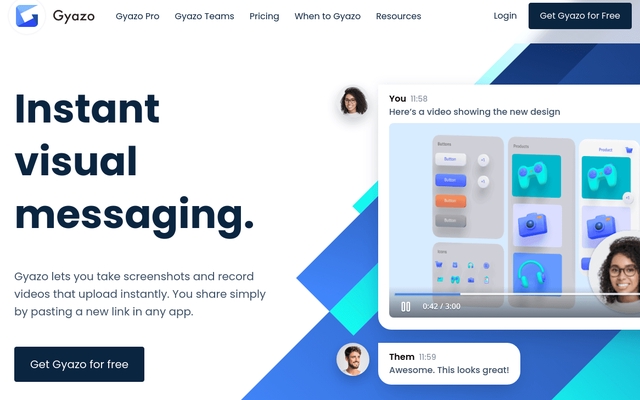
Gyazo intuitive capture selection (source: tool demos)
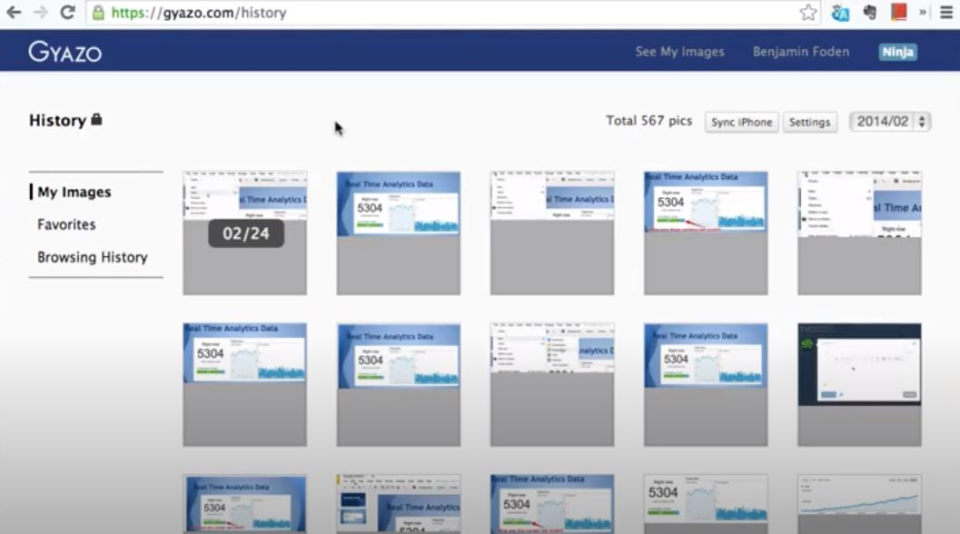
Gyazo organized dashboard and library view
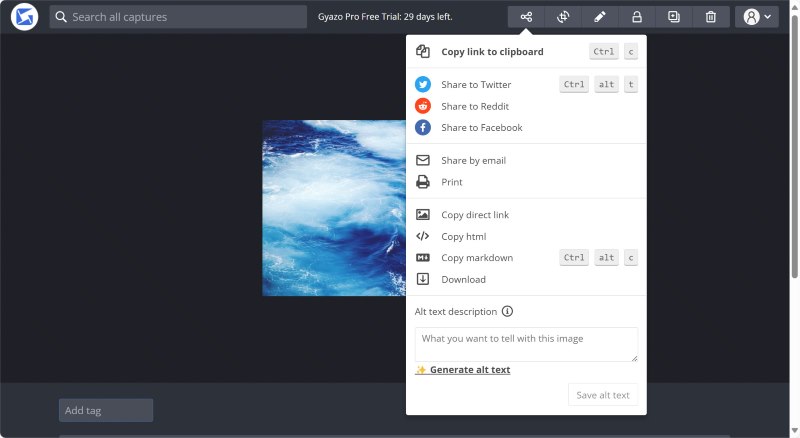
Instant shareable link after capture
Professional Work
Bug reports, design feedback, meetings.
Gaming & Streaming
Moments capture, replays, highlights.
Collaboration
Team collections, async visual comms.
Personal Use
Research, inspiration saving, quick shares.
Core Features of Gyazo
Key Tools & Capabilities
- Instant Capture: Screenshots, GIFs, videos with hotkeys/right-click—no interruptions.
- Auto Upload & Share: Cloud upload, instant shareable links (custom passwords/visibility).
- Search & Organization: OCR text extraction (Pro), tags, collections, metadata/date search.
- Video Recording: Up to 10 min HD (Pro), replay capture, easy trimming.
- Cross-Platform Sync: Desktop (Win/Mac), mobile, browser extension, cloud access anywhere.
- Collections & Collaboration: Unlimited groups (Pro), notes, team sharing.
- AI Features: Text extraction for searchable content.
User Experience Highlights
- Extremely fast & minimalistic—no pop-ups or delays
- Hotkey-driven workflow keeps focus
- Powerful search saves time rediscovering captures
- Secure sharing with controls
- Mobile/browser support for on-the-go
Gyazo Functionality & Performance
In 2026, Gyazo delivers blazing-fast captures (seconds from click to share) with reliable cloud sync. Pro OCR makes old captures searchable; video quality is HD and smooth for quick recordings.
Key Advantages in Performance
Reliable Sync
OCR Search
HD Video
Cross-Device
Gyazo Use Cases
Ideal Scenarios
- Bug reporting & tech support
- Design reviews & feedback loops
- Gaming highlights & replays
- Meeting notes & async comms
- Research & visual bookmarking
Access Options
Desktop App
Mobile App
Browser Extension
Cloud Web
Gyazo Pricing & Plans
Free Plan
$0/month
Basic everyday use
- Unlimited screenshots/GIFs
- Basic video capture
- Cloud sync & sharing
- Limited search/history
Gyazo Pro
$4.99/month (yearly)
Most popular
- Unlimited collections & access
- 10-min HD video
- AI OCR text extraction/search
- Advanced editing & passwords
Gyazo Teams
$35+/month (5+ users)
For teams
- Everything in Pro
- Team collections & access control
- Collaboration features
- Enterprise security
As of January 2026, yearly billing saves 20% on Pro. Free plan strong for individuals; Pro essential for heavy/power users. Check official site for current details.
Pros & Cons: Balanced Assessment
Strengths
- Incredibly fast & seamless capture
- Instant shareable links
- Powerful OCR & organization (Pro)
- Cross-platform & sync
- Great for async visual comms
- Trusted by millions
Limitations
- Basic video limits in free
- Advanced search/OCR Pro-only
- No deep editing tools
- Teams plan requires min users
- No offline mode
Who Should Use Gyazo?
Best For
- Professionals & teams
- Gamers & streamers
- Support & dev teams
- Designers & researchers
- Anyone needing quick shares
Consider Alternatives If
- You need advanced video editing
- Want free unlimited long videos
- Require heavy annotation tools
- Prefer local-only storage
Final Verdict: 9.2/10
Gyazo excels in 2026 as the simplest, fastest screenshot & recording tool for instant visual sharing. Its speed, sync, and Pro OCR/search make it indispensable—highly recommended for productivity and collaboration.
Features: 9.0/10
Value: 9.0/10
Sharing: 9.5/10
Try the Fastest Screenshot Tool in 2026
Capture, share, and organize instantly—start with the free plan and upgrade for Pro power.
Free download & plan available as of January 2026.