Last Updated: January 15, 2026 | Review Stance: Independent testing, includes affiliate links
Quick Navigation
TL;DR - ClipTalk.pro 2026 Review
ClipTalk.pro is a game-changing AI tool in 2026 for creating professional talking videos from text/scripts with realistic lip sync, voice cloning, auto-editing, captions, and B-roll. Perfect for social media creators—fast, easy, and monetizable, with a free tier and scalable Pro plans.
ClipTalk.pro Review Overview and Methodology
ClipTalk.pro is an AI-powered platform for generating short-form talking videos optimized for TikTok, Instagram Reels, and YouTube Shorts. It automates the entire process from text input to fully edited output with lip-synced avatars, voiceovers, and enhancements.
This 2026 review is based on testing text-to-video generation, voice cloning accuracy, editing features, output quality, and speed across social media use cases.

Realistic AI talking avatar in action (source: official demos)
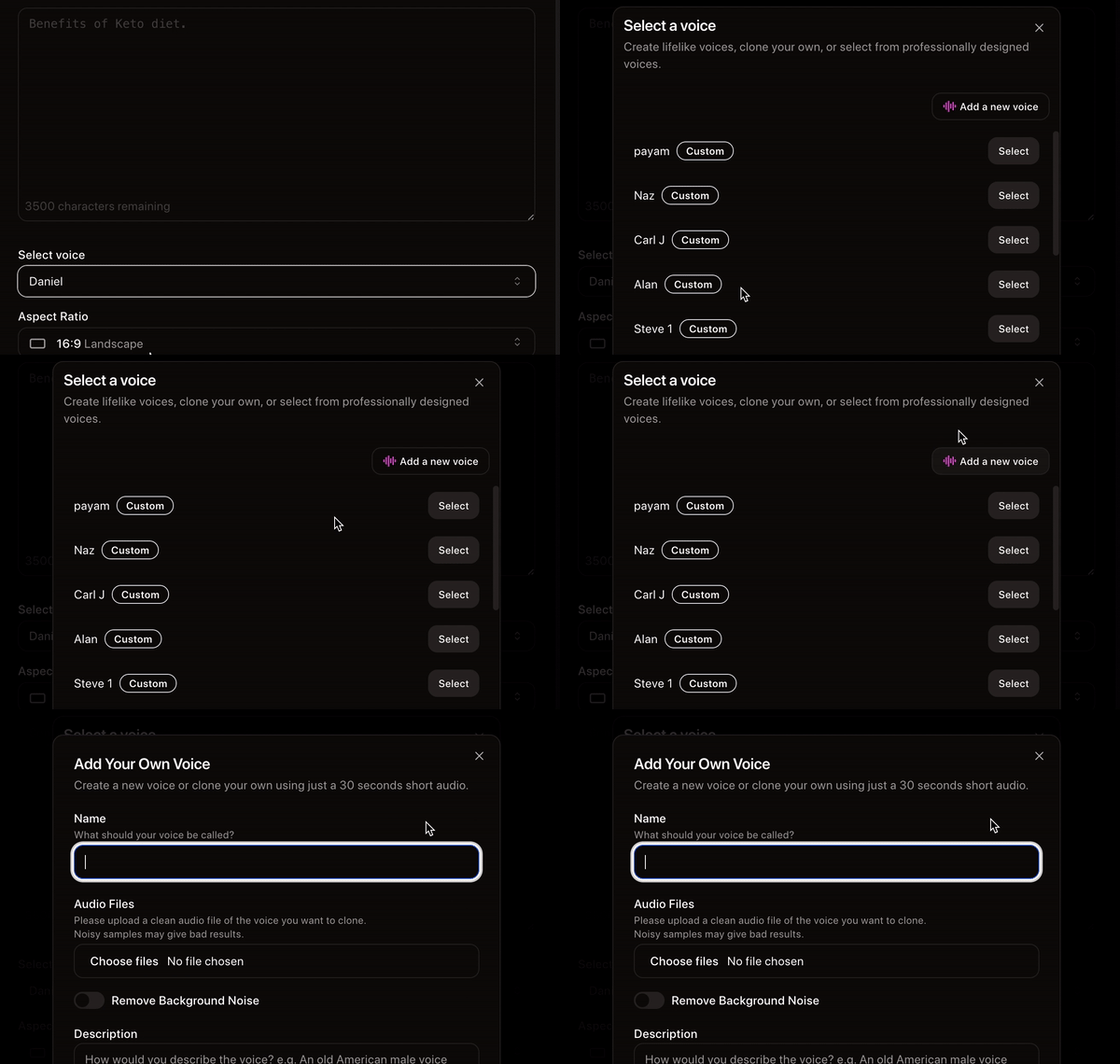
Smooth lip sync and animated output example

Intuitive interface for script-to-video workflow
Social Media Creators
TikTok/Reels/Shorts viral talking videos.
Faceless Channels
YouTube educational/marketing content.
Digital Marketing
Product promos & ads with custom avatars.
Entrepreneurs
Quick scalable content without editing skills.
Core Features of ClipTalk.pro
Key Tools & Capabilities
- Text-to-Talking Video: Input scripts/articles/webpages for auto-generated videos with lip sync avatars.
- AI Talking Characters/Avatars: Create customizable talking AI characters with realistic expressions.
- Voice Cloning: Clone any voice from 30-second sample (Pro+).
- Auto-Editing & Enhancements: AI auto-edits, adds B-roll, animated captions, removes silences/fillers.
- Natural Language Editor: Edit videos by typing/talking commands.
- 48+ Languages & Voices: Realistic AI voice actors with emotions.
- Music/Style Customization: Add music, visuals, viral formats.
User Experience Highlights
- No editing skills required—AI handles most work
- Generation in seconds to minutes
- Monetizable original content
- Simple interface for quick workflows
- High accuracy in lip sync & voice cloning
ClipTalk.pro Functionality & Performance
In 2026, ClipTalk.pro delivers high-quality talking videos with excellent lip sync, natural voices, and smart auto-features. Fast processing and reliable outputs make it stand out for short-form content.
Key Advantages in Performance
Auto-Editing Speed
Voice Realism
Customization
Viral Optimization
ClipTalk.pro Use Cases
Ideal Scenarios
- Faceless YouTube/TikTok channels with educational content
- Instagram Reels product promotions & reviews
- Marketing videos & ads with custom avatars
- Quick viral shorts from articles/scripts
- Personal branding with cloned voiceovers
Access Options
Web Platform
AI Editor
Voice Tools
Export Ready
ClipTalk.pro Pricing & Plans
Free Plan
$0/month
Basic testing
- 1 minute AI generation/month
- Basic voices & features
- Editing free (no credits)
- Watermark on exports
Starter Plan
$19/month
Growing creators
- 120+ minutes generation
- 15+ voices, 2 clones
- Basic customization
- No watermark
Pro Plan
$59/month
Professional use
- 300 minutes generation
- 30+ voices, 12 clones
- Prioritized speed & features
- Full customization
As of January 2026, plans include monthly minutes reset; extra credits purchasable. Annual discounts often available. Check official for latest rates.
Pros & Cons: Balanced Assessment
Strengths
- Extremely fast & easy for beginners
- Excellent lip sync & voice realism
- Powerful auto-features save time
- Monetizable original videos
- 48+ languages support
- Great for short-form virality
Limitations
- Free tier very limited (1 min/month)
- Generation credits consume quickly
- Quality depends on input script
- Advanced features in Pro only
- No offline mode
Who Should Use ClipTalk.pro?
Best For
- Social media content creators
- Faceless YouTube/TikTok operators
- Digital marketers & entrepreneurs
- Anyone needing quick talking videos
Consider Alternatives If
- You need unlimited free high-quality generations
- Require advanced manual editing controls
- Prefer offline/local tools
- Want more complex long-form video support
Final Verdict: 8.9/10
ClipTalk.pro excels in 2026 as an accessible AI tool for fast, professional short-form talking videos with strong lip sync and automation. Ideal for social media growth—free start is limited, but paid value is excellent for creators.
Lip Sync Quality: 9.0/10
Value for Money: 8.7/10
Feature Set: 9.0/10
Create Viral Talking Videos in 2026
Turn your scripts into professional lip-synced videos with AI avatars—start free with 1 minute today.
Visit ClipTalk.pro Official Site
Free tier available as of January 2026—no card required to start.