Last Updated: January 03, 2026 | Review Stance: Independent testing, includes affiliate links
Quick Navigation
TL;DR - Canva AI Art Generator 2026 Review
Canva's Magic Studio AI Art Generator excels in 2026 as an easy-to-use text-to-image tool integrated into the design platform, powered by Dream Lab (Leonardo Phoenix) for high-quality outputs. With diverse styles, seamless editing, and brand consistency, it's ideal for non-designers—free limited generations, unlimited with Pro subscription.
Canva AI Art Generator Review Overview and Methodology
Canva's AI Art Generator, part of Magic Studio, allows users to create images from text prompts directly within the Canva editor. Evolving with integrations like Dream Lab (Leonardo.ai Phoenix model) in 2026, it combines generation with full design tools for end-to-end creation.
This review evaluates the web platform, testing prompt accuracy, style variety, integration, speed, and output quality in real scenarios like social media graphics, presentations, and marketing materials.
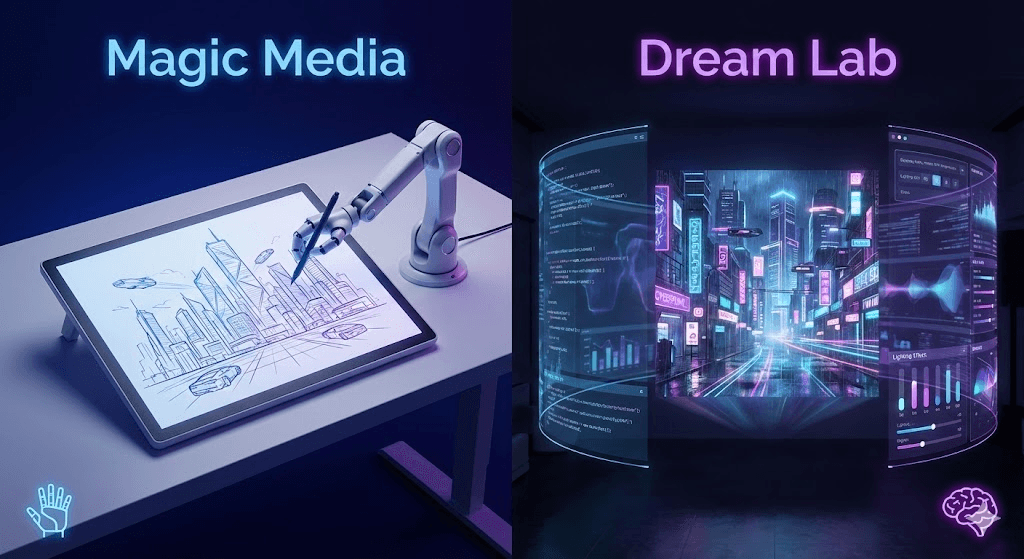
Canva AI-generated visuals showcase (2026)

High-quality AI art from Canva prompts
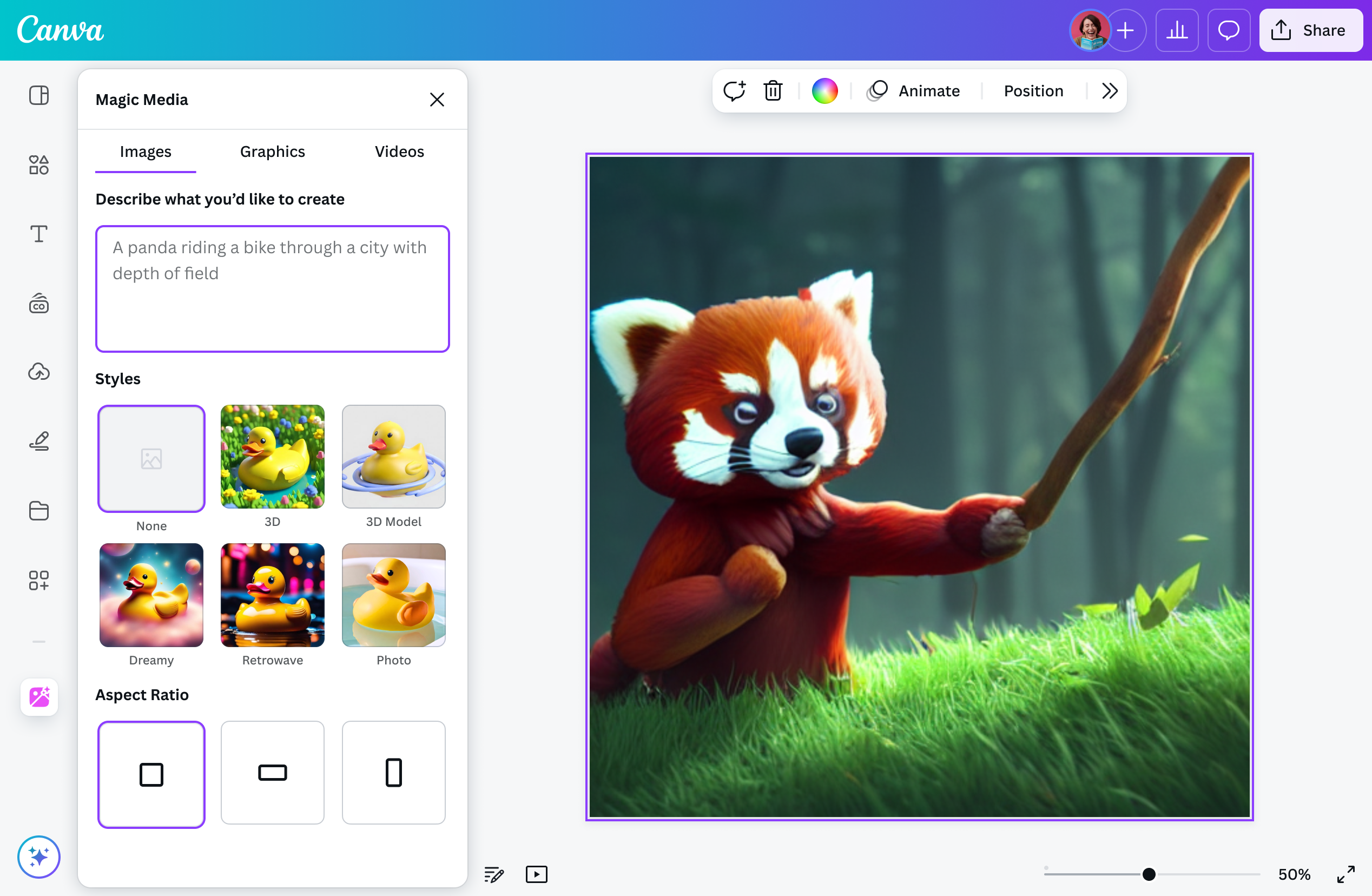
Canva Magic Studio text-to-image interface (2026)
Social Media
Quick graphics, posts, thumbnails with brand consistency.
Presentations
Illustrations, slides, visuals for education/business.
Marketing
Ads, posters, product mockups.
Everyday Design
Invitations, personal projects, quick ideas.
Core Features of Canva AI Art Generator
Key Tools & Capabilities
- Text-to-Image: Generate images from prompts with 20+ styles (Watercolor, Neon, Anime, Dreamy, etc.).
- Dream Lab Integration: Advanced generation powered by Leonardo.ai Phoenix model for better text rendering and quality.
- Seamless Editing: Instant integration with Canva tools—add text, effects, elements, Magic Edit/Expand/Eraser.
- Brand Kit Support: Auto-apply colors, fonts, logos for consistency.
- Safety Filters: Blocks inappropriate content automatically.
- Additional Magic Tools: Magic Design for templates, Magic Media variations.
- Aspect Ratio & Refinement: Customize size and polish outputs directly.
User Experience Highlights
- No learning curve—integrated into familiar Canva interface
- Fast generation and real-time previews
- One-click application to designs
- Mobile and web access
- Ethical safeguards and user ownership of creations
Canva AI Art Generator Functionality & Performance
In 2026, Canva's generator (especially Dream Lab) provides reliable, high-quality outputs suitable for professional use, with good prompt adherence and style variety—though not always matching dedicated tools like Midjourney in artistic depth.
Key Advantages in Performance
Integration
Speed
Brand Consistency
Safety
Canva AI Art Generator Use Cases
Ideal Scenarios
- Social media managers creating daily content
- Educators and trainers enhancing slides
- Small business owners designing marketing materials
- Teams collaborating on presentations
- Beginners exploring visual ideas quickly
Integration Options
Canva Editor
Templates
Brand Kit
Magic Studio Suite
Canva AI Art Generator Pricing & Plans
Free Plan
$0/month
Basic access
- Limited AI generations (lifetime cap)
- Basic styles and tools
- Watermarks on some exports
- 5GB storage
Canva Pro
$15/month
Most popular for individuals
- Unlimited AI generations
- Full Magic Studio access
- Premium templates/elements
- 1TB storage, no watermarks
Canva Teams
Higher/user/month
For collaboration
- Everything in Pro
- Team features, admin controls
- Brand management
- Higher pricing post-2024 increases
As of January 2026, annual billing saves ~20%. EDU/NFP plans available with discounts.
Pros & Cons: Balanced Assessment
Strengths
- Extremely user-friendly integration
- Seamless from generation to final design
- Great for brand-consistent content
- Fast and safe with built-in filters
- Improved quality via Dream Lab
- Affordable unlimited access with Pro
Limitations
- Free plan very limited generations
- Not the highest artistic quality vs dedicated tools
- Occasional text rendering issues
- Requires subscription for heavy use
- No standalone advanced controls
Who Should Use Canva AI Art Generator?
Best For
- Beginners & non-designers
- Social media marketers
- Educators & presenters
- Small businesses/teams
- Quick practical visuals
Consider Alternatives If
- You need top-tier artistic quality
- Unlimited free generations
- Advanced prompt engineering
- Standalone tool without design platform
Final Verdict: 8.9/10
Canva's AI Art Generator in Magic Studio is a standout for accessible, integrated creation in 2026—perfect for fast, practical designs with improving quality via Dream Lab. While not the most advanced artistically, its ease and ecosystem make it essential for everyday users and teams.
Integration: 9.7/10
Value for Money: 8.8/10
Image Quality: 8.5/10
Try the Best Integrated AI Art Generator in 2026
Generate images from text and edit seamlessly in Canva—start with free limited uses or go Pro for unlimited.
Free limited generations available as of January 2026.