Last Updated: January 20, 2026 | Review Stance: Independent testing, includes affiliate links
Quick Navigation
Quick Take - AIEasyPhoto in 2026
Super straightforward AI photo tool—upload a pic and get enhanced versions, clean backgrounds, restored old family photos, or slick professional headshots in seconds. Free to start (with some limits), paid unlocks unlimited + no watermarks. Perfect if you hate complicated editors but want pro-looking results fast.
What AIEasyPhoto Is All About & How I Tested It
AIEasyPhoto is basically your go-to online spot for quick AI magic on photos. Whether you're fixing blurry old pics, pulling out backgrounds, upscaling for prints, or turning selfies into LinkedIn-ready headshots—it handles it all without needing Photoshop skills.
I spent time in 2026 actually using it: uploaded real selfies for headshots, old scanned family photos for restoration, product shots for background removal, and low-res images for upscaling. Checked speed, quality, ease, and whether paid is worth it for regular use.
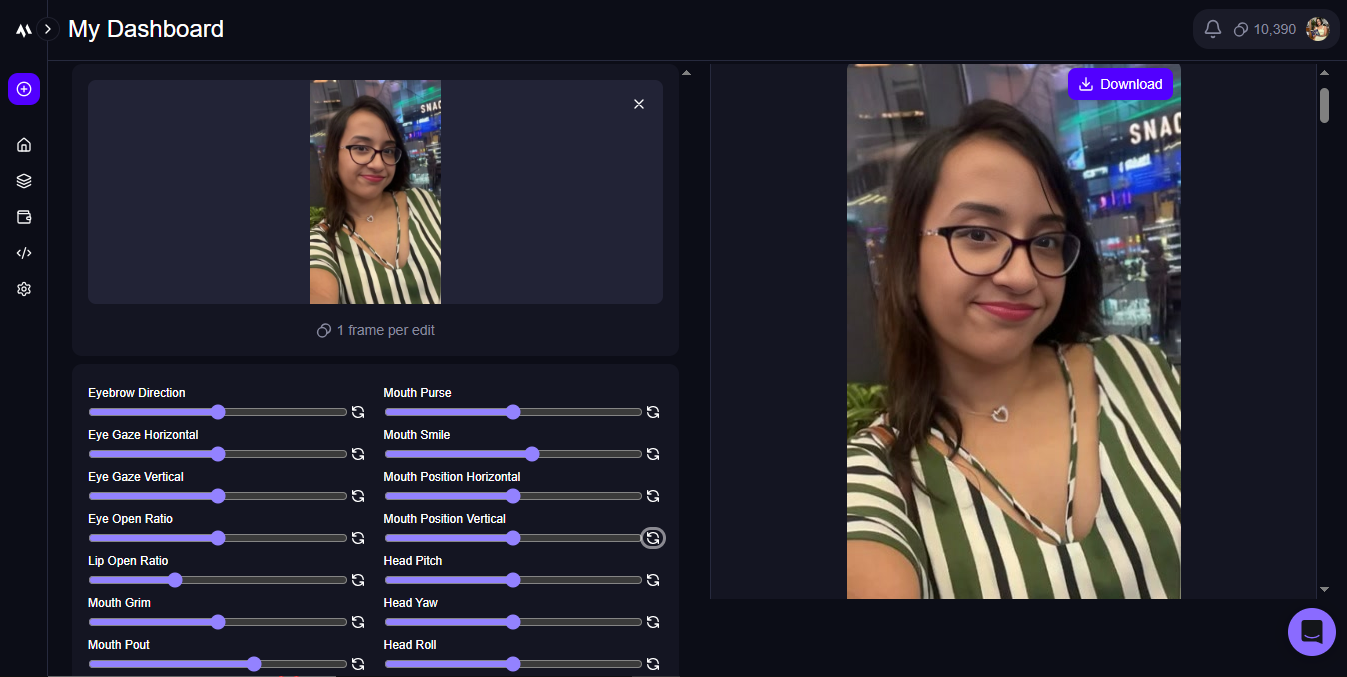
Before/after: See how it sharpens and restores details
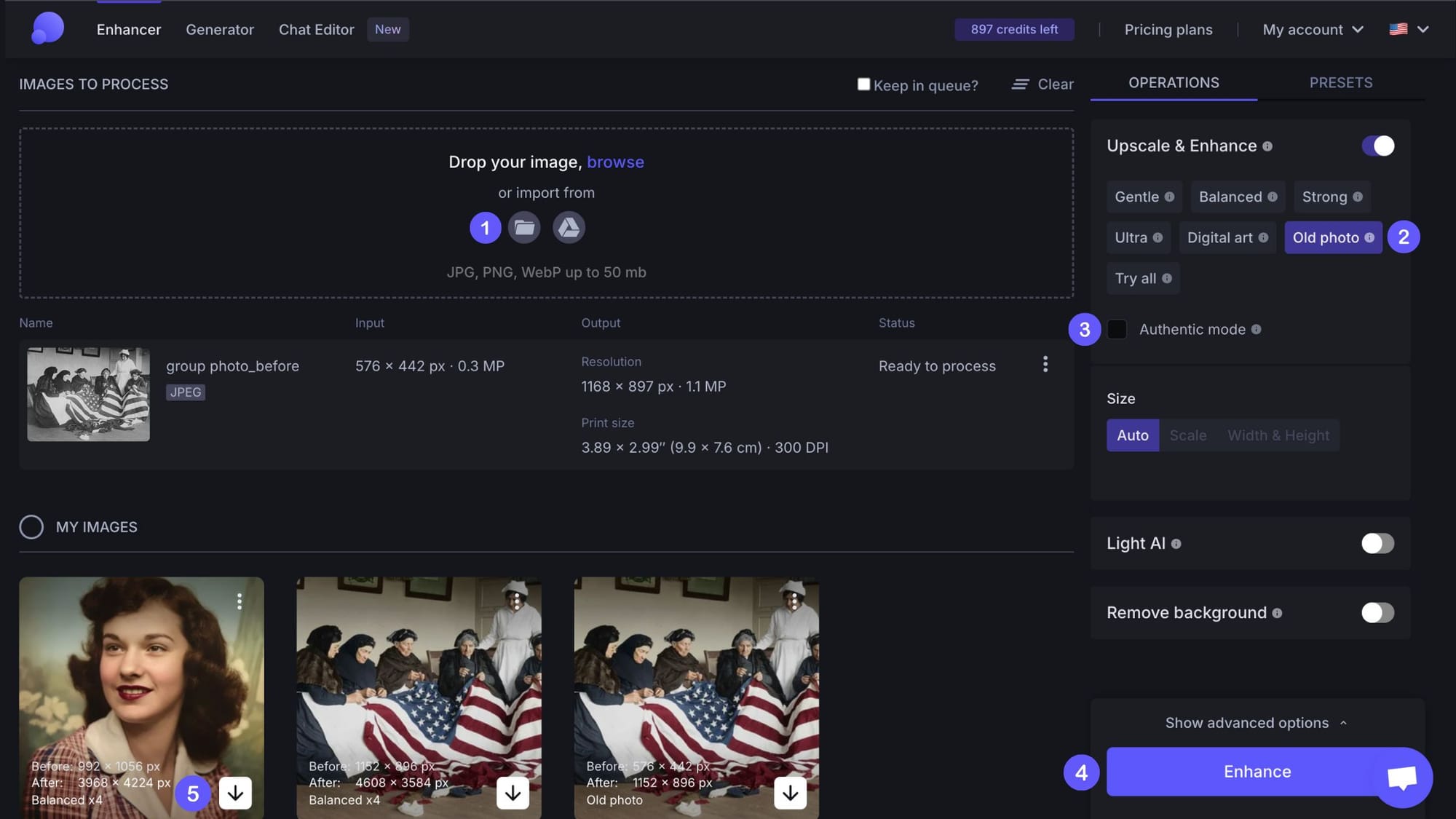
Restoring faded family photos—super satisfying results
Everyday Folks
Fix old photos, make selfies look pro.
Job Hunters & Professionals
LinkedIn/TikTok headshots without a photoshoot.
E-commerce Sellers
Clean product backgrounds fast.
Content Creators
Quick enhancements & creative edits.
What You Can Actually Do With It
Main Stuff That Works Well
- One-Click Enhancer: Upload blurry pic → sharper, clearer, better colors instantly.
- Background Remover: Cut out people/objects cleanly—no green screen needed.
- Old Photo Restore: Fix scratches, fade, colorize black & white—great for family albums.
- AI Headshot Generator: Turn casual selfies into pro portraits with different styles/outfits.
- Upscale & Enlarge: Blow up low-res images to 2x/4x without pixelation.
- Extras like object removal, face touch-up, passport photo maker.
How Good Does It Really Perform?
Honestly, for most everyday tasks it's surprisingly solid in 2026. Headshots come out looking natural (not too plastic), restorations bring old pics back to life nicely, and background removal is clean 90% of the time. Speed is quick—usually under a minute. Free tier good for testing, but paid removes limits/watermarks and gives better res.
What Stands Out
Fast Results
Great for Headshots
Free to Try
Commercial OK on Paid
Pricing – Is It Worth It?
Free Tier
$0
Good for Trying
- Basic features + daily credits
- Some watermarks/limits
- Personal use mostly
- Perfect to test headshots/enhance
Pro / Paid
~$9.99 – $20+/mo
For Regular Use
- Unlimited or high credits
- No watermarks + high-res
- Commercial rights
- Advanced models & priority
As of January 2026, free credits daily; Pro around $10/mo entry (varies by plan/credits). Annual saves money. Check site for exact—often has promos.
Pros & Cons – Real Talk
What I Like
- Dead simple—no learning curve
- Headshots & restorations look surprisingly good
- Free tier actually usable daily
- Fast processing
- Commercial use on paid
- Great value for quick fixes
What Could Be Better
- Free has watermarks/limits on advanced stuff
- Some results need minor tweaks (styles vary)
- No super fine manual control
- Higher tiers needed for heavy use
My Verdict: 8.7/10
If you want quick, decent AI photo magic without hassle, AIEasyPhoto nails it in 2026. Headshots and restores are highlights—free to dip your toes, paid for serious volume. Solid pick for non-pros who just need great-looking pics fast.
Results Quality: 8.5/10
Value: 8.8/10
Features: 8.6/10
Ready to Try Some AI Photo Magic?
Jump in free, upload a pic, see the difference—upgrade if you love it for unlimited pro stuff.
Free credits daily as of January 2026—go play around!